
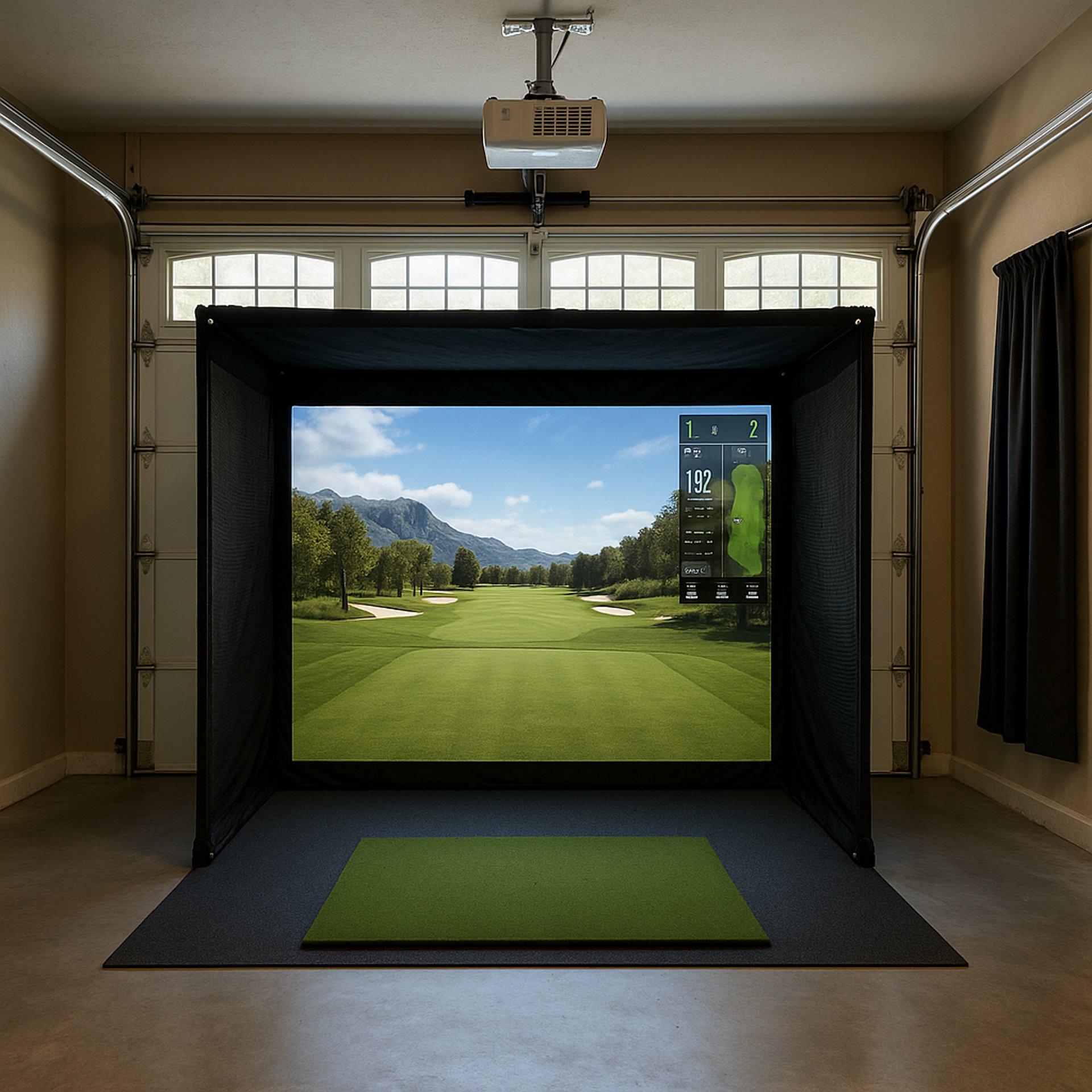
What Lumens Do You Need for a Golf Simulator?
Discover how to choose the right lumens for golf simulator projectors to ensure clear visuals and accurate tracking in any lighting condition.
PROJECTORSSIMULATORS
Golf Tech Buzz Editorial Team - Led by AJ “Buzz” Eichman
4/27/20266 min read
If you’re setting up a golf simulator, you’ve probably heard the chatter about lumens and how critical they are for a good experience. Here’s the straight talk: lumens basically measure the brightness of your projector or light source. And for your golf simulator, getting the right amount of lumens is the difference between crisp, clear shots and a washed-out, blurry mess that makes you question if golf is really your game or just a video game you’re terrible at.
Before dialing in brightness, make sure your overall setup is solid—start with the Golf Sim Projectors pillar to understand how everything connects.
I’ve run winter leagues and built simulators in every kind of space—from dark basements to daylight flooding garages. Knowing the lumens needed and how they interact with your room’s lighting can save you a ton of headaches and improve your swing visualization dramatically. Let’s break it down.
Quick Verdict
For most indoor golf simulators, a projector with 3,000 to 5,000 lumens hits the sweet spot.
Rooms with windows or natural daylight usually mean you need higher lumens or blackout curtains.
The projector’s quality, screen type, and ambient lighting impact how bright your image actually looks.
Don’t just chase lumens—balance brightness with resolution and color accuracy for the best simulation.
What Are Lumens and Why Do They Matter for Golf Simulators?
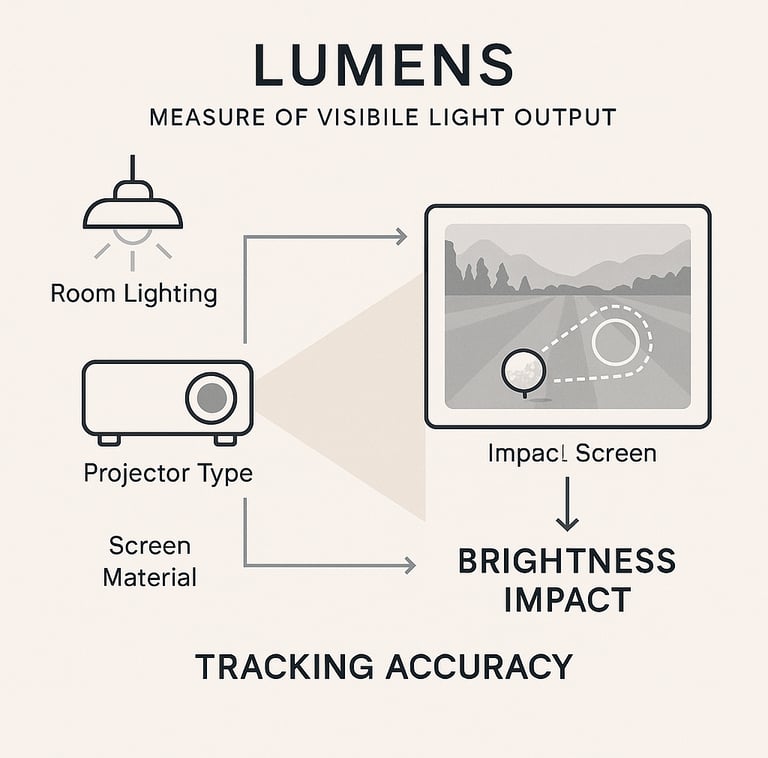
Lumens measure the total output of visible light. Simple enough, but here’s the kicker: not all projectors rated at 3,000 lumens deliver the same punch. The way your room is lit, the projector’s tech, and the screen material also dictate how bright and clear your simulator image will be.
If you’re still comparing specs beyond brightness, the Golf Simulator Projector Guide covers everything you need before buying.
In golf sims, this light brightness is crucial because you’re relying on the visuals not only to see your shots but also for the simulator’s tracking systems to interpret your swings accurately. Dim or uneven lighting can throw off tracking or lose those tiny ball details downrange.
Typical Lumens Range for Different Golf Simulator Setups
Usually, if you’re working in a dedicated room with controlled lighting—meaning blackout curtains or no windows—you can go with projectors around 3,000 lumens without problems. They provide bright, vibrant images that let all the golf magic happen.
But if you’ve got a garage with daylight streaming in or a room with multiple light sources, you’re looking at pushing closer to 4,000 or 5,000 lumens to compensate. Light bouncing off walls or windows can wash out the image, so your projector has to work harder.
If you're looking at actual options in that range, check Best Projectors for Golf Simulators and Best Projectors Under $1,000 to match lumen output with real-world models.
Outdoor or event setups that aren’t under tight light control sometimes use even brighter projectors, but that’s rare in home sim setups.
How Ambient Lighting Affects Lumens Needs
Here’s where I’ve seen guys get tripped up the most. Ambient light isn’t just about bulbs overhead or sunlight. It’s also reflections bouncing off walls, floors, and ceilings. A projector rated for 3,000 lumens in a dark room might look like a flashlight in a room with lots of reflective surfaces.
Managing ambient light with blackout curtains, darker walls, or strategic lighting makes a massive difference.
If your setup still looks dim or inconsistent, Why Your Golf Simulator Projector Has Shadows (Fix Guide) can help you troubleshoot lighting and placement issues.
This way you can avoid splurging on a more expensive projector just to fight off natural light.
Projector Types and Their Impact on Brightness
Not all projectors are built the same, and tech matters big time. You have three main types:
Lamp-based: The old-school option. Usually cheaper but bulbs dim over time, and color accuracy can suffer.
LED: More efficient, tend to keep brightness longer, and offer better color accuracy at the same lumen rating.
Laser: The heavy hitters with consistent brightness and excellent color rendering, but they come with a heftier price tag.
For golf sims, laser and LED projectors tend to give you brighter and sharper images without needing to crank lumens through the roof.
Choosing the Right Screen for Better Brightness
Screen choice isn’t just about size or durability. The reflectivity of your screen hugely impacts what you see. Matte white screens are popular because they diffuse light evenly without glare, but gray screens can boost contrast and handle ambient light better.
High-reflectivity screens can make even modest lumen projectors look brighter, so blending your pixel density, screen material, and lumen strength is key.
Tips to Optimize Lighting for Your Golf Simulator
If you want to make your golf simulator sing, don’t just throw down cash for a powerful projector. Consider these:
Control ambient light with blackout curtains or shades, especially if you’re running a garage setup.
Paint walls darker or use wall covers to reduce bounce light.
Use diffused, indirect LED lighting for room illumination—avoid harsh, direct overhead lights that can cause glare.
Position your projector to reduce light spill and maintain an even brightness across the screen.
Match your projector lumen rating to your screen's reflectivity and room size.
If you're working in a tighter room, Best Projector Placement for Small Golf Simulator Rooms will help you position everything correctly.
Common Lighting Mistakes to Avoid
Buying high-lumen projectors without controlling ambient light.
Thinking more lumens always mean better image quality.
Using harsh overhead fluorescent lights that create screen glare.
Ignoring projector throw distance and placement.
Failing to invest in quality screens.
If you’re unsure how throw distance plays into brightness and setup, What Throw Ratio Do You Need for a Golf Projector? ties directly into this.
Frequently Asked Questions About Lumens and Golf Simulators
How many lumens do I need for a home golf simulator?
For most home setups with controlled lighting, 3,000 to 4,000 lumens will do the trick. If you have windows or high ambient light, bump it up to 5,000 or more.
Can I use a low lumen projector if I control the lighting?
Absolutely. If you blackout your windows and use dark walls, you can get away with less brightness, which can save money. But expect less flexibility if lighting conditions change.
Does projector resolution affect how bright the image looks on a simulator?
Yes, indirectly. Higher resolution projectors pack more pixels, which can create crisper, clearer images, making the image appear brighter and more detailed.
What is the difference between LED, laser, and lamp-based projectors for golf simulators?
Lamp projectors are cheaper but less consistent. LEDs offer longer life and better color at the same brightness, while lasers give you the best brightness and color accuracy for the money—if you can afford it.
How important is ambient light control for golf simulator image quality?
It’s crucial. Even the brightest projector can look dull in a room with poor ambient light management, causing washed-out images and worse tracking.
Can I improve brightness without buying a more expensive projector?
Yes, manage your room’s lighting first, pick a high-reflectivity screen, and place the projector correctly. Sometimes small tweaks beat big upgrades.
Do different types of golf simulator screens affect lumens requirements?
Definitely. Screens with higher reflectivity or better materials can make images look brighter at the same lumen level than cheaper screens.
Is there a downside to using projectors with very high lumens?
They can produce unwanted heat, use more power, and sometimes have shorter lamp lives. Plus, if your room isn’t properly set up, you may not see the benefit.
Conclusion
Here’s the deal—lumens absolutely matter for your golf simulator, but they’re just one piece of the puzzle. A 5,000-lumen projector in a sunlit garage can still deliver a washed-out mess if you ignore ambient light. Conversely, a well-controlled space with a 3,000-lumen LED or laser projector and a high-quality screen can produce stunning, immersive golf visuals that make winter leagues more enjoyable and practice more productive.
If I’m being honest, the best way to get this right is to think through your space and play conditions first. Control your light environment, pick a projector that meets your room’s needs, and don’t settle for an image that looks like a foggy day on the course. Do that, and your golf simulator will feel less like a hobby and more like the game-changing tool it’s meant to be.
Now, go get that sweet spot between lumens and performance—and get ready to crush it indoors.
© 2026 GolfTechBuzz. All rights reserved.
Golf Tech Buzz
Performance Through Data
Practical guides, real-world setups, and unbiased comparisons for golfers building smarter practice environments.
General Inquiries: