
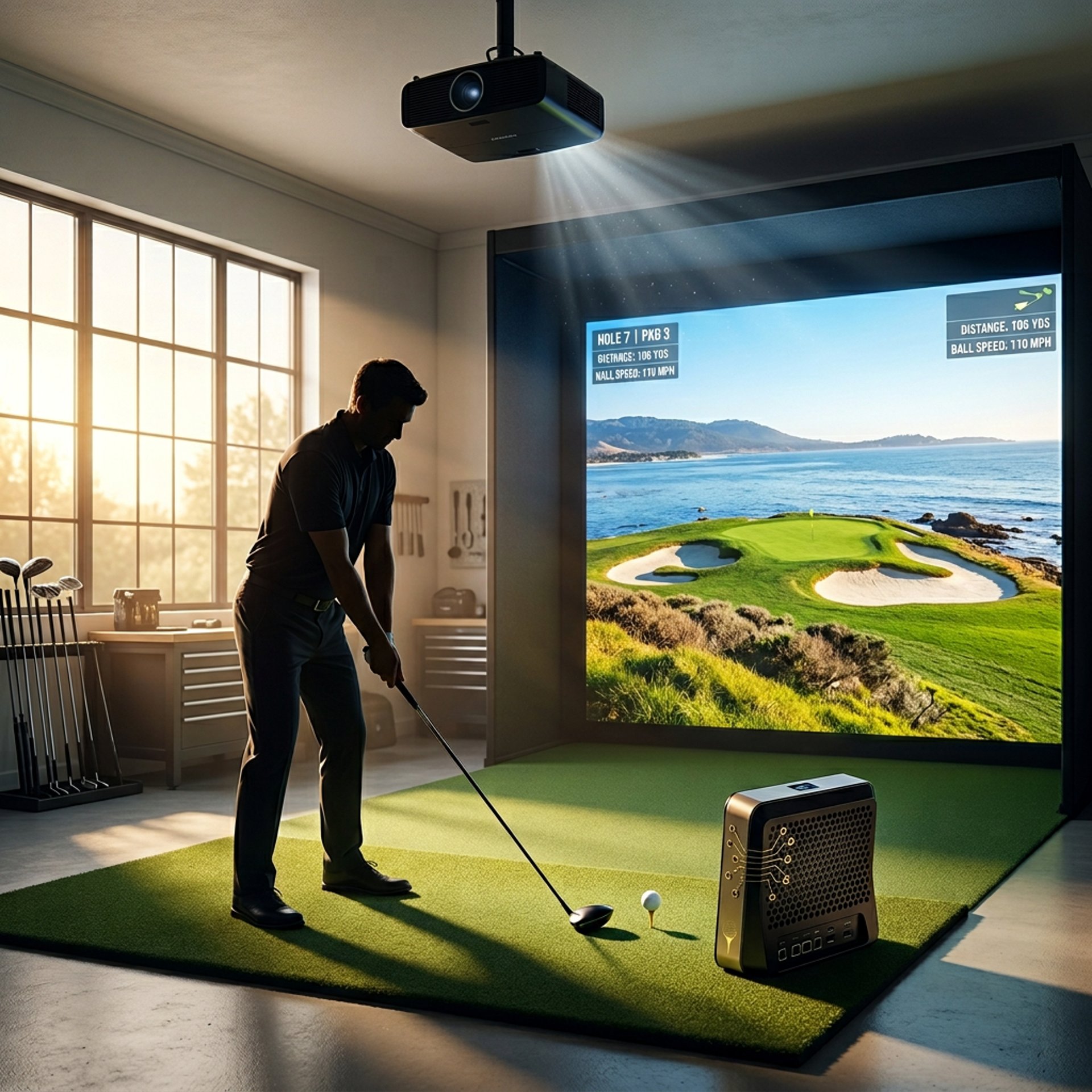
Golf Simulator Projectors: How to Choose the Right One for Your Setup
Golf simulator projectors aren’t just about resolution — they’re about fit, space, and visibility in your environment.
Most golfers either overspend on features they don’t need or buy something that doesn’t actually work in their space.
This guide breaks down:
What actually matters in a golf simulator projector
How your room affects your choice
What specs you really need
And how to pick the right one based on your setup
What Determines the Right Golf Simulator Projector
A projector isn’t just a display — it’s part of your entire simulator system.
Before choosing anything, focus on:
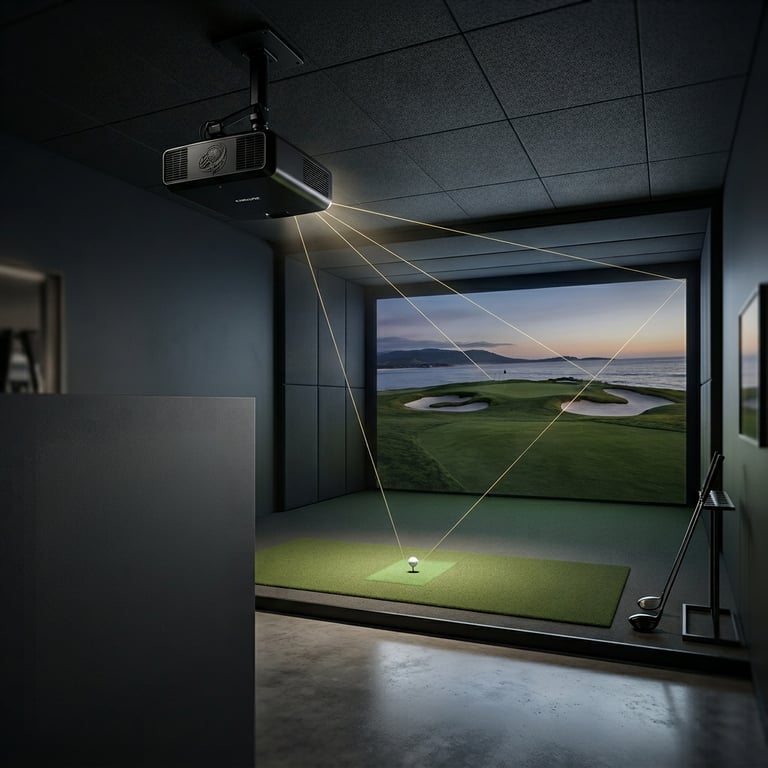
Throw Ratio – Determines how far back your projector must sit
Room Size – Ceiling height, depth, and width matter more than specs
Brightness (Lumens) – Critical for visibility in your lighting conditions
Resolution – Impacts clarity, but only after placement is correct
Choosing the wrong combination here is the #1 mistake golfers make.
Understanding What Actually Matters
Golf simulator projectors aren’t about marketing specs — they’re about usable performance.
Focus on:
Brightness (Lumens) – Can you actually see the image clearly?
Throw Ratio – Will it physically fit your space?
Input Lag – Affects simulator responsiveness
Resolution (1080p vs 4K) – Visual clarity vs cost
To understand how these specs connect to your setup, start with:
👉 What Throw Ratio Do You Need for a Golf Simulator?
👉 What Lumens Do You Need for a Golf Simulator?
Where You Use It Changes Everything
Not all projector setups are built the same.
Indoor Simulator Rooms
Controlled lighting = lower lumen requirements
Space limitations = short throw often required
Cleaner image quality
Garage / Multi-Use Spaces
More ambient light
Requires higher brightness
Placement flexibility matters more
Most projectors struggle when used outside their ideal conditions — very few handle both perfectly.
Using Projectors with Golf Simulators
Your projector becomes the visual core of your simulator.
It directly impacts:
Shot feedback visibility
Immersion
Overall experience
If you’re building a full setup, start here:
👉 Golf Simulator Projector Guide
Common Golf Sim Projector Mistakes
Buying based on resolution alone
Ignoring throw distance requirements
Underestimating brightness needs
Poor placement causing shadows
Not accounting for room size
Most problems come from bad setup decisions — not bad projectors.
Best Launch Monitors Based on Your Needs
Best Overall Options
👉 Best Projectors for Golf Simulators
Best Budget Picks
👉 Best Projectors Under $1,000
Projector Matchups
👉 Optoma UHZ35ST vs XGIMI HORIZON 20 Pro
Setup & Buying Guides
👉 What Throw Ratio Do You Need for a Golf Simulator?
👉 What Lumens Do You Need for a Golf Simulator?
👉 Short Throw vs Standard Projectors (Golf Sim Setup)
👉 Do You Need a Short Throw Projector for Golf Sims?
👉 Best Projector Placement for Small Golf Simulator Rooms
👉 Why Your Golf Simulator Projector Has Shadows (Fix Guide)
Types of Golf Simulator Projectors
Budget / Entry-Level
Lower brightness
Basic image quality
Best for casual setups
👉 Best Projectors Under $1,000
Mid-Range
Balanced brightness + clarity
Works in most home setups
Strong value for performance
👉 Best Projectors for Golf Simulators
High-End / Simulator Builds
Maximum brightness + clarity
Designed for dedicated rooms
Best for serious builds
(These typically pair best with premium simulator setups)
Frequently asked questions
What projector is best for a golf simulator setup?
The best projector depends entirely on your space, not just the specs. A small room with limited depth will usually require a short throw projector, while larger rooms can use standard or long throw models. Brightness (lumens) and placement matter more than resolution in most setups. For most home simulators, a mid-range projector with strong brightness and proper throw ratio will outperform a high-end model that doesn’t fit the room correctly.
Do I need a short throw projector for a golf simulator?
Not always — but in most indoor setups, yes. Short throw projectors allow you to place the unit closer to the screen, which helps avoid shadows and keeps it out of your swing path. If you have a deeper room with more flexibility, a standard throw projector can work just as well. The key is matching the throw ratio to your available space.
How many lumens do I need for a golf simulator projector?
Lumens determine how bright your image appears, especially in rooms with ambient light. For most golf simulator setups:
2,500–3,000 lumens works for dark, controlled environments
3,000–4,000 lumens is ideal for garages or mixed lighting
4,000+ lumens is best for bright rooms or daytime use
If your image looks washed out, it’s almost always a brightness issue — not resolution.
Is 4K worth it for a golf simulator projector?
4K can improve image clarity and immersion, especially on larger impact screens, but it’s not required for most setups. Many golfers get excellent results with 1080p projectors that are properly placed and bright enough for their space. If you’re building a high-end simulator or want maximum visual detail, 4K is worth considering — but it should never come before proper fit and brightness.
Can I use a regular home projector for a golf simulator?
You can, but it often leads to issues. Standard home projectors aren’t designed for simulator environments, which means they may lack the brightness, placement flexibility, or durability needed. Problems like shadows, washed-out images, or awkward mounting positions usually come from using the wrong type of projector rather than a bad model.
Where should a projector be placed in a golf simulator setup?
Projector placement depends on throw ratio and room layout, but most setups aim to:
Keep the projector out of the swing path
Minimize shadows on the screen
Align the image cleanly with the impact screen
Ceiling mounting is the most common solution, especially with short throw projectors. Incorrect placement is one of the most common causes of poor simulator performance.
Why does my golf simulator projector have shadows?
Shadows are usually caused by poor placement or using the wrong throw type. If the projector is too far forward or too low, your body or club can block the light path. Short throw projectors help reduce this issue, but proper mounting height and distance are just as important. Fixing shadows is almost always about repositioning, not replacing the projector.
What’s the most important spec for a golf simulator projector?
There isn’t just one — but if you had to prioritize, it would be:
Throw ratio (fit your space)
Brightness (visibility)
Placement flexibility
Resolution (last priority)
Most buying mistakes happen when golfers focus on resolution first instead of making sure the projector actually works in their room.
Start Improving Your Game with the Right Data
The best projector isn’t the most expensive — it’s the one that actually fits your room and setup.
👉 Golf Simulator Projector Guide
👉 Best Projectors for Golf Simulators
© 2026 GolfTechBuzz. All rights reserved.
Golf Tech Buzz
Performance Through Data
Practical guides, real-world setups, and unbiased comparisons for golfers building smarter practice environments.
General Inquiries: