
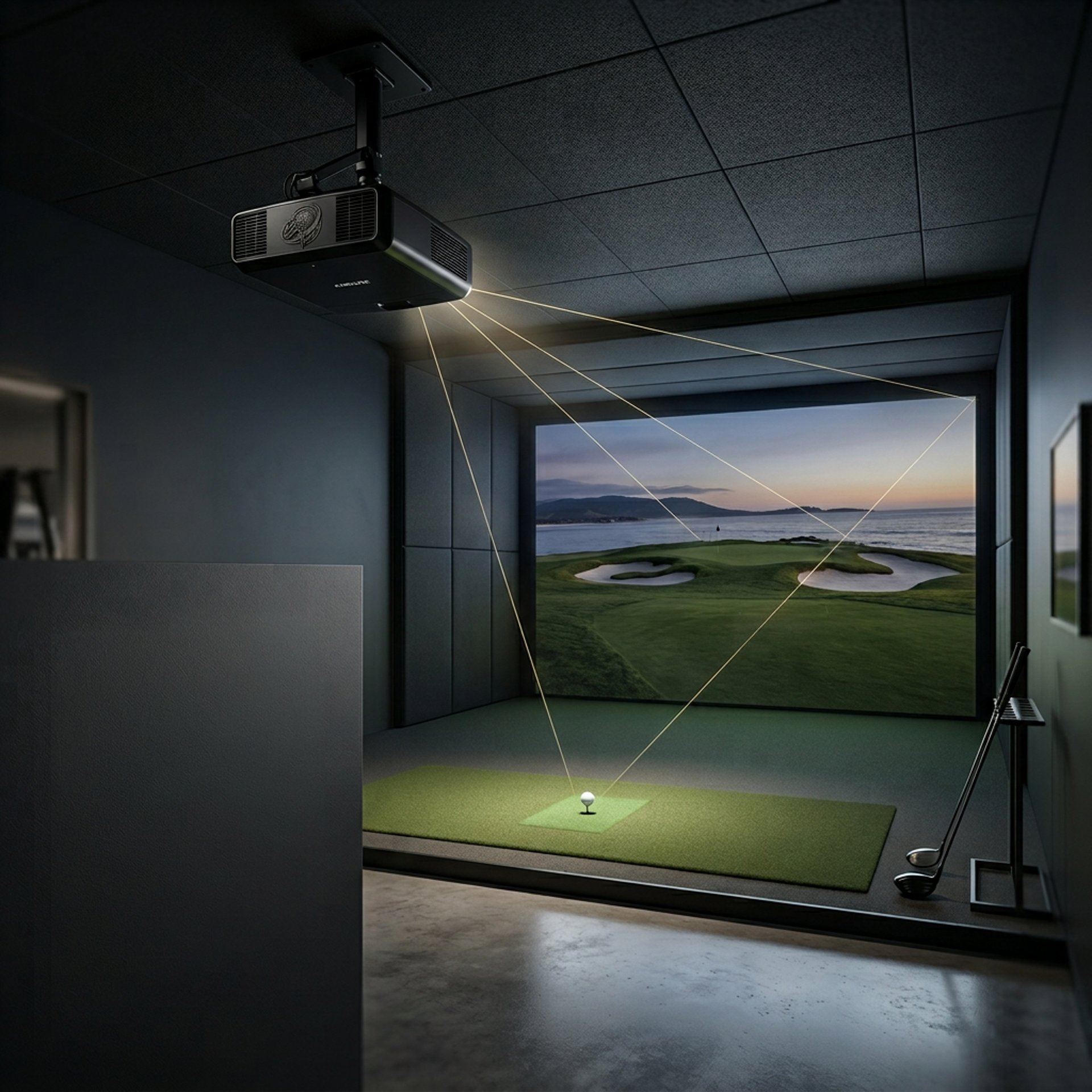
What Throw Ratio Do You Need for a Golf Projector?
Discover how to choose the right throw ratio for your golf projector to fit your space perfectly and deliver sharp, shadow-free images.
PROJECTORSSIMULATORS
Golf Tech Buzz Editorial Team - Led by AJ “Buzz” Eichman
4/27/20267 min read
If you’re gearing up to build a golf simulator—whether in your basement, garage, or a commercial space—one question keeps popping up: what throw ratio do you actually need for your golf projector? Here’s the deal. The throw ratio isn’t just some tech babble; it’s the secret sauce that defines how far you mount your projector from the screen and how big that image ends up. Get this wrong, and you’re looking at distorted images, shadows dancing over your swing, or a setup that just doesn’t feel right.
If you're still mapping out your full setup, start with the Golf Sim Projectors pillar to understand how everything ties together.
I’ve seen guys try to shove standard throw projectors into tiny spots, end up with blurry pictures, and wonder why the whole setup feels off. Throw ratio matters because it dictates where the projector sits and how crisp your virtual fairway looks. Let’s break down what you need to know so you can hit the simulator sweet spot from the start.
Quick Verdict
A throw ratio between 1.0 and 1.5:1 is your go-to range for most home golf simulators with medium-sized rooms.
Short throw projectors (under 1.0:1) are clutch when you’re tight on space—like in a garage or small home room—to avoid shadows and obstruction.
Long throw projectors need more room but can deliver bigger images if your space is generous.
Don’t pick a projector without measuring your room and considering projector placement—it will save you a headache (and money).
What Is Throw Ratio? Definition and Basics
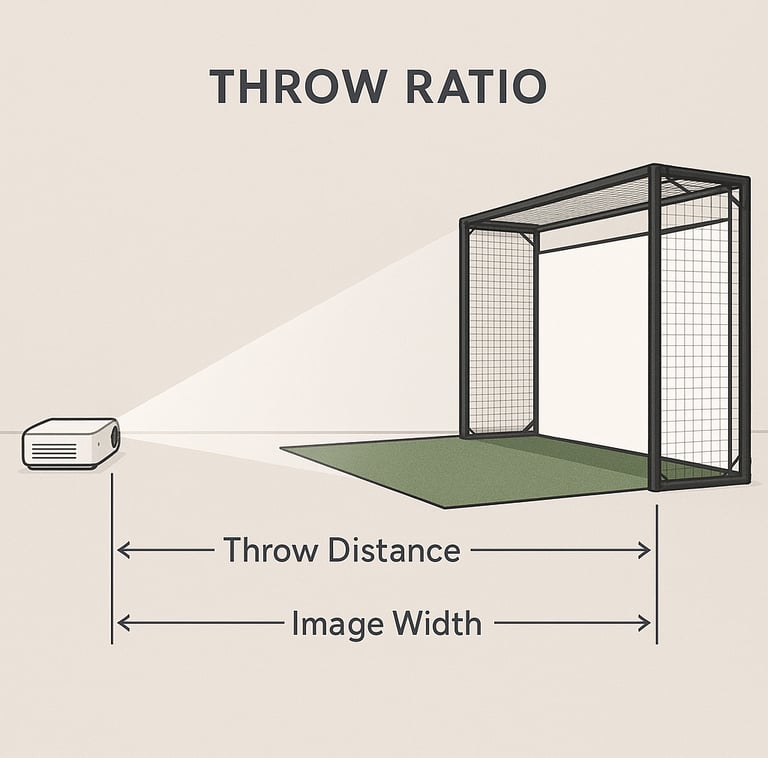
Alright, first things first—what is this throw ratio everyone’s throwing around? Simply put, it’s a number that tells you how far your projector needs to be from the screen to create a certain image width. The formula looks like this: throw distance divided by the image width.
If you want the full breakdown of specs beyond just throw ratio, the Golf Simulator Projector Guide walks through everything before you buy.
In golf simulators, that’s essential because your image has to fill the screen perfectly—too close or too far, and things get wonky. Too small, and you’re looking at a postage-stamp-sized view of the course; too big, and the edges get distorted or blurry.
Why Throw Ratio Matters for Golf Simulators
Here’s where it gets interesting. Your golf simulator performance isn’t just about having a bright projector with HD resolution—it’s about how that projector fits your space. The throw ratio determines where you mount it—ceiling, wall, or floor—and whether your swing casts shadows on the screen.
If shadows are already messing with your setup, Why Your Golf Simulator Projector Has Shadows (Fix Guide) breaks down exactly how to fix it.
Short throw projectors project bigger images from shorter distances. This means less space needed behind the golfer and fewer shadows thrown on the hitting screen. On the flipside, if you’ve got a bigger room or commercial setup, a standard or even long throw projector can fill huge screens but demands more clearance.
Types of Throw Ratios: Short Throw, Ultra Short Throw, and Standard Throw
Let’s clear up the jargon:
Ultra Short Throw (UST): These projectors have a throw ratio below 0.5:1. They sit inches from the screen, which is perfect for cramped garages or rooms where mounting behind the golfer isn’t an option. UST projectors minimize shadows and obstructions but tend to be pricier.
Short Throw: Falling between about 0.5:1 and 1.0:1, short throw projectors launch a wide image while sitting relatively close—say 1 to 3 feet from the screen. They’re versatile for moderate spaces and are probably your best bet for most home simulators with limited length.
Standard Throw: Ratios from around 1.0:1 to 2.0:1 fall here. These projectors require more distance —often several feet—to generate a large image. They can handle bigger rooms and screens but can cause shadows if your space is too tight.
If you’re comparing setups directly, Short Throw vs Standard Projectors for Golf Sim Setup helps you decide what actually works in real rooms.
And if you're still deciding whether short throw is even necessary, Do You Need a Short Throw Projector for Golf Sims? breaks that down clean.
How to Measure Your Room for the Right Throw Ratio
Before you reach for your credit card, measure your simulator space like you’re doing an inspection. Here’s what you need:
Measure the distance from your projector placement point (ceiling mount, shelf, or wall mount) to the screen—this is your throw distance.
Decide how wide you want your image on the screen. Most golf simulator screens range from 8 to 12 feet wide, depending on your space and preferences.
Divide the throw distance by your desired image width. That gives you the throw ratio you need.
If your room gives you a throw distance of 10 feet and you want a 10-foot-wide image, your throw ratio should be about 1.0:1. But if you only have 5 feet behind you, you’re looking at a throw ratio around 0.5:1—a short or ultra-short throw projector scenario.
If you’re also dialing in brightness alongside placement, check What Lumens Do You Need for a Golf Simulator? so you don’t end up with a dim image.
Best Throw Ratios for Different Simulator Room Sizes
No one-size-fits-all here, but for practical purposes:
Small rooms (less than 12 feet deep): Aim for ultra-short throw projectors with ratios below 0.5:1 to maximize image size without shadows.
Medium rooms (12–18 feet deep): Short throw projectors with ratios from 0.5 to 1.5:1 work well, balancing distance and image size.
Large rooms (over 18 feet deep): Standard throw projectors—1.5:1 and above—can deliver big, bright images, but you’ll want to manage shadowing carefully.
If you're working with tight dimensions, Best Projector Placement for Small Golf Simulator Rooms will help you avoid common layout mistakes.
For actual projector options across budgets, check Best Projectors for Golf Simulators and Best Projectors Under $1,000 to match specs with real products.
If you're comparing real-world performance, Optoma UHZ35ST vs XGIMI HORIZON 20 Pro shows how different projector types handle simulator environments.
Projector Placement Tips Based on Throw Ratio
Once you know your throw ratio, here’s how to tackle placement like a pro:
Ceiling Mount: The classic choice. Great for keeping the projector out of the swing path. Works well with most throw ratios if you have room.
Wall Mount Behind Golfer: Usually reserved for longer throw ratios where you need space behind the swing area. Watch for shadows.
Near-Screen Mount (Floor or Shelf): More common with ultra-short throw projectors. The projector sits close to the screen, minimizing shadows and eliminating bulky mounting gear overhead.
A tip from my own builds: Factor in lens shift and keystone correction features. They’re lifesavers when you can’t get the throw ratio perfect or if mounting spots aren’t ideal.
Common Mistakes When Choosing a Golf Simulator Projector Throw Ratio
Skipping Room Measurements: I can’t stress this enough. Jumping into projector shopping without measuring will cost you money and frustration.
Ignoring Throw Ratio and Focusing Only on Brightness/Resolution: Bright isn’t everything if your projector can’t fit the image in your space.
Assuming Any Projector Does the Job: Not all projectors are made for golf sims—you need one that matches your room’s specs.
Overlooking Short Throw Needs in Tight Spaces: If you’re pressed for space but pick a standard throw projector, get ready for shadows and a cramped setup.
Forgetting Mounting Angles and Height: Unlike TVs, projector placement angles matter. The wrong height or tilt can distort your image regardless of throw ratio.
Not Matching Aspect Ratio to Software: Your projector’s output must sync with the simulator software’s aspect ratio or your image will stretch or compress.
FAQs About Golf Projector Throw Ratios
What is throw ratio and why does it matter for golf simulators?
Throw ratio tells you how far the projector needs to be to make a certain image width. It matters because it affects where you mount the projector and how clear and shadow-free your image will be during your swing.
What throw ratio is best for a small home golf simulator?
If you’re tight on space (like a small room or garage), go for an ultra-short throw projector with a throw ratio below 0.5:1 to get a big image without shadows.
Can I use a standard throw projector in a garage golf setup?
Usually no, unless your garage is pretty deep. Standard throw projectors need space behind the golfer. In most garages, you’re better off with a short or ultra-short throw projector.
How do I measure the right throw ratio for my simulator room?
Measure the distance from your planned projector mount point to the screen, then decide the image width you want. Divide distance by image width, and that’s your throw ratio.
Are short throw projectors better for golf simulators?
They’re better if your room is small or tight. Short throw means you can mount the projector closer to the screen, avoiding shadows from your swing and fitting into compact spaces.
What is the difference between short throw and ultra-short throw projectors?
Ultra-short throw projectors have a throw ratio under 0.5:1 and sit just inches from the screen. Short throw projectors range from about 0.5 to 1.0:1, projecting large images from a few feet away.
How does throw ratio affect image size and quality?
Throw ratio dictates how far away the projector must be to fill the screen. If mismatched, your image can be blurry, distorted, too small, or cause shadows and obstructions.
Can I change projector placement if the throw ratio is not ideal?
Sometimes, but moving the projector without the right throw ratio might cause image issues. You can leverage lens shift and keystone correction, but ideally, select a projector that fits your room’s throw ratio needs.
Wrapping It Up
Look, choosing the right throw ratio for your golf projector isn’t sexy, but it’s absolutely crucial if you want a smooth, immersive simulator experience. Measure twice, understand your throw ratio needs, and choose a projector that works for your space—not the other way around.
© 2026 GolfTechBuzz. All rights reserved.
Golf Tech Buzz
Performance Through Data
Practical guides, real-world setups, and unbiased comparisons for golfers building smarter practice environments.
General Inquiries: