
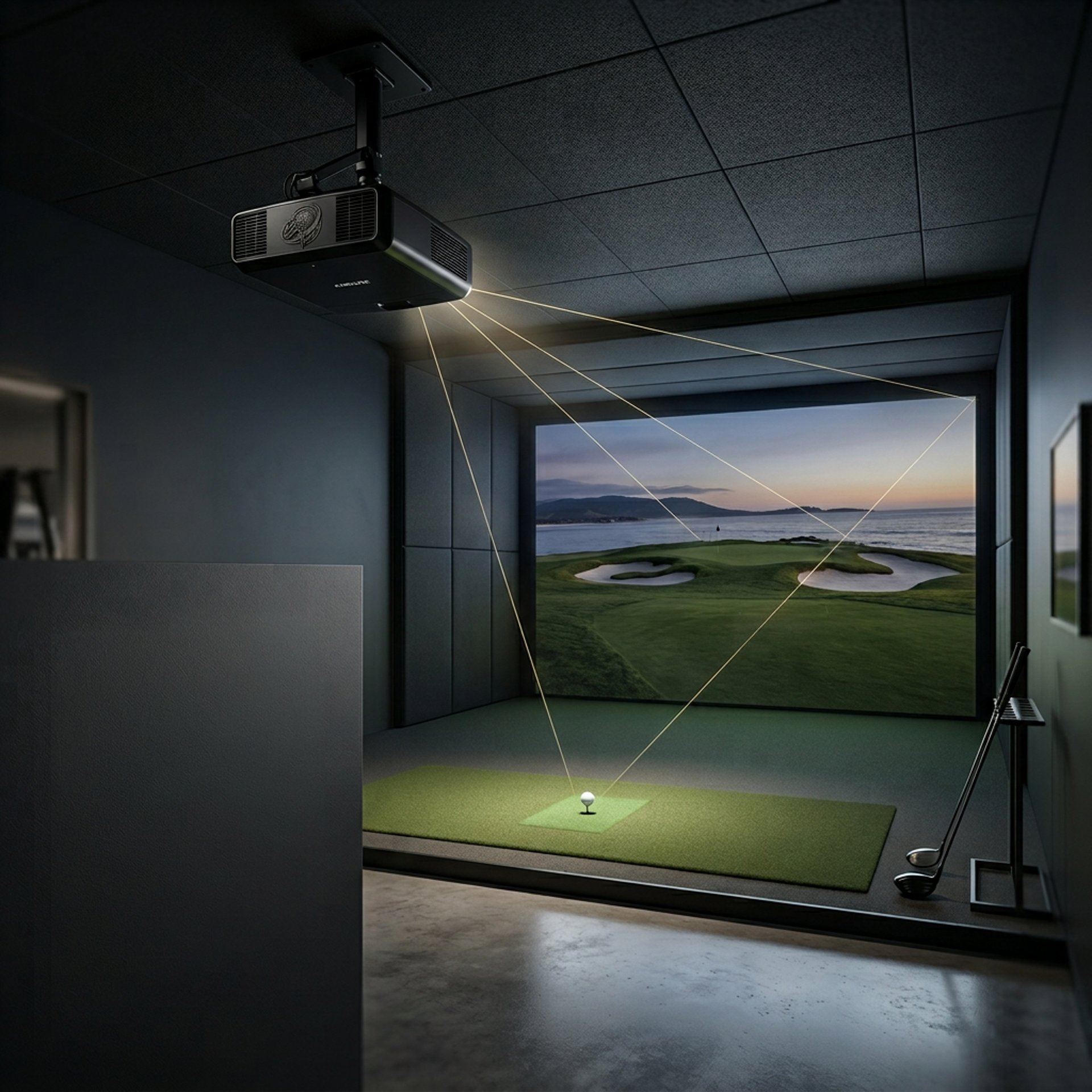
Golf Simulator Projector Guide
How to Choose the Right Setup
A golf simulator projector isn’t just about image quality — it’s about fit, placement, and performance in your specific space. If you’re just getting started, the Golf Sim Projectors guide breaks down how everything fits together before you choose your setup.
Most golfers either:
Buy something too powerful for their room
Or choose a projector that physically doesn’t work in their setup
This guide walks you through exactly what matters so you can build your setup the right way the first time.
What Actually Matters in a Golf Simulator Projector
Choosing the right projector comes down to four things:
Throw Ratio – Determines where your projector can be placed
Brightness (Lumens) – Controls how visible your image is
Room Size – Limits your setup options more than any spec
Resolution – Impacts clarity, but only after everything else is correct
If one of these is off, the entire setup suffers.
Step 1
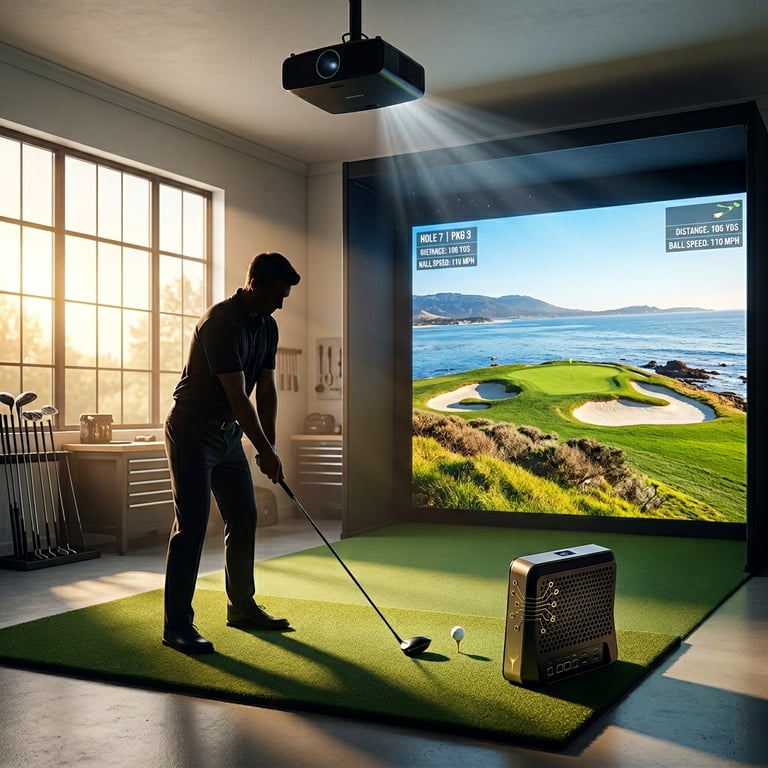
Understand Your Room First
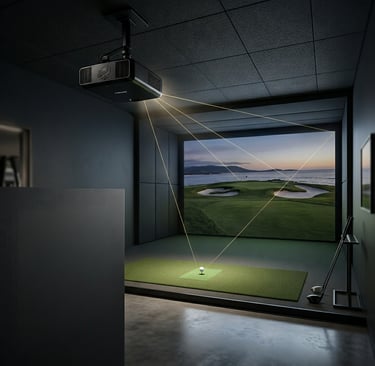
Before looking at projectors, you need to understand your space.
Room Depth
This determines whether you need a short throw or standard projector.
👉 What Throw Ratio Do You Need for a Golf Simulator?
Ceiling Height
Affects mounting position and swing clearance.
👉 Minimum Ceiling Height for Golf Simulator
Room Lighting
Impacts how bright your projector needs to be.
Step 2
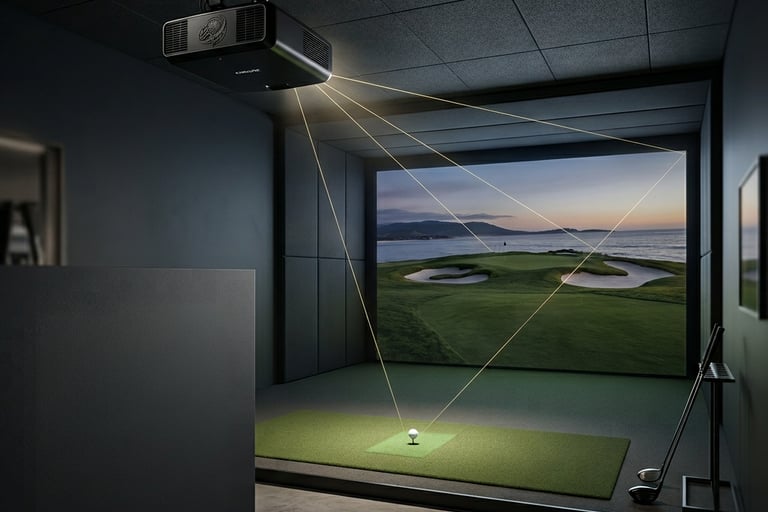
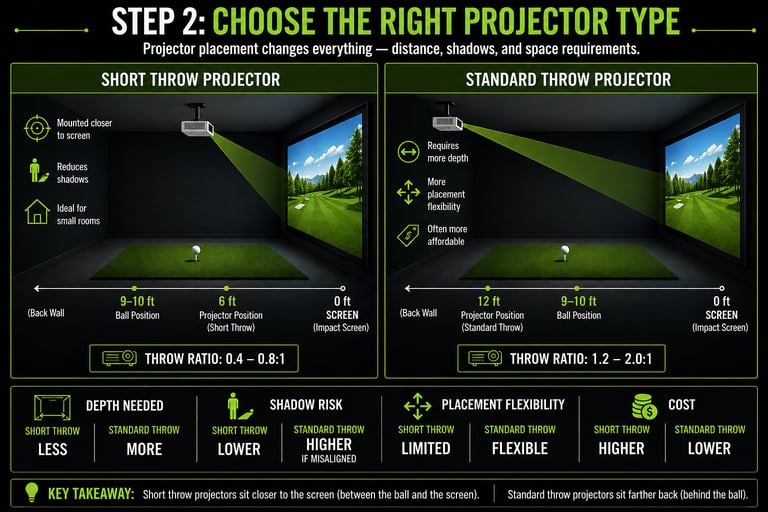
Choose the Right Projector Type
Short Throw Projectors
Mounted closer to the screen
Reduce shadows
Ideal for small rooms
👉 Do You Need a Short Throw Projector for Golf Sims?
Standard Throw Projectors
Require more depth
More placement flexibility
Often more affordable
Step 3
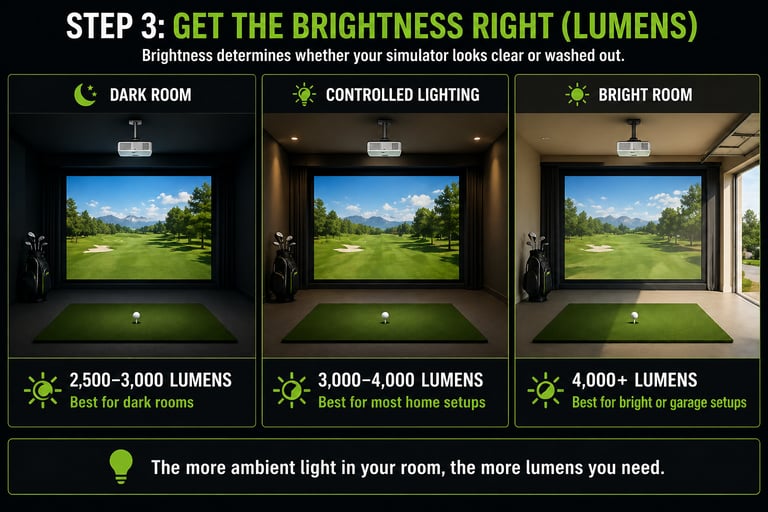
Get the Brightness Right (Lumens)
Brightness determines whether your simulator looks clean or washed out.
2,500–3,000 lumens → Dark rooms
3,000–4,000 lumens → Most home setups
4,000+ lumens → Bright or garage setups
Step 4
Avoid the Most Common Setup Mistakes
Most bad simulator experiences come from setup issues — not bad projectors.
Incorrect throw distance
Poor mounting position
Not accounting for shadows
Choosing based on resolution instead of fit
👉 Why Your Golf Simulator Projector Has Shadows (Fix Guide)
👉 Best Projector Placement for Small Golf Simulator Rooms


Comparisons (Best Picks Head-to-Head)
If you’re deciding between specific models:
Best Golf Simulator Projectors by Category
Frequently asked questions
What is the best golf simulator projector for home setups?
The best projector for a golf simulator depends on how well it fits your room — not just how expensive or high-resolution it is. Most home setups perform best with a projector that matches the available depth, lighting, and mounting position. A mid-range projector with the correct throw ratio and enough brightness will usually outperform a high-end model that doesn’t fit the space properly. This is why room planning always comes before choosing a projector.
Do I need a short throw projector for a golf simulator?
In most indoor setups, yes. Short throw projectors allow you to mount the projector closer to the screen, which helps avoid shadows and keeps it out of your swing path. If your room has enough depth, a standard throw projector can still work — but many home setups don’t have that flexibility. The key is matching the projector’s throw ratio to your available space, not forcing a type that doesn’t fit.
How many lumens do I need for a golf simulator projector?
Brightness (lumens) determines whether your simulator looks clear or washed out. For most setups:
2,500–3,000 lumens works in dark, controlled rooms
3,000–4,000 lumens is ideal for most home simulators
4,000+ lumens is needed for garages or rooms with ambient light
If your image looks faded or hard to see, the issue is almost always brightness — not resolution or screen quality.
What throw ratio do I need for a golf simulator projector?
Throw ratio determines how far your projector needs to be from the screen to create a properly sized image. Short throw projectors work in tight spaces, while standard throw projectors require more depth. Choosing the wrong throw ratio can make your setup impossible to use, even if the projector itself is high quality. This is one of the most important specs to get right before buying anything.
Can I use a regular home projector for a golf simulator?
You can, but it often leads to problems. Standard home projectors are not designed for golf simulator environments, which means they may lack the brightness, placement flexibility, or durability needed. Common issues include shadows, poor image visibility, and awkward mounting positions. While it’s possible to make one work, most setups benefit from using a projector designed for simulator use.
Is 4K worth it for a golf simulator projector?
4K can improve image clarity and immersion, especially on larger impact screens, but it’s not required for most setups. Many golfers get excellent results with 1080p projectors that are properly placed and bright enough for their environment. If you’re building a high-end simulator or want maximum visual detail, 4K is a strong upgrade — but it should never come before proper fit and brightness.
Why does my golf simulator projector create shadows?
Shadows are usually caused by incorrect placement or using the wrong type of projector for your space. If the projector is positioned too far forward, too low, or directly in your swing path, your body or club will block the light. Short throw projectors help reduce this issue, but proper mounting height and distance are just as important. Most shadow problems can be fixed with positioning, not replacing the projector.
Where should a golf simulator projector be mounted?
Most projectors are ceiling-mounted to keep them out of the swing path and maintain a clean image. The exact position depends on your throw ratio and room size, but the goal is always the same: align the image properly on the screen while avoiding shadows and interference. Poor mounting is one of the biggest causes of performance issues, even with high-quality projectors.
Start Building Your Simulator the Right Way
The best projector isn’t the most expensive — it’s the one that fits your space and performs correctly.
👉 Best Projectors for Golf Simulators
👉 What Throw Ratio Do You Need for a Golf Simulator?
© 2026 GolfTechBuzz. All rights reserved.
Golf Tech Buzz
Performance Through Data
Practical guides, real-world setups, and unbiased comparisons for golfers building smarter practice environments.
General Inquiries: