
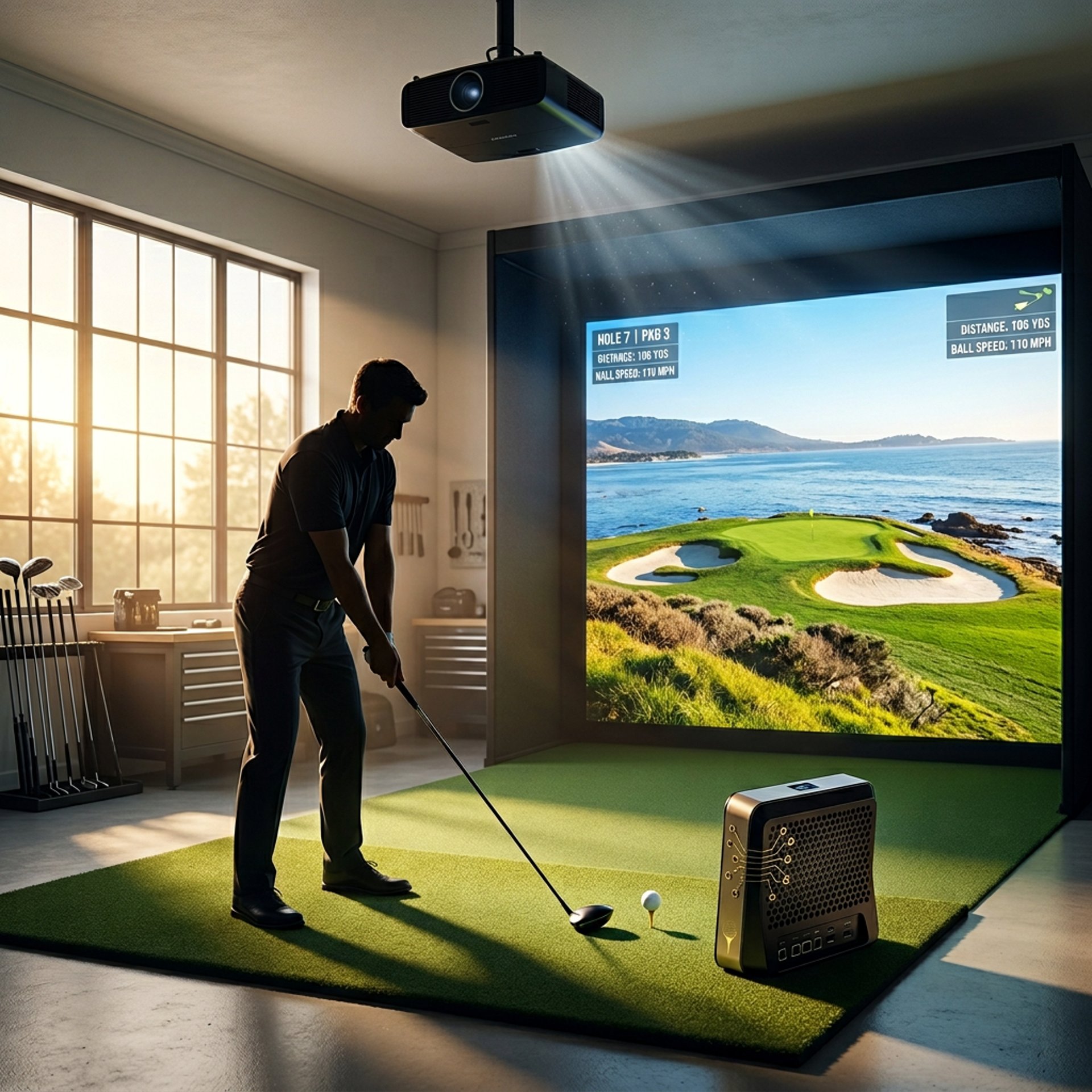
Best Computers for Golf Simulators
Building a golf simulator setup is exciting — but your computer matters just as much as your launch monitor or projector. That’s why understanding Golf Sim Computers and proper Golf Simulator PC Requirements by Software matters before buying hardware.
The wrong PC can create lag, stuttering, poor graphics quality, and frustrating gameplay. The right one delivers smoother performance, faster loading times, and better realism.
We researched and compared some of the best golf simulator gaming PCs available right now, focusing on:
GSPro performance
1080p, 1440p, and 4K capability
cooling and thermals
upgradeability
long-term value
Whether you're building a garage simulator, premium indoor setup, or compact home golf room, these are the systems worth considering.
Transparency Note: We may earn a commission from qualifying purchases. Product selections are made independently and are not influenced by manufacturers.
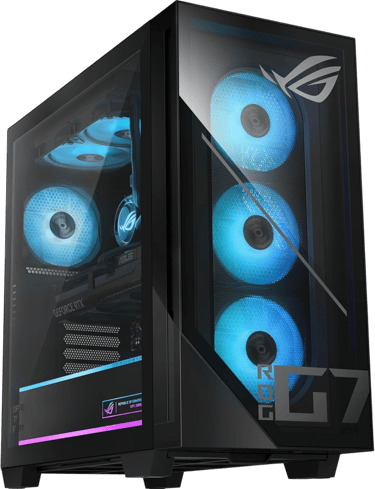
If you want the best overall golf simulator PC with premium hardware and long-term upgradeability, the ASUS ROG G700 (2026) stands out as the strongest premium option.
If you want the best raw performance-per-dollar for GSPro and future upgrades, the Skytech Gaming Azure 3 delivers outstanding value with enthusiast-grade cooling and hardware.
For smaller simulator rooms or compact setups, the HP OMEN 16L offers impressive performance in a much smaller footprint while still delivering strong simulator capability.
Meanwhile, the Lenovo Legion Tower 5i remains one of the safest balanced picks for users wanting reliability, quieter operation, and consistent thermals.
For golfers still deciding between desktops and portable setups, The Best Laptops vs Desktops for Golf Simulators breaks down the biggest long-term differences in performance, cooling, and upgradeability.
Quick Verdict
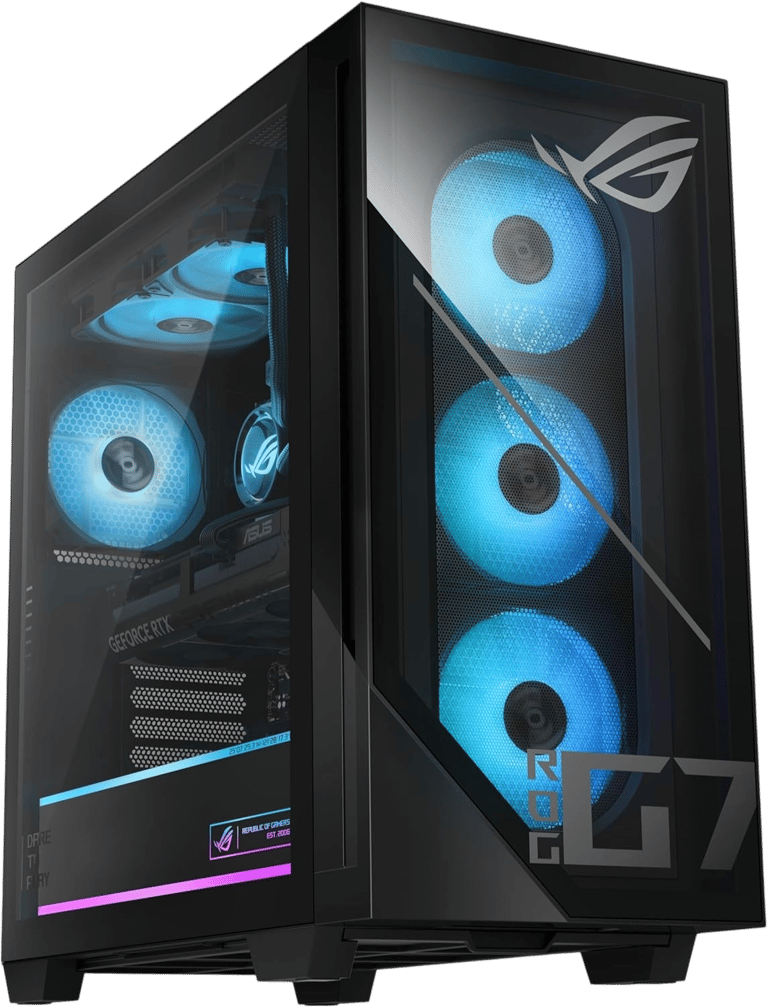
ASUS ROG G700 (2026)
Verdict:
Best premium golf simulator gaming PC for long-term performance and upgradeability.
Best For:
4K golf simulator builds and high-end GSPro setups
Not Ideal For:
Buyers trying to maximize value-per-dollar
Key Strengths:
RTX 5070 delivers excellent GSPro performance
Premium airflow-focused ROG chassis
Strong long-term upgrade potential
Excellent thermal management under heavy load
High-end design and build quality
Real-World Use Case:
Ideal for golfers building a serious long-term simulator setup with plans for 4K projection, ultra graphics settings, and future hardware upgrades.
This is also the type of system many golfers consider after reading Can Your PC Run GSPro? and realizing how demanding modern simulator software can become.
Setup Notes:
This system is built for users who want a premium prebuilt without immediately needing upgrades.
The RTX 5070 gives it enough power for demanding simulator software like GSPro and modern 4K simulator environments. If you’re planning ultra settings or larger impact screens, understanding What GPU Do You Need for a Golf Simulator? becomes increasingly important.
If you're planning a dedicated simulator room with premium visuals, this system makes a strong centerpiece.
Specs:
CPU: Intel Core Ultra 7 265KF
GPU: NVIDIA GeForce RTX 5070
RAM: 32GB DDR5
Storage: 1TB PCIe Gen4 SSD
Operating System: Windows 11 Home
Cooling: Advanced ROG airflow cooling
Connectivity: Wi-Fi + Bluetooth
Best Use: 1440p / 4K golf simulator setups
BUZZ PICK
ASUS ROG G700
Best Premium
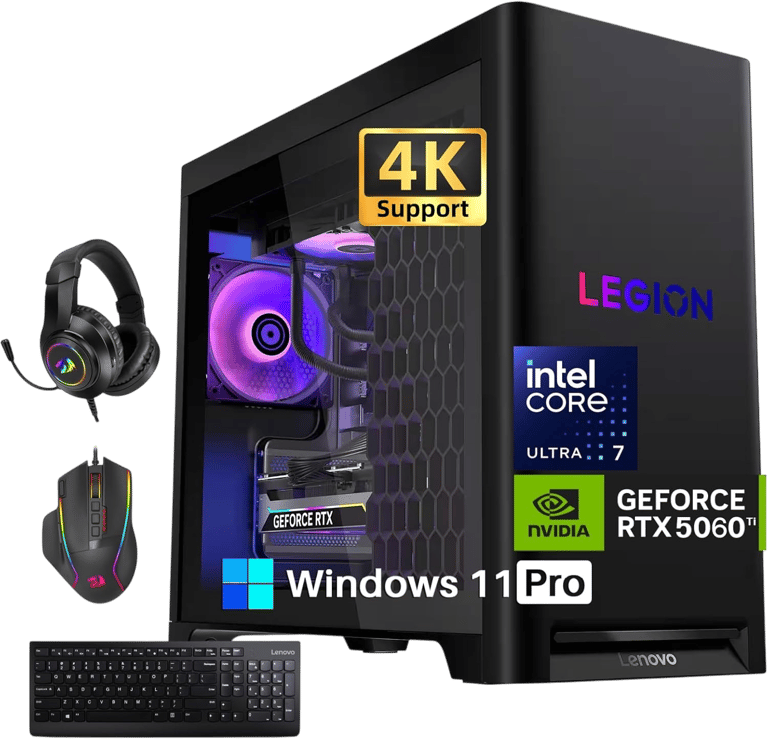
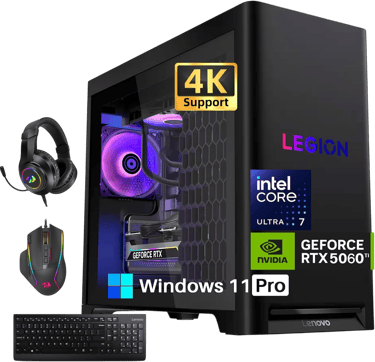
Lenovo Legion Tower 5i
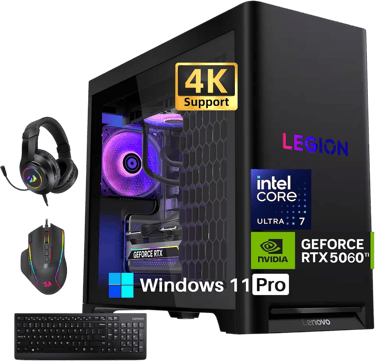
Verdict:
Best balanced golf simulator gaming PC for thermals, noise, and everyday usability.
Best For:
Users wanting reliability, quieter operation, and balanced performance
Not Ideal For:
Users chasing maximum enthusiast-level upgradeability
Key Strengths:
Excellent balance between performance and thermals
Typically quieter than many gaming prebuilts
Clean, understated design
Strong cooling efficiency
Reliable OEM software experience
Key Weaknesses:
Less enthusiast-focused than custom-style prebuilts
Upgrade flexibility can vary by configuration
Usually less aggressive cooling than larger towers
Real-World Use Case:
Great for golfers who want a dependable simulator PC that performs well without becoming overly loud or difficult to manage.
Setup Notes:
The Legion line is one of the safer choices for mixed-use setups where the PC may also handle work, streaming, or daily gaming. It’s also a strong middle-ground option discussed throughout Prebuilt vs Custom PC for Golf Simulators.
Lenovo typically balances airflow, noise, and usability better than many aggressive gaming towers.
This makes it especially attractive for indoor simulator rooms attached to living spaces.
Specs:
CPU: Intel Core Ultra platform
GPU: RTX 40/50-series configuration
RAM: DDR5 Memory
Storage: NVMe SSD
Operating System: Windows 11
Cooling: Legion Coldfront cooling
Connectivity: Wi-Fi + Bluetooth
Best Use: Balanced GSPro and simulator setups
BUZZ PICK
Lenovo Legion Tower 5i
Best Overall
HP OMEN 16L Gaming Desktop
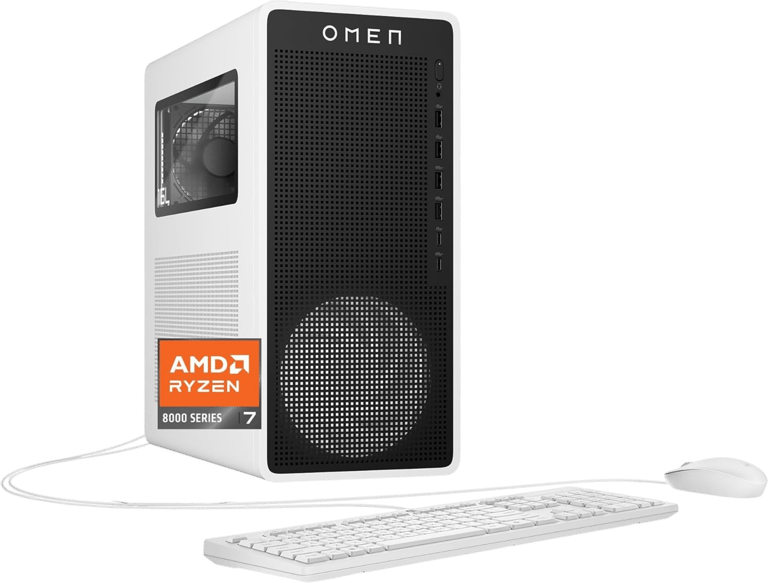

Verdict:
Best compact golf simulator PC for smaller spaces and modern setups.
Best For:
Garage simulators, compact rooms, and users wanting strong performance in a smaller chassis
Not Ideal For:
Heavy future GPU upgrades
Key Strengths:
Compact 16L footprint fits tight spaces
RTX 5060 Ti 16GB offers strong VRAM capacity
32GB DDR5 memory improves multitasking
Clean modern design
Excellent value for simulator users
Key Weaknesses:
Smaller chassis limits airflow compared to larger towers
500W PSU reduces upgrade flexibility
Tight internal layout limits enthusiast modifications
Real-World Use Case:
Perfect for golfers building a modern simulator setup in a garage, office, or smaller room where space efficiency matters.
Smaller systems like this have become increasingly popular after many golfers started exploring What PC Do You Need for a Garage Golf Simulator Setup? for tighter room layouts and compact simulator builds.
Setup Notes:
The 16GB VRAM on the RTX 5060 Ti is a major advantage for golf simulator software that relies heavily on textures and high-resolution rendering.
This compact design helps simplify placement while still delivering excellent GSPro performance at 1080p and 1440p. For many setups, this balance becomes more practical than oversized towers discussed in Can You Use a Gaming PC for a Golf Simulator?
If you want strong performance without a massive tower dominating the room, this is one of the strongest options available.
Specs:
CPU: AMD Ryzen 7 8700G
GPU: NVIDIA GeForce RTX 5060 Ti 16GB
RAM: 32GB DDR5 5200MHz
Storage: 1TB PCIe Gen4 NVMe SSD
Operating System: Windows 11 Home
Cooling: Advanced air/liquid cooling
Connectivity: Wi-Fi 6E + Bluetooth 5.3
PSU: 500W Platinum-rated
Best Use: Compact 1080p / 1440p golf simulator setups
BUZZ PICK
HP OMEN 16L
Best Compact
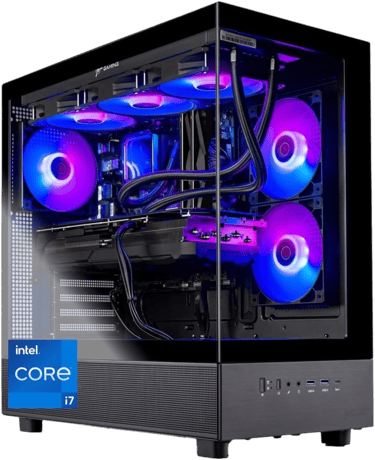
Skytech Gaming Azure 3
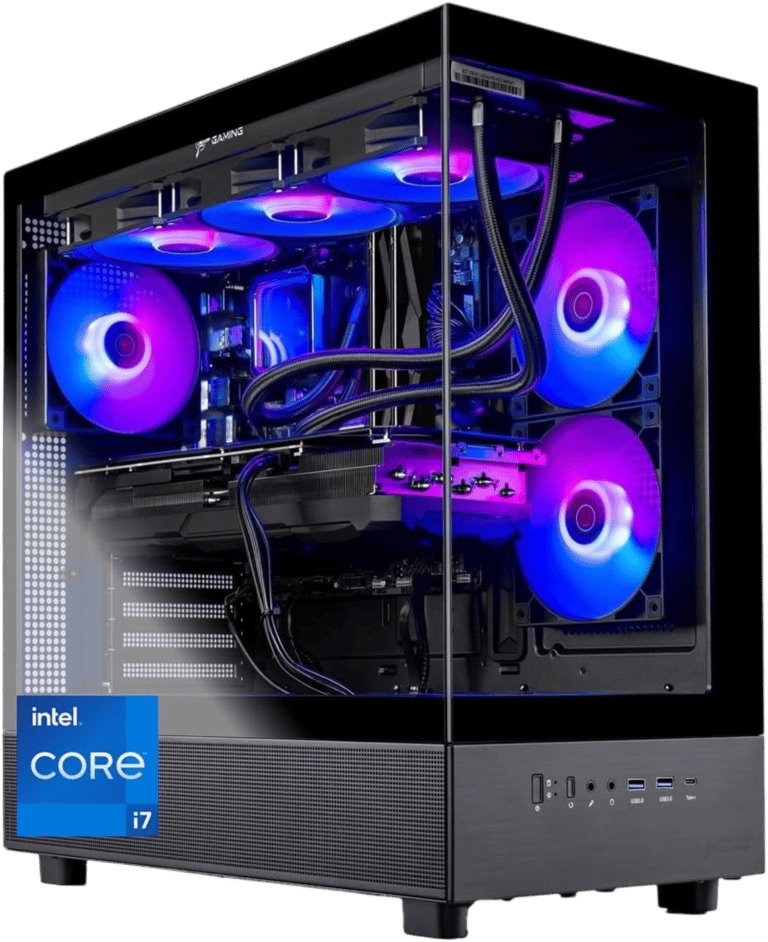
Verdict:
Best raw performance golf simulator PC for maximum FPS and upgrade flexibility.
Best For:
High-end GSPro users and future-focused simulator builds
Not Ideal For:
Users prioritizing compact size or OEM polish
Key Strengths:
RTX 5070 delivers excellent simulator performance
360mm liquid cooling keeps thermals under control
850W Gold PSU allows future upgrades
High-airflow chassis improves sustained performance
Strong enthusiast-grade hardware configuration
Key Weaknesses:
Larger tower requires more setup space
Software experience is less polished than major OEM brands
More aggressive gaming styling may not fit every room
Real-World Use Case:
Excellent for golfers building a dedicated simulator room where maximum performance and upgradeability matter more than compact size.
Setup Notes:
This system is designed more like a custom enthusiast build than a traditional OEM gaming PC.
The RTX 5070 and 360mm liquid cooling make it especially strong for GSPro Ultra settings, high refresh gameplay, and demanding projector setups. If you’re planning higher-end visuals, 1080p vs 4K Golf Simulator Performance becomes a major consideration.
If you want the strongest raw performance in this group, this is currently the leader.
Specs:
CPU: Intel Core i7-14700F
GPU: NVIDIA GeForce RTX 5070 12GB
RAM: 32GB DDR5 6000MHz
Storage: 1TB NVMe SSD
Operating System: Windows 11 Home
Cooling: 360mm ARGB liquid cooling
PSU: 850W Gold
Connectivity: Wi-Fi
Best Use: 1440p / 4K GSPro simulator builds
BUZZ PICK
Skytech Gaming Azure 3
Best Performance
How Much PC Power Do You Actually Need for a Golf Simulator?
One of the biggest mistakes golfers make is assuming golf simulator software is lightweight.
Modern platforms like GSPro, E6 Connect, and TGC 2019 can become surprisingly demanding — especially when paired with 4K projection and ultra settings. This is why many golfers start researching Minimum vs Recommended Golf Simulator PC Specs before building a simulator room.
Modern simulator platforms like GSPro, E6 Connect, and TGC 2019 can become surprisingly demanding — especially when:
running 4K projectors
using ultra graphics settings
streaming gameplay
using dual displays
loading highly detailed courses
For many golfers, the GPU matters more than the CPU once you move into higher resolutions. That said, simulator software still relies heavily on processor performance for physics calculations and responsiveness, which is why Does CPU Matter for Golf Simulators? remains an important question for simulator planning.
That’s why systems with stronger graphics cards and larger VRAM pools tend to age better for simulator use.
Does VRAM Matter for Golf Simulators?
Yes — especially for GSPro.
VRAM helps handle textures, course detail, lighting, higher rendering resolutions, and projector output. As simulator visuals become more demanding, many golfers upgrading GPUs also begin researching How Much RAM Do You Need for a Golf Simulator? to avoid other system bottlenecks.
This is why the HP OMEN’s RTX 5060 Ti 16GB becomes interesting despite being weaker overall than the RTX 5070 systems.
The additional VRAM may help with long-term stability and future simulator updates.
Meanwhile, the RTX 5070 systems provide significantly stronger raw rendering performance.
The right choice depends on whether you prioritize:
maximum FPS
ORlong-term VRAM headroom
1080p Golf Simulator Setups
Most modern gaming PCs can comfortably handle 1080p GSPro gameplay.
1440p Golf Simulator Setups
This is currently the sweet spot for many golfers balancing visuals and performance.
4K Golf Simulator Setups
4K projection dramatically increases GPU demands.
Many golfers underestimate just how much storage speed and texture streaming affect higher-resolution simulator environments, which is why SSD vs HDD for Golf Simulators becomes increasingly important for smoother gameplay.
If you plan on:
large impact screens
premium projectors
ultra settings
future-proofing
…the RTX 5070 systems make much more sense long term.
1080p vs 1440p vs 4K Golf Simulator PCs
Do Golf Simulator PCs Need Wi-Fi?
All of the computers in this guide include built-in Wi-Fi, which is important because not every gaming desktop includes wireless support.
If your simulator setup is in a garage, basement, or room without easy Ethernet access, built-in Wi-Fi can make setup much easier for simulator updates, GSPro downloads, online play, and software installs. Stable connectivity also matters more than people realize when looking into What Internet Speed Do You Need for Golf Simulator Software.
If you’re shopping for a golf simulator PC, always double-check that Wi-Fi support is included before buying.
A Message from Buzz the Editor
After decades of building PCs, working in the tech field, and being Hacker/Duffer on the course, there are three golf simulator components I would never cheap out on. You can still go Mid-Grade, but just don't go bottom dollar.
1. Cage & Impact Screen
Golf balls hit harder indoors than most people expect. A quality cage and impact screen help prevent bounce-back, damaged walls, and safety issues.
2. Hitting Turf/Mat
Cheap mats can be brutal on: wrists - elbows - shoulders - lower back
Good turf protects your body and creates a more realistic practice experience long term.
3. Your Golf Simulator Computer
This is a true “buy once, cry once” category. Cheap gaming PCs often struggle with newer simulator software, limited upgrades, and weaker long-term performance. In many cases, replacing an underpowered system later costs more than buying a stronger setup upfront.
If you plan on staying current with modern golf simulator software, your PC is not the place I would cut corners.
These are the same recommendations I would give family and friends building their own setups.
Frequently asked questions
What specs do you actually need for a golf simulator PC?
For most modern golf simulator software, a strong GPU matters more than people expect. A good starting point is:
RTX 4060 or better
32GB DDR5 RAM
modern Intel Core i7 or Ryzen 7 processor
fast NVMe SSD storage
If you plan on using GSPro at 1440p or 4K, higher-end GPUs like the RTX 5070 become much more important.
Is GSPro more demanding than other golf simulator software?
Yes — GSPro is currently one of the more demanding golf simulator platforms because it focuses heavily on realistic graphics, detailed courses, lighting effects, and smoother rendering.
At higher settings, GSPro can push weaker gaming PCs surprisingly hard, especially when paired with:
4K projectors
ultra settings
dual displays
streaming software
That’s why stronger GPUs and proper cooling matter so much for long-term performance.
How important is VRAM for golf simulators?
VRAM has become increasingly important for golf simulator performance, especially with GSPro.
More VRAM helps with:
detailed course textures
smoother rendering
higher resolutions
large projector displays
future software updates
This is one reason cards like the RTX 5060 Ti 16GB can still be attractive despite having less raw power than some faster GPUs with lower VRAM capacities.
Is a desktop PC better than a gaming laptop for golf simulators?
In most cases, yes.
Desktop gaming PCs usually offer:
better thermals
stronger sustained performance
quieter operation
easier upgrades
better long-term value
Gaming laptops can work well for portable setups, but desktops are typically the better choice for permanent simulator rooms or garage builds.
For golfers still comparing portability against long-term simulator performance, Can You Run a Golf Simulator on a Laptop? is a strong starting point before choosing a permanent setup.
Can these PCs handle 4K golf simulator projection?
Yes — but some are better suited for it than others.
Systems with RTX 5070-class GPUs are much more comfortable for:
4K projectors
ultra graphics settings
smoother frame rates
future-proofing
More compact systems can still handle 4K in some situations, but may require lower settings depending on the simulator software and display setup.
Do golf simulator PCs need liquid cooling?
Not always, but stronger cooling can make a major difference during long simulator sessions.
Large impact-screen setups and GSPro Ultra settings can keep hardware under load for extended periods.
Better cooling helps:
maintain stable boost clocks
reduce thermal throttling
lower noise levels
improve long-term reliability
This is one reason larger towers with stronger airflow often outperform compact systems over time.
How much storage do you need for a golf simulator PC?
For most golfers, a 1TB NVMe SSD is a strong starting point.
Golf simulator software, course files, Windows updates, recordings, and gaming libraries can consume storage surprisingly fast.
Fast SSD storage also helps:
reduce load times
improve responsiveness
speed up course loading
improve general usability
Many users eventually add additional storage as their simulator setup grows.
What is the best overall computer for golf simulators?
The best golf simulator PC depends on your setup goals.
For premium performance and upgradeability, larger RTX 5070 systems stand out immediately.
For compact rooms and smaller setups, systems like the HP OMEN 16L offer impressive simulator performance while taking up far less space.
Meanwhile, balanced systems like the Lenovo Legion Tower 5i often appeal to golfers wanting quieter operation, cleaner design, and dependable long-term usability.
Quick Picks for Your Sim Setup


BUZZ PICK
ASUS ROG
G700 (2026)
Elite 4K simulator performance and cooling
BUZZ PICK
Lenovo
Legion Tower 5i
Balanced thermals, noise, and performance
BUZZ PICK
HP
OMEN 16L
Compact simulator PC with strong 1440p power
BUZZ PICK
Skytech
Gaming Azure 3
High-end GSPro performance with upgrade room

Final Verdict
The best golf simulator PC ultimately depends on your room, projector setup, performance goals, and future upgrade plans. For golfers still early in the planning phase, the Complete Golf Simulator Computer Guide helps connect simulator software, PC hardware, graphics performance, and long-term upgrade strategy together naturally.
If you want the best premium overall experience, the ASUS ROG G700 is difficult to beat.
If you want the strongest raw simulator performance for the money, the Skytech Azure 3 stands out immediately.
For compact spaces, the HP OMEN 16L delivers excellent value while still handling demanding simulator workloads surprisingly well.
And if you want a safer balanced option with quieter operation and dependable thermals, the Lenovo Legion Tower 5i remains one of the strongest all-around choices available today.
Cheap gaming PCs often struggle with newer simulator software, limited upgrades, and weaker long-term performance. In many cases, replacing an underpowered system later costs more than buying a stronger setup upfront. That’s one reason many golfers eventually compare systems from this page and against more portable setups like Best Laptops for Golf Simulators.
Where Do You Want to Go Next?
Choose your path based on what you need right now.
Explore Everything
Dive deeper into:
golf sim PC requirements
GPU vs CPU performance
gaming desktop setups
GSPro computer guides
simulator PC upgrades
1080p vs 4K performance
This is the best place to better understand golf simulator computer performance and setup planning.
Compare Before You Buy
Trying to decide between a gaming laptop or desktop for your simulator setup?
Compare:
laptop portability
desktop performance
cooling and thermals
upgradeability
long-term value
If you simply want one of the best premium golf simulator PCs available today, start with the ASUS ROG G700 (2026).
It offers:
powerful RTX 5070 graphics
strong 4K GSPro performance
premium cooling
excellent upgrade potential
long-term simulator power
Just Get It Done
© 2026 GolfTechBuzz. All rights reserved.
Golf Tech Buzz
Performance Through Data
Practical guides, real-world setups, and unbiased comparisons for golfers building smarter practice environments.
General Inquiries: