

Minimum vs Recommended Golf Simulator PC Specs
Discover the crucial differences between minimum and recommended golf simulator PC specs to ensure smooth gameplay and accurate swing data.
COMPUTERS
Golf Tech Buzz Editorial Team - Led by AJ “Buzz” Eichman
5/5/20267 min read
If you’re diving into the world of golf simulators, one thing quickly becomes clear—you need a PC that’s up to the task. But here’s the kicker: not every computer that’ll run the software will give you the smooth, notch-up-your-game experience you’re after. Understanding the difference between minimum and recommended golf simulator PC specs is the difference between a frustrating lag-fest and a silky-smooth round that makes indoor golf feel like the real deal. To have a full overview - check out Golf Simulator Computers.
If you’re just getting your baseline setup dialed in, start with What PC Specs Do You Need for a Golf Simulator? and compare builds using Golf Simulator Computers: Laptop vs Desktop.
I’ve been the guy my buddies call when their setups go sideways—whether it’s choppy graphics, input lag, or frozen swing data. I’ve tested everything from budget rigs to beastly gaming PCs in cramped garages and fancy home setups, so trust me, there’s a big gap between minimum and recommended specs—and it’s worth knowing what you’re getting into.
Quick Verdict
• Minimum golf simulator PC requirements will get you up and running but expect compromises on graphics, responsiveness, and analysis detail.
• Recommended golf simulator PC specs offer better frame rates, higher image quality, and faster data processing for a significantly more immersive and reliable experience.
• Key hardware components like CPU cores, GPU capability, RAM size, and SSD speed make or break your simulator’s performance.
• Choose your PC specs based on your use case—casual play versus competitive training drastically changes your needs and budget.
If you’re shopping based on budget tiers, Best Golf Sim Computers Under $1000 and Best Golf Sim Computers Under $2500 show the real gap in performance.
What Are Golf Simulator PC Specs?
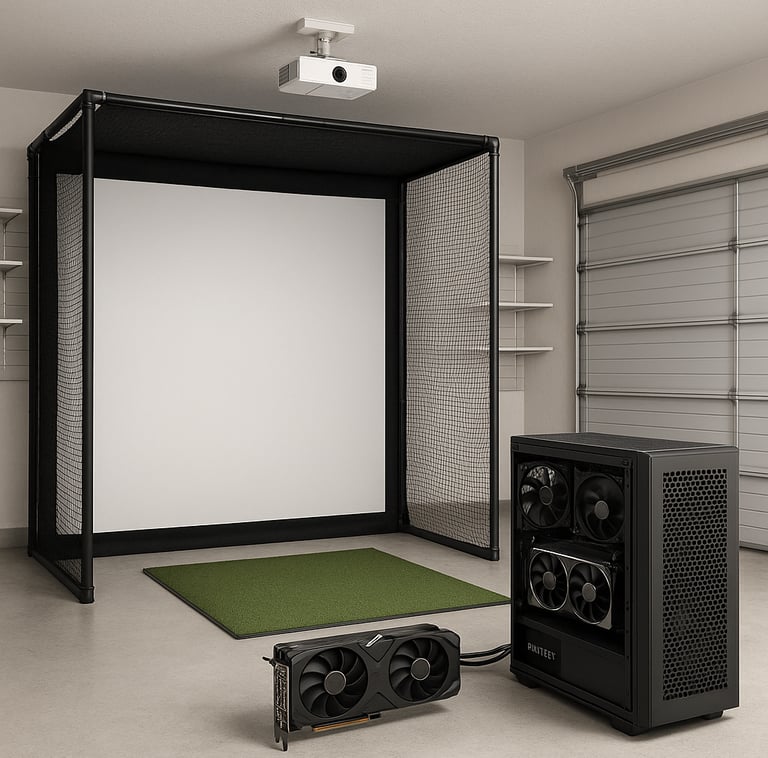
Let’s get one thing straight: a golf simulator is more than just software—it’s a whole hardware ecosystem that demands horsepower from your PC. These specs refer to the processor speed, graphics cards, memory, storage, and even operating system compatibility needed to run the software that simulates ball flight, swing analysis, and course graphics.
Minimum specs are the bare bones—you can think of this as the “you can get away with it” level. Recommended specs, on the other hand, are the “you should totally aim for this if you want the full experience” level.
It’s like owning a golf club: sure you can probably chip around with a beat-up 7-iron, but if you want real distance or control, you grab the good stuff.
Understanding Minimum PC Requirements
The minimum golf simulator PC requirements typically call for a dual-core CPU running at 2.5GHz or better, 8GB of RAM, an entry-level dedicated graphics card, and a solid-state drive (SSD) or fast hard drive. Usually, Windows 10 or later is mandatory, as most simulators don’t play nice with older operating systems.
Here’s the deal: these minimum specs will get the simulator software loaded and operational. You’ll get swing data, ball flight trajectories, and basic course rendering. But if you crank graphics or add multi-camera tracking systems? You’re more likely to experience dropped frames, laggy input, or longer load times.
These specs can work fine in a casual living room setup where you’re mostly after fun and a quick swing check. But don’t expect to win any fantasy leagues or impress your instructor with deep analytics on this rig.
Why Recommended Specs Matter
If you’re serious about your golf, recommended golf simulator PC specs address all the weak points of minimum setups. You’re talking quad-core or better CPUs for efficient multithreaded data processing, 16GB or more of RAM to handle the software’s memory needs, and mid-to-high-level dedicated GPUs with ample VRAM.
Why does this matter? First off, higher specs mean higher frame rates and smoother graphics, making the ball flight and course environment look and feel more realistic. More CPU power lets the software process swing and ball flight data in near real time with minimal delay.
An SSD (rather than an HDD) is a must-have in recommended specs—it slashes load times, keeping you on the tee faster instead of staring at loading screens.
These elevated specs make a big difference for golf instructors, competitive players, and anyone running multiple camera angles or advanced analytics.
For real-world performance differences, compare builds in Gaming PC vs Laptop for Golf Simulators.
Key Hardware Components Explained
CPU: The brain of your system. Minimum specs usually settle for a dual-core processor at 2.5GHz, but quad-core or better CPUs are recommended for smooth multitasking and rapid swing data calculations. The better the CPU, the faster your simulator reacts.
If you’re choosing parts, Best Computers for Golf Simulators helps narrow strong CPU/GPU combos.
GPU: This is where many fall flat. Though some budget setups skimp here, a dedicated graphics card is essential. Minimum specs might call for something like an NVIDIA GTX 1050 or equivalent, but recommended specs push towards GTX 1660 or higher. The more VRAM, the better your graphics textures and resolution will look.
For deeper optimization, see 1080p vs 4K Golf Simulator Performance.
RAM: 8GB is bare minimum and can bottleneck performance when running complex simulations or multitasking with analytics software. Recommended specs suggest 16GB+ to keep everything humming smoothly.
Storage: I’m a stickler for SSDs here. Minimum might say HDD, but SSD storage vastly improves load times and reduces data lags. Think of it as a quick caddie handing you information fast instead of shuffling around a slow filing cabinet.
Operating System and Ports: Windows 10 or newer is basically standard now. Also, make sure you’ve got enough USB ports to hook up sensors and cameras, plus HDMI or DisplayPort for quality visuals on external monitors.
Performance Impact: Minimum vs Recommended
The difference? It’s night and day once you’ve played on both.
With minimum specs, it’s like playing golf with an old set of clubs in wet weather—possible, but frustrating. Frame rates tend to dip during busy scenes or when your simulator runs advanced features like 3D course rendering, causing visual hiccups or delayed ball tracking.
Recommended specs bring solid frame rates, crystal-clear imagery, and instant swing data feedback. That means your tracking is accurate, your ball speeds and launch angles update fast, and your whole setup feels responsive.
If you’re troubleshooting lag, check Why Your Golf Simulator Is Lagging.
At the end of the day, higher specs reduce lag time, prevent graphic stuttering, and give you the space to run pro-level golf simulator software with all its bells and whistles.
Choosing the Right PC for Your Setup and Use Case
Ok, so how do you decide what specs are right for you?
If you’re a weekend warrior setting up a corner in your living room to practice putting or do casual swings, the minimum specs will likely suffice. Just don’t expect photorealistic graphics or intensive performance.
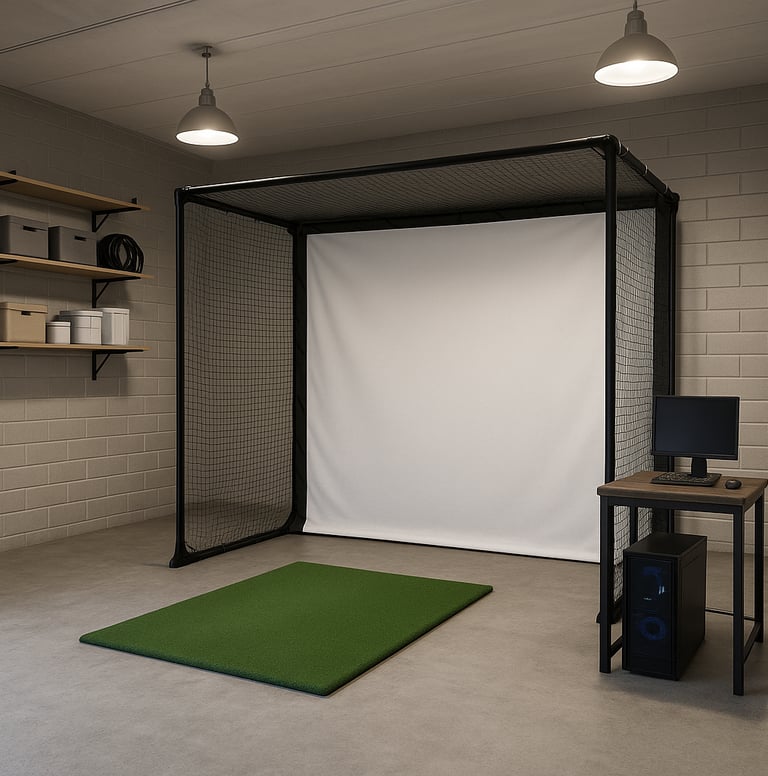
If you’re building a dedicated simulator room or garage setup, maybe even running winter leagues like I do, go for recommended specs without hesitation. The smoother experience pays dividends every time you swing.
For garage builds, What PC Do You Need for a Garage Golf Simulator Setup? breaks this down further.
For instructors or competitive players, prioritize multi-core CPUs, strong GPUs, and plenty of RAM to handle heavy analytics and possibly multi-display outputs.
Also, think about your space. Smaller rooms might have lighting or cooling limitations that dictate form-factor or desktop size, but don’t skimp on airflow or power supply—overheating kills performance.
Common Mistakes to Avoid When Buying Your Golf Simulator PC
Assuming minimum specs are enough for everything. I’ve seen guys buy based on minimum requirements only to get frustrated when certain features won’t work.
Ignoring the need for a dedicated GPU. If your PC runs on integrated graphics, you’re asking for trouble in rendering smooth high-res graphics.
Not checking compatibility with your simulator software—some require specific Windows versions, certain port types, or USB bandwidth you might overlook.
Overlooking SSD storage. Those spinning hard drives may be affordable, but they’ll slow load times and responsiveness drastically.
Buying overpowered specs without considering cooling or power supply can cause hardware throttling or crashes, negating any performance benefit.
FAQs About Golf Simulator PC Specifications
What are the exact minimum PC specs needed for popular golf simulators?
Minimum specs vary, but generally expect a dual-core 2.5GHz CPU, 8GB RAM, entry-level dedicated GPU (like GTX 1050), SSD storage preferred, and Windows 10 or later OS.
How much difference do recommended specs make in simulator experience?
Significantly. Recommended specs offer smoother graphics, faster data processing, and better multitasking, making gameplay more immersive and analytics more reliable.
Can I use a gaming PC designed for other games to run a golf simulator?
Absolutely. Most gaming PCs with mid-tier specs meet or exceed recommended golf simulator requirements. Just make sure to check for adequate USB ports and cooling.
What is the best PC setup for a garage or small indoor golf simulator space?
A compact PC with a quad-core CPU, dedicated mid-to-high-end GPU, 16GB RAM, SSD storage, and reliable cooling works best. This balances power and form factor.
Are laptops suitable for running golf simulator software?
Some higher-end gaming laptops can run golf simulators fine, but avoid lightweight or thin-and-light models without dedicated GPUs. Cooling and ports can be limiting.
How often should I consider upgrading my golf simulator PC?
Every 3–5 years is typical, but upgrading depends on software updates and your desired features. If performance dips or features lag, it’s time.
What common hardware failures affect golf simulator PCs?
Overheating due to poor cooling, USB port failures from constant plugging/unplugging of sensors, and GPU or RAM failures from heavy continuous loads.
Is internet speed or connection important for golf simulator performance?
Internet matters mostly for software updates and online multiplayer. It doesn’t affect offline swing or visual performance.
Putting It All Together
Look, if you’re serious about your simulator—whether it’s winter league bragging rights or just wanting a smooth game experience—you want to pay attention to those recommended golf simulator PC specs. Minimum specs might get your foot in the door, but they’ll quickly feel like you’re playing with a wet towel for a club.
A solid quad-core CPU, a good dedicated GPU, 16GB RAM, and fast SSD storage are practically the sweet spot right now. Your wallet might groan, but the experience won’t. It’s the difference between feeling like you’re standing on the tee about to tee off, or fighting with a glitchy setup that keeps throwing hooks and slices on screen for no reason.
So talk to me like a buddy—do yourself a favor, buy smart, and build a system that holds its own. Your simulator sessions will thank you every time you swing.
© 2026 GolfTechBuzz. All rights reserved.
Golf Tech Buzz
Performance Through Data
Practical guides, real-world setups, and unbiased comparisons for golfers building smarter practice environments.
General Inquiries: