
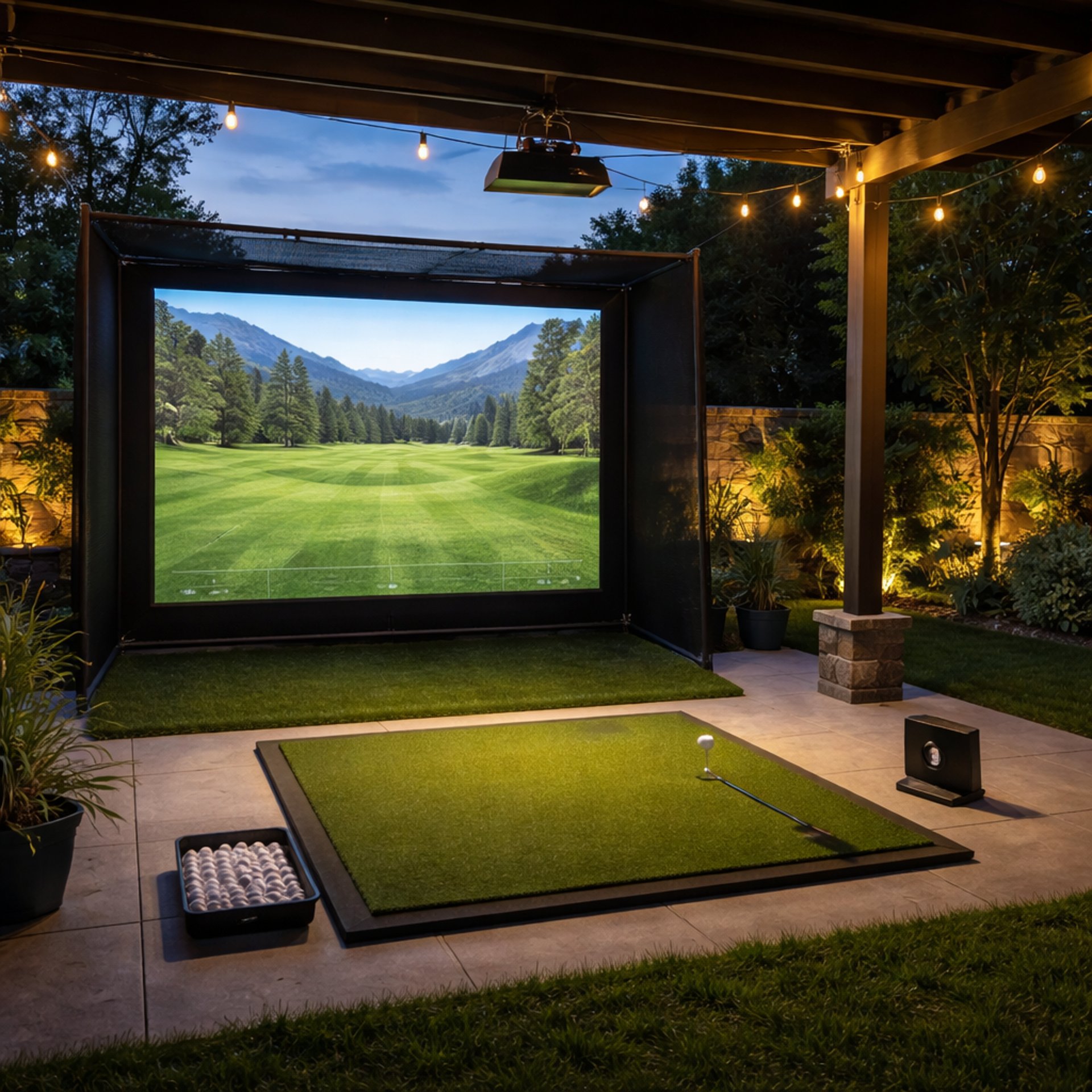
Complete Golf Simulator Computer Guide
A golf simulator setup doesn’t fail because of the launch monitor or the projector — it fails because the computer can’t keep up.
This guide is the full system-level breakdown of how golf simulator PCs actually work, how components interact, and how to choose the right build based on your environment, software, and performance expectations.
If you want a high-level overview, start with Golf Sim Computers.
If you’re ready to compare real builds, jump to Best Golf Simulator Computers.
How a Golf Simulator PC Actually Works
(Most People Get This Wrong)
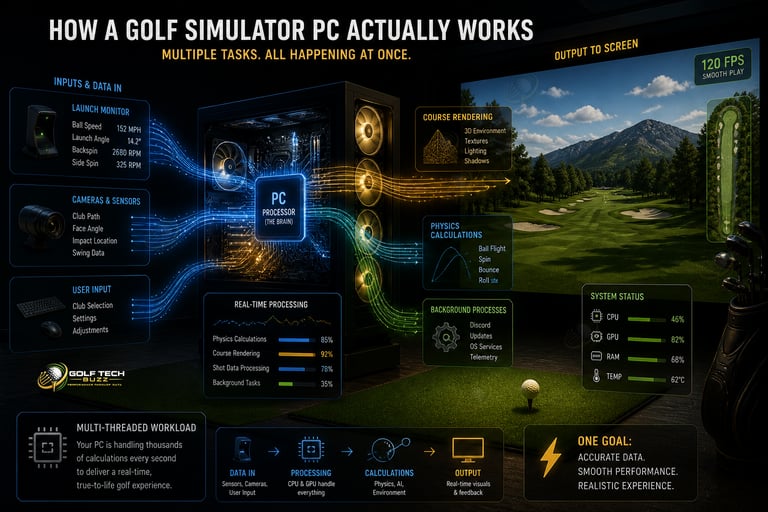
A golf simulator isn’t just “a game.”
Your PC is doing multiple things at once:
Rendering a full 3D course in real time
Processing shot data from your launch monitor
Syncing physics + ball flight instantly
Handling background software + updates
This is why generic “gaming PC advice” falls short.
👉 Full system breakdown: What PC Specs Do You Need for a Golf Simulator? (Full Breakdown)
👉 Real expectations: Minimum vs Recommended Golf Simulator PC Specs (What Actually Matters?)
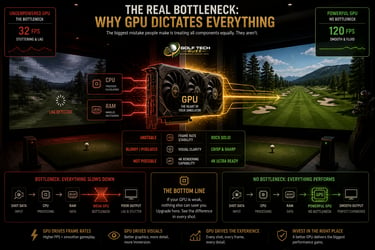
The Real Bottleneck:
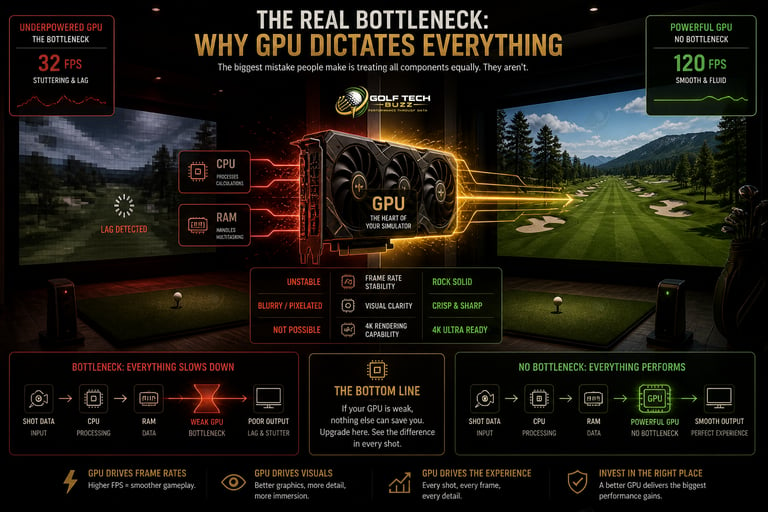
Why GPU Dictates Everything
The biggest mistake people make is treating all components equally.
They aren’t.
The GPU determines:
Frame rate stability
Visual clarity
Whether 4K is even possible
If your GPU is underpowered, you’ll see:
Lag during ball flight
Stuttering camera movement
Reduced course detail
👉 Full performance guide: What GPU Do You Need for a Golf Simulator? (Real Performance Guide)
👉 Real-world gap: RTX 3060 vs RTX 4080 for Golf Simulators (Do You Need High-End GPU?)
If you're debating upgrades, this is the only component that consistently changes the experience.
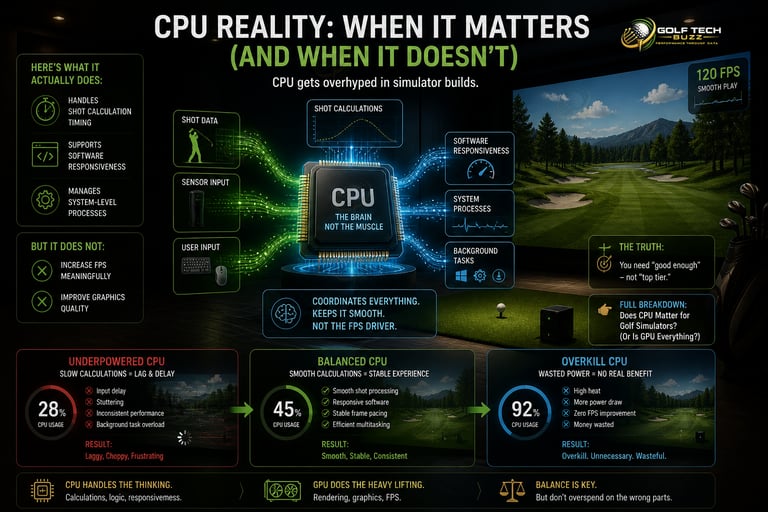
CPU Reality: When It Matters
(And When It Doesn’t)
CPU gets overhyped in simulator builds.
Here’s what it actually does:
Handles shot calculation timing
Supports software responsiveness
Manages system-level processes
But it does NOT:
Increase FPS meaningfully
Improve graphics quality
👉 Full breakdown: Does CPU Matter for Golf Simulators? (Or Is GPU Everything?)
You need “good enough” — not “top tier.”

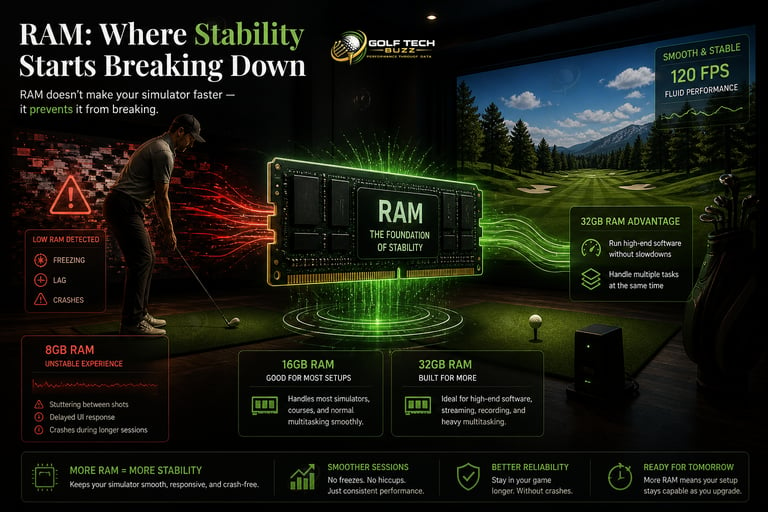
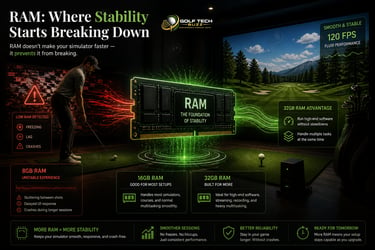
RAM: Where Stability Starts Breaking Down
RAM doesn’t make your simulator faster — it prevents it from breaking.
Issues caused by low RAM:
Freezing between shots
Delayed UI response
Crashes during longer sessions
16GB works for most setups.
32GB becomes important when:
Running high-end software
Multi-tasking (sim + streaming + tools)
👉 Full guide: How Much RAM Do You Need for a Golf Simulator?
Storage: The Hidden Performance Multiplier
Storage is often ignored — but it directly impacts experience.
What changes with SSD:
Course load times drop dramatically
Transitions become smooth
Stutter during gameplay is reduced
👉 Full breakdown: SSD vs HDD for Golf Simulators (Load Times & Performance)
This is one of the easiest upgrades with immediate impact.


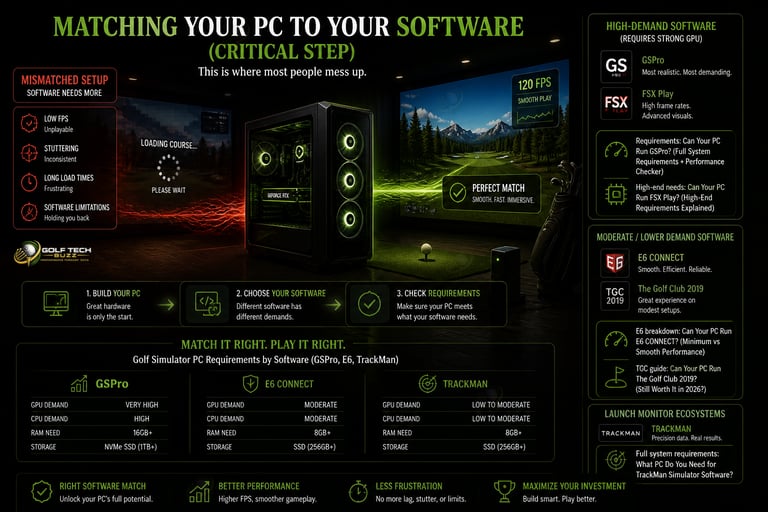
Matching Your PC to Your Software
(Critical Step)
This is where most people mess up.
They build a PC… then realize their software needs more.
High-Demand Software (Requires Strong GPU)
GSPro
FSX Play
👉 Requirements: Can Your PC Run GSPro? (Full System Requirements + Performance Checker)
👉 High-end needs: Can Your PC Run FSX Play? (High-End Requirements Explained)
Moderate / Lower Demand Software
E6 CONNECT
The Golf Club 2019
👉 E6 breakdown: Can Your PC Run E6 CONNECT? (Minimum vs Smooth Performance)
👉 TGC guide: Can Your PC Run The Golf Club 2019? (Still Worth It in 2026?)
Launch Monitor Ecosystems (TrackMan)
👉 Full system requirements: What PC Do You Need for TrackMan Simulator Software?
👉 Full comparison across all platforms:
Golf Simulator PC Requirements by Software (GSPro, E6, TrackMan)
Performance Tiers
(What You Actually Feel — Not Just Specs)
Entry-Level
(1080p Playable)
Best for:
Budget builds
Casual use
Simpler graphics settings
Typical setup:
Mid-range CPU
16GB RAM
Entry-level GPU
👉 See real options in Best Golf Sim Computers Under $1000
Mid-Tier
(Best Value)
Best for:
Smooth gameplay
Better graphics
Most home setups
Typical setup:
Mid-to-high CPU
16–32GB RAM
Mid-to-high GPU
👉 Recommended builds: Best Golf Sim Computers Under $2500
High-End
(Premium Experience)
Best for:
4K simulation
Ultra settings
Professional Use
Typical setup:
High-end CPU
32GB RAM
Top-tier GPU
👉 See builds here: Best Golf Sim Computers Under $5000
👉 Full tier breakdown: Best Golf Simulator Computers - Best Laptops for Golf Simulator
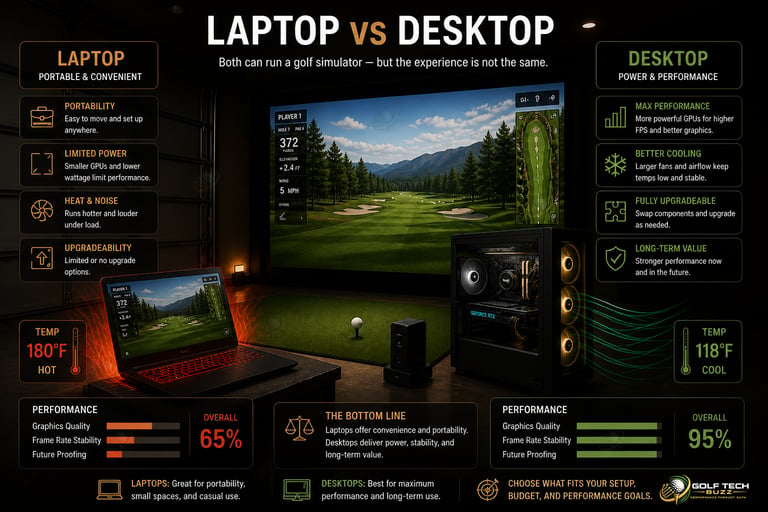
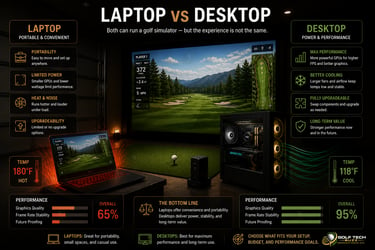
Laptop vs Desktop:
The Trade-Off Nobody Explains Clearly
This decision isn’t about preference — it’s about constraints.
Choose a Laptop If:
You need portability
You run a mobile golf business
Space is limited
👉 Options: Best Laptops for Golf Simulators
👉 Business setups: Best Golf Sim Laptops for Mobile Business Use
Choose a Desktop If:
You want maximum performance
You plan to upgrade later
You want long-term stability
👉 Full breakdown: Golf Simulator Computers: Laptop vs Desktop (What Actually Works?)
👉 Direct comparison: Gaming PC vs Laptop for Golf Simulators (Performance, Cost & Setup)
For most setups, desktop wins long-term.
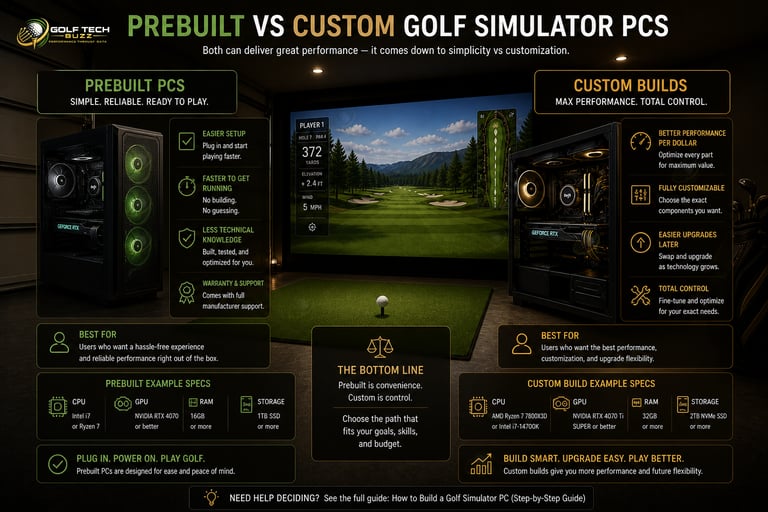
Prebuilt vs Custom Builds
(Where Most Money Is Won or Lost)
This decision impacts performance per dollar more than anything else.
Prebuilt
Faster setup
Easier for beginners
Slightly worse value
👉 Learn more: Are Prebuilt Gaming PCs Good Enough for Golf Simulators?
Custom Build
Better performance for the money
Full control over parts
Easier upgrades
👉 Step-by-step: How to Build a Golf Simulator PC (Step-by-Step Guide)
👉 Component selection: Best PC Parts for a Golf Simulator Build (CPU, GPU, RAM Picks)
👉 Full comparison: Prebuilt vs Custom PC for Golf Simulators (What Should You Choose?)
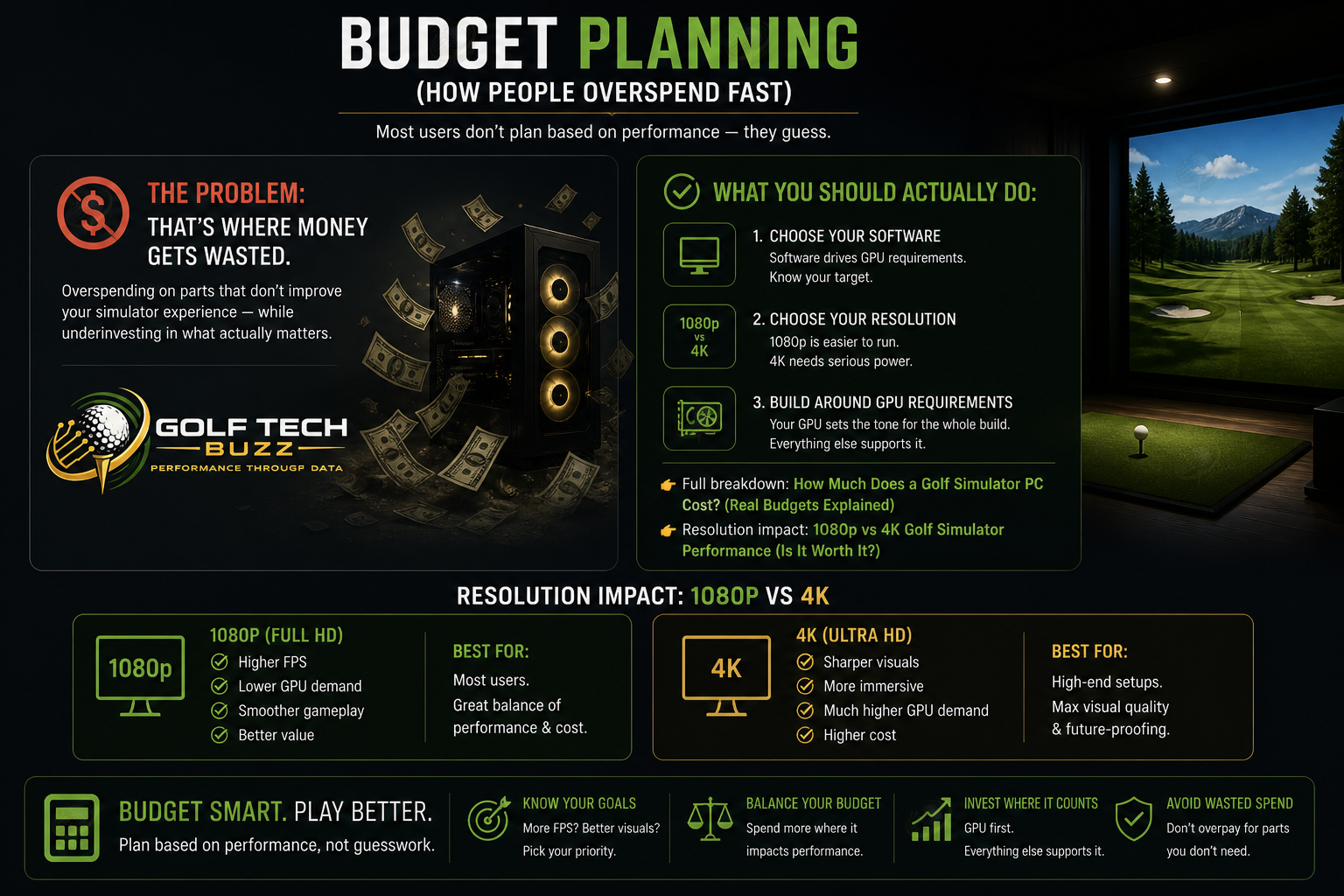
Budget Planning
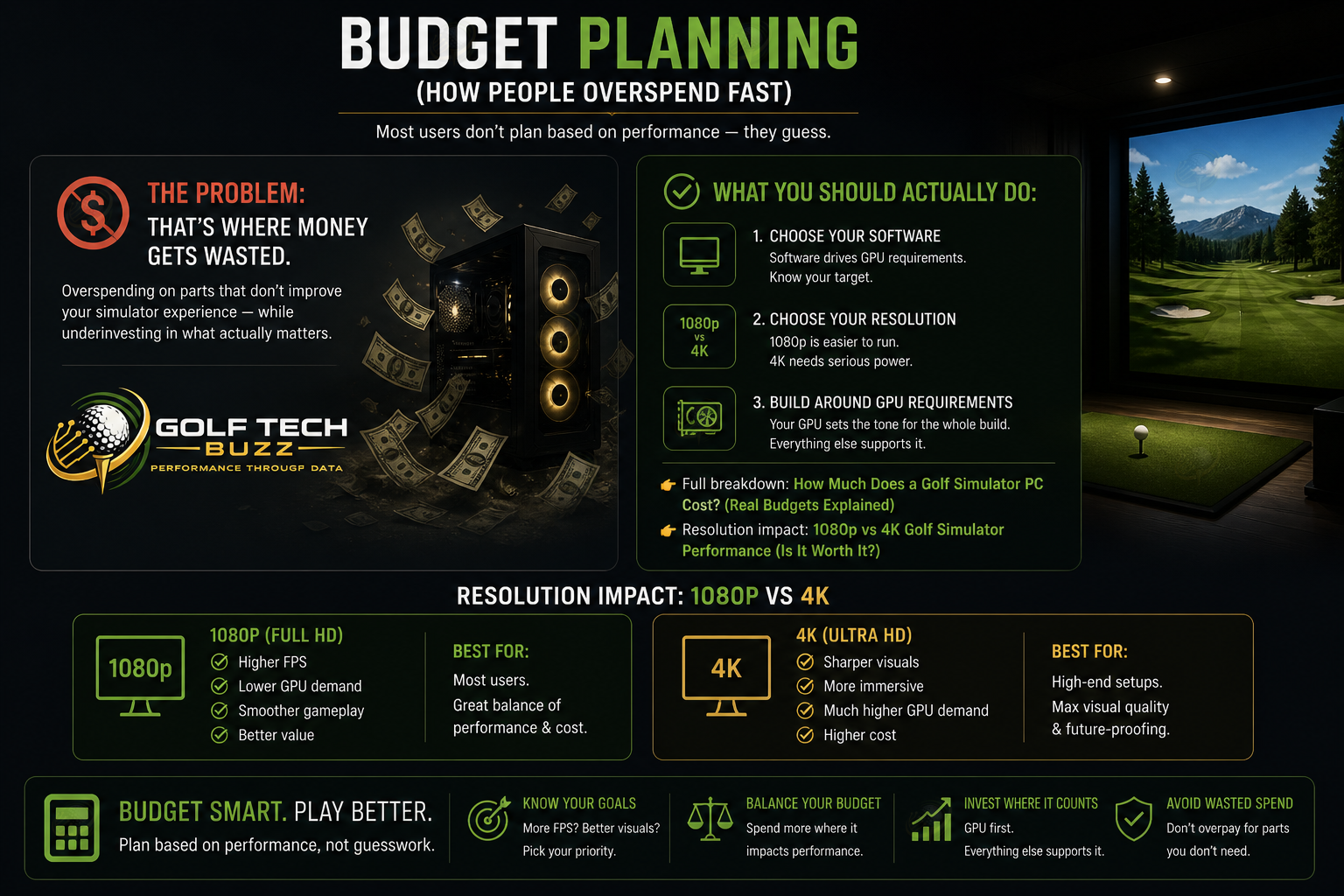
(How People Overspend Fast)
Most users don’t plan based on performance — they guess.
That’s where money gets wasted.
What You Should Actually Do:
Choose your software
Choose your resolution (1080p vs 4K)
Build around GPU requirements
👉 Full breakdown: How Much Does a Golf Simulator PC Cost? (Real Budgets Explained)
👉 Resolution impact: 1080p vs 4K Golf Simulator Performance (Is It Worth It?)
Weak GPUWeak GPU
Most common issue — causes 80% of problems.
Wrong Expectations for Budget
Trying to hit 4K performance on entry-level hardware.
Poor Optimization
Even strong PCs can underperform.
👉 Fix performance: How to Optimize Your PC for Golf Simulator Performance
👉 Increase FPS: How to Increase FPS in Golf Simulator Software
👉 Tune settings: Best Graphics Settings for GSPro, E6, and FSX Play
System-Level Issues
Background processes
Driver problems
Hardware conflicts
👉 Fix lag: Why Your Golf Simulator Is Lagging (And How to Fix It)
👉 Troubleshooting: Common Golf Simulator PC Problems (And Fixes)
Wrong Setup for Environment
👉 Garage builds: What PC Do You Need for a Garage Golf Simulator Setup?
👉 Dedicated systems: Do You Need a Dedicated PC for a Golf Simulator?
Common Failure Points
(Why Setups Don’t Perform)
Frequently asked questions
What PC specs do you actually need for a smooth golf simulator experience?
For smooth performance, most setups need a mid-tier GPU, 16GB of RAM, and a modern multi-core CPU. The exact specs depend heavily on the software and whether you’re running 1080p or 4K. If you're unsure where your setup lands, start with What PC Specs Do You Need for a Golf Simulator? (Full Breakdown) and compare against Minimum vs Recommended Golf Simulator PC Specs (What Actually Matters?).
Why does my golf simulator lag even with a good PC?
Lag is usually caused by a weak GPU, incorrect graphics settings, or background processes eating resources. Even high-end systems can struggle if they’re not optimized properly. To fix this, check Why Your Golf Simulator Is Lagging (And How to Fix It) and apply the tuning steps in How to Optimize Your PC for Golf Simulator Performance.
Is a GPU upgrade the best way to improve golf simulator performance?
In most cases, yes. The GPU has the biggest impact on frame rate, smoothness, and visual quality. Upgrading your GPU will almost always produce a more noticeable improvement than upgrading your CPU or RAM. For real performance differences, see RTX 3060 vs RTX 4080 for Golf Simulators (Do You Need High-End GPU?).
Can you run a golf simulator in 4K without a high-end PC?
Not reliably. 4K simulation requires significantly more GPU power than 1080p, and entry-level systems will struggle with stuttering and reduced detail. If you're considering upgrading, compare expectations in 1080p vs 4K Golf Simulator Performance (Is It Worth It?) before building.
What’s the difference between minimum and recommended specs for simulator software?
Minimum specs allow the software to run, but often with lag, lower graphics, and inconsistent performance. Recommended specs are what you need for smooth gameplay and a realistic experience. To understand the gap, review Minimum vs Recommended Golf Simulator PC Specs (What Actually Matters?).
Are prebuilt gaming PCs good enough for golf simulators?
Yes, but it depends on the components inside. Many prebuilts prioritize CPU over GPU, which can hurt simulator performance. As long as the GPU is strong enough, a prebuilt can work well. Learn what to look for in Are Prebuilt Gaming PCs Good Enough for Golf Simulators?
Do you need a dedicated PC for a golf simulator setup?
Not always, but it’s recommended for consistent performance. Running other programs alongside simulator software can cause lag or instability. For permanent setups, a dedicated PC provides the best experience. See Do You Need a Dedicated PC for a Golf Simulator? for a full breakdown.
Can internet speed affect golf simulator performance?
For most local play, internet speed has minimal impact. However, it matters for online features, updates, and multiplayer modes. If you're experiencing issues, check What Internet Speed Do You Need for Golf Simulator Software? to rule it out.

Final Thoughts
The goal isn’t to build the most powerful PC.
It’s to build the right PC for your setup.
If you undershoot → performance suffers
If you overspend → money gets wasted
If you’re ready to move forward:
👉 Start here: Best Computers for Golf Simulators
👉 Or compare builds: Best Laptops for Golf Simulators
© 2026 GolfTechBuzz. All rights reserved.
Golf Tech Buzz
Performance Through Data
Practical guides, real-world setups, and unbiased comparisons for golfers building smarter practice environments.
General Inquiries: