
Golf Simulator Computers
(Complete PC Guide for Performance, Specs & Builds)
A golf simulator is only as good as the computer running it. You can have a premium launch monitor and projector, but if your PC can’t keep up, you’ll get lag, poor graphics, and inconsistent performance.
This guide breaks down everything you need to know about choosing the right golf simulator computer — from minimum specs to high-end 4K builds — and helps you decide what actually matters before you spend money.
If you’re just trying to find the fastest path to a working setup, start with the Complete Golf Simulator Computer Guide or jump into the Best Golf Simulator Computers to see real-world build tiers.
What Actually Matters in a Golf Simulator PC
Most people assume you need a “powerful computer,” but that’s too vague.
Golf simulator software has very specific demands.
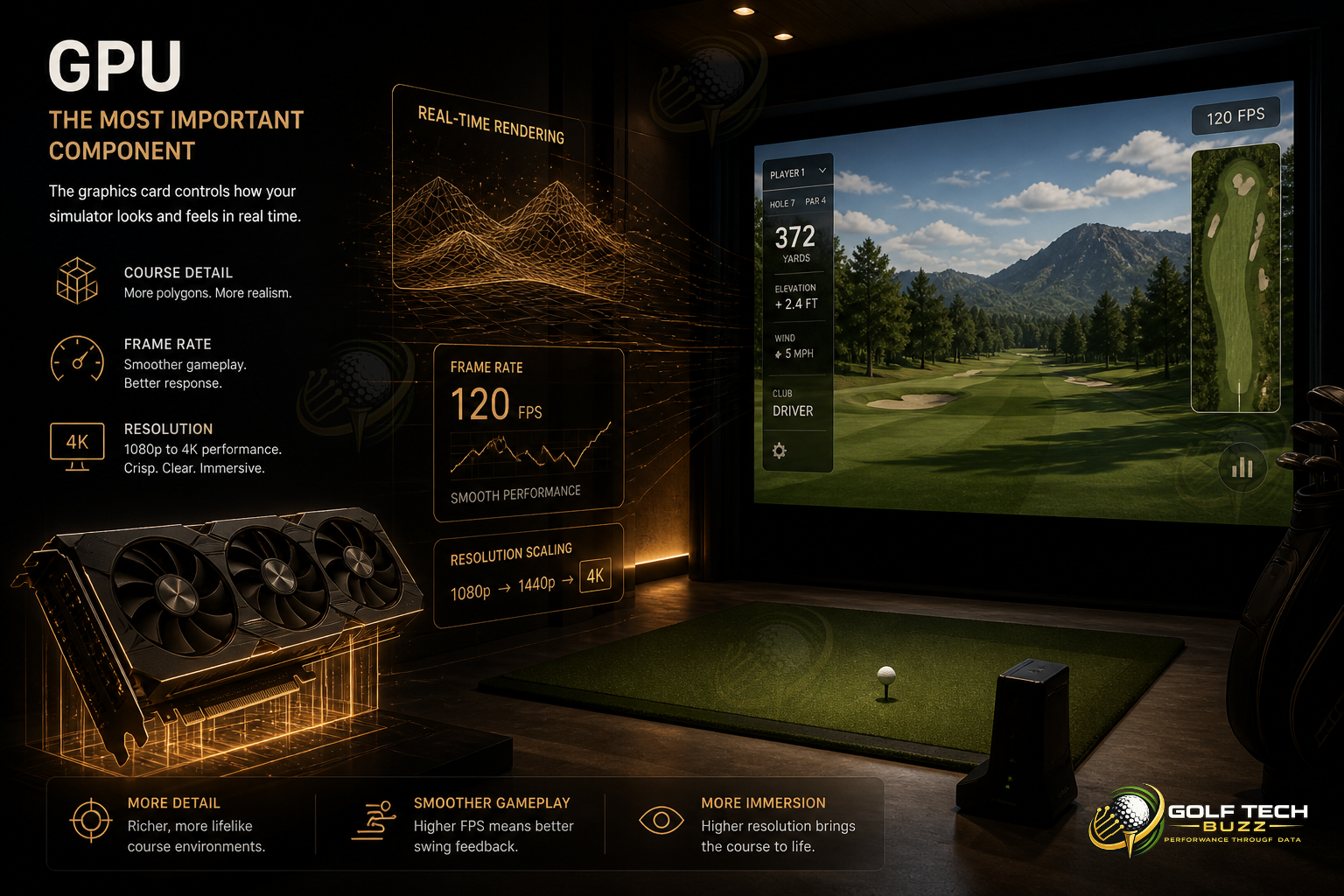
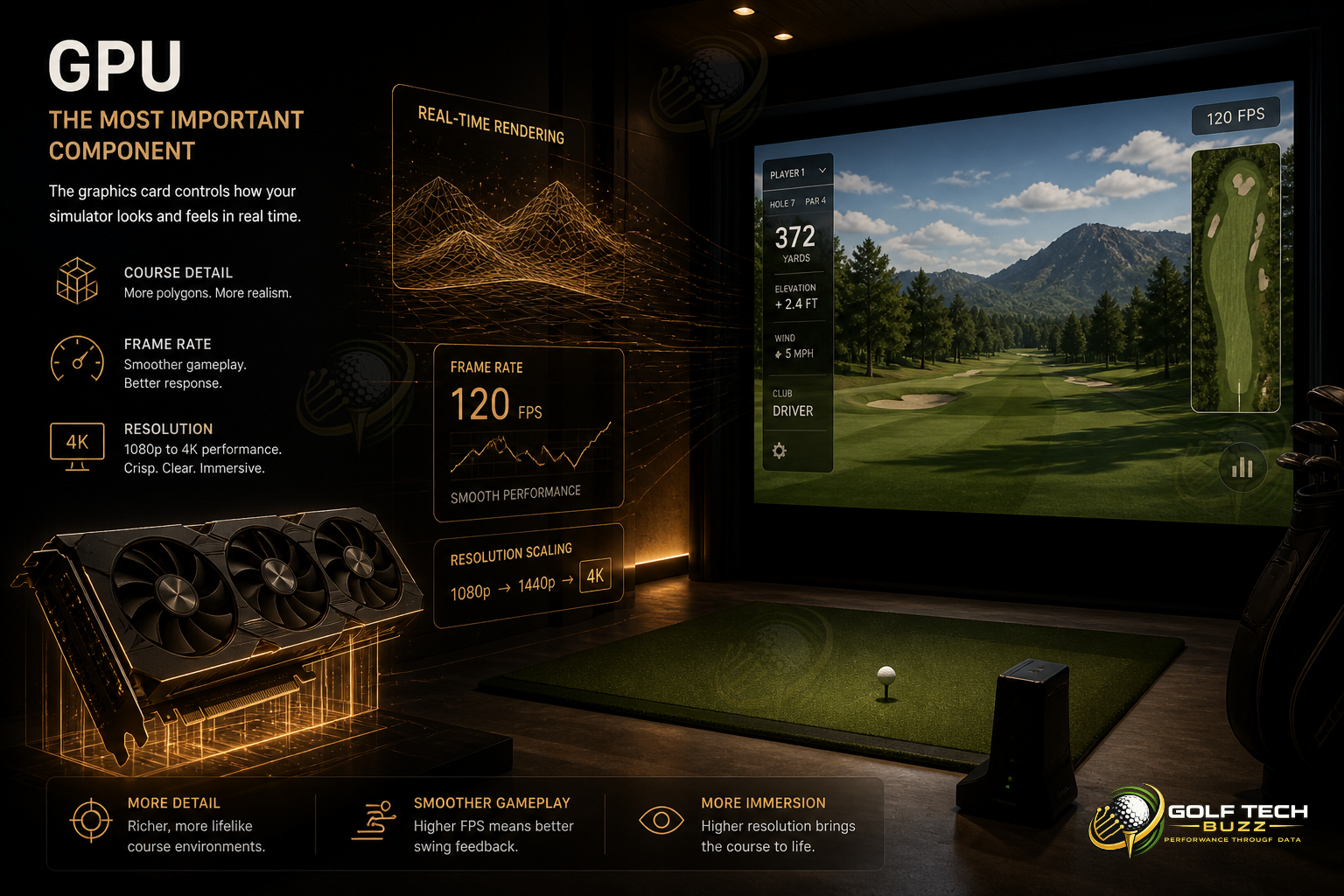
GPU (The Most Important Component)
The graphics card controls:
Course detail
Frame rate (smoothness)
1080p vs 4K performance
If your GPU is weak, nothing else can compensate.
If you’re unsure what level you need, check the breakdown in What GPU Do You Need for a Golf Simulator? (Real Performance Guide).
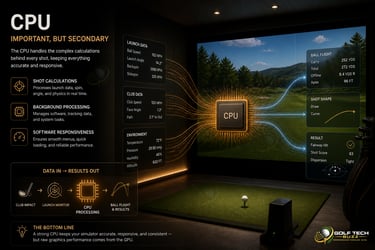
CPU (Important, But Secondary)
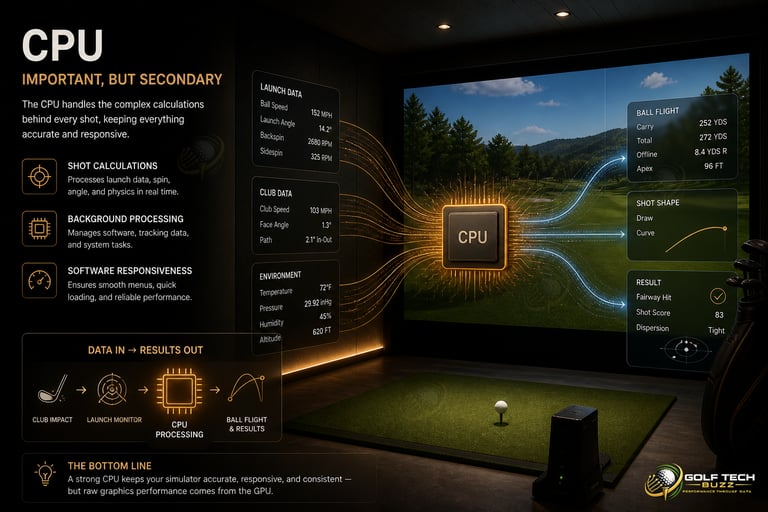
The CPU handles:
Shot calculations
Background processing
Software responsiveness
It matters — but not nearly as much as your GPU.
For a deeper breakdown, see Does CPU Matter for Golf Simulators? (Or Is GPU Everything?).
RAM (Stability & Smooth Operation)
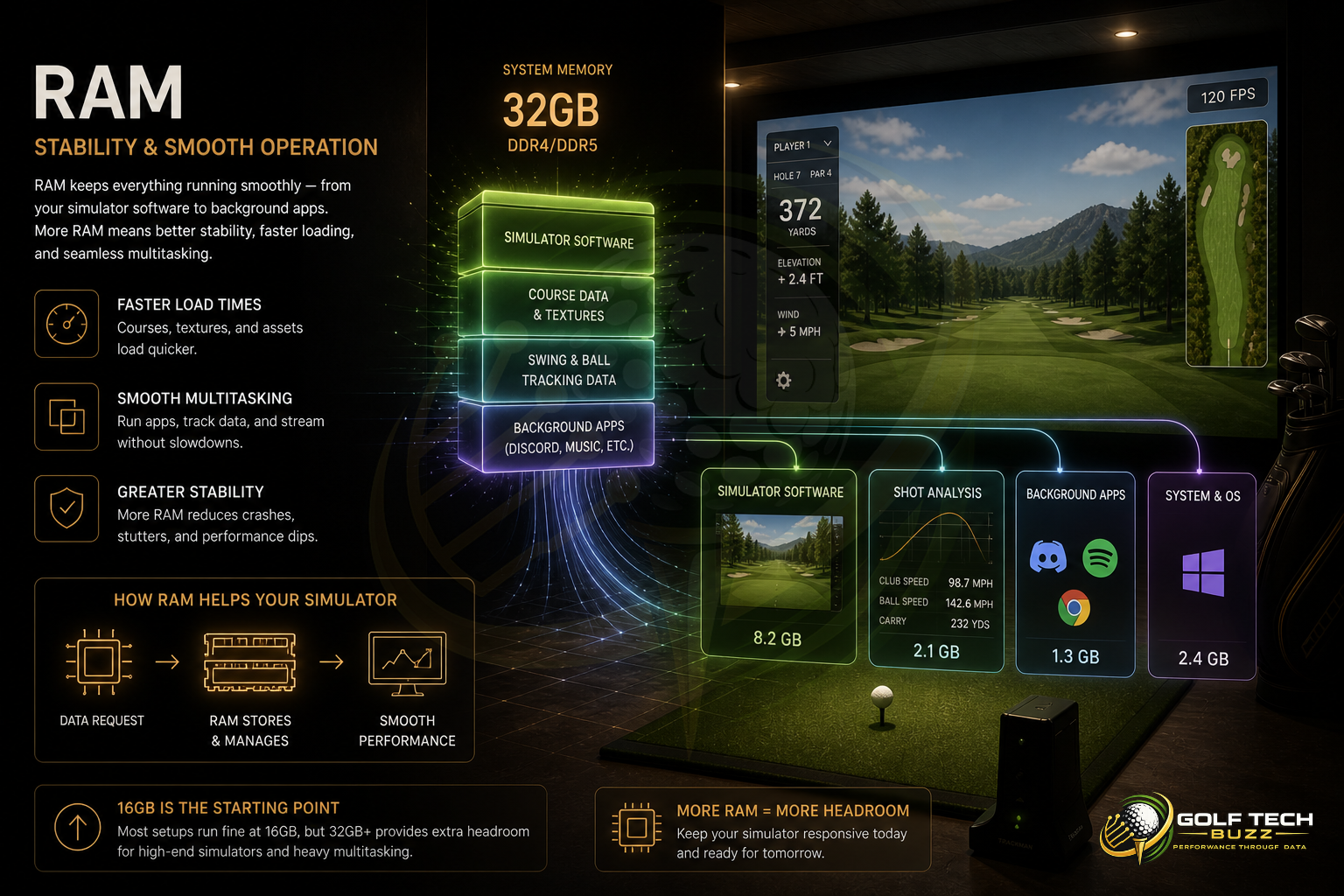
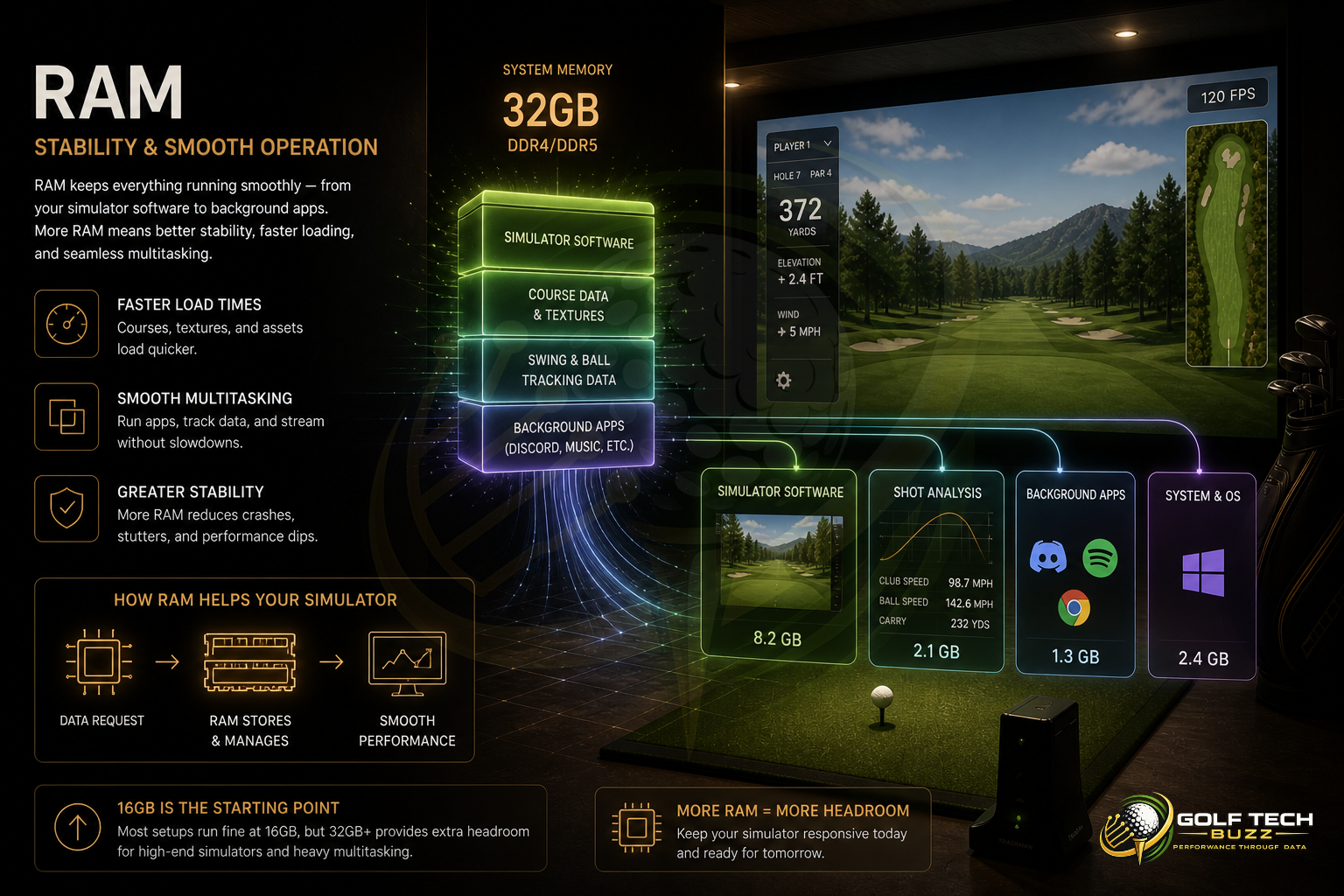
RAM affects:
Loading times
Multi-tasking (sim + apps)
Overall stability
Most setups run fine at 16GB, but higher-end builds benefit from more.
Full breakdown here: How Much RAM Do You Need for a Golf Simulator?

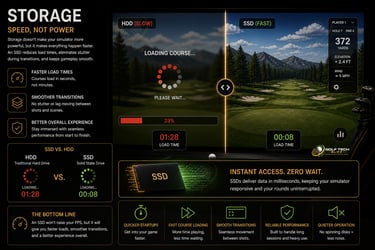
Storage (Speed, Not Power)
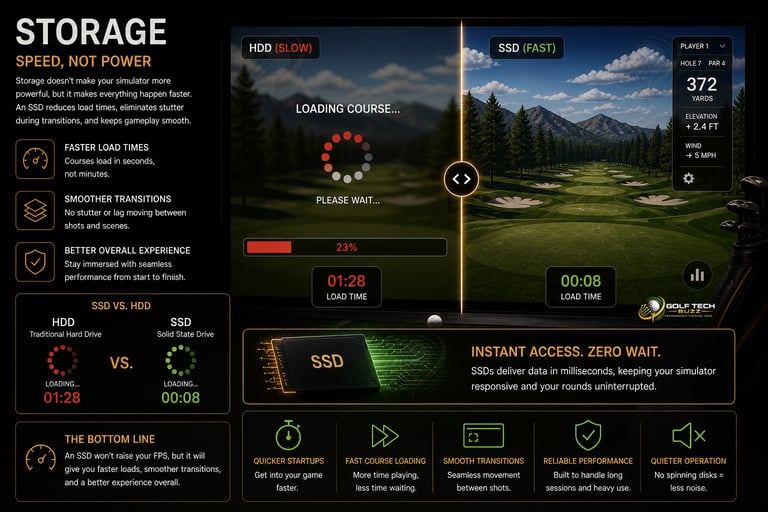
An SSD won’t increase FPS, but it will:
Load courses faster
Reduce stutter during transitions
Compare options here: SSD vs HDD for Golf Simulators (Load Times & Performance)
Golf Simulator PC Performance Tiers
Instead of guessing specs, it’s easier to think in performance tiers.
Entry-Level
(1080p Playable)
Best for:
Budget builds
Casual use
Simpler graphics settings
Typical setup:
Mid-range CPU
16GB RAM
Entry-level GPU
👉 See real options in Best Golf Sim Computers Under $1000
Mid-Tier
(Best Value)
Best for:
Smooth gameplay
Better graphics
Most home setups
Typical setup:
Mid-to-high CPU
16–32GB RAM
Mid-to-high GPU
👉 Recommended builds: Best Golf Sim Computers Under $2500
High-End
(Premium Experience)
Best for:
4K simulation
Ultra settings
Professional Use
Typical setup:
High-end CPU
32GB RAM
Top-tier GPU
👉 See builds here: Best Golf Sim Computers Under $5000
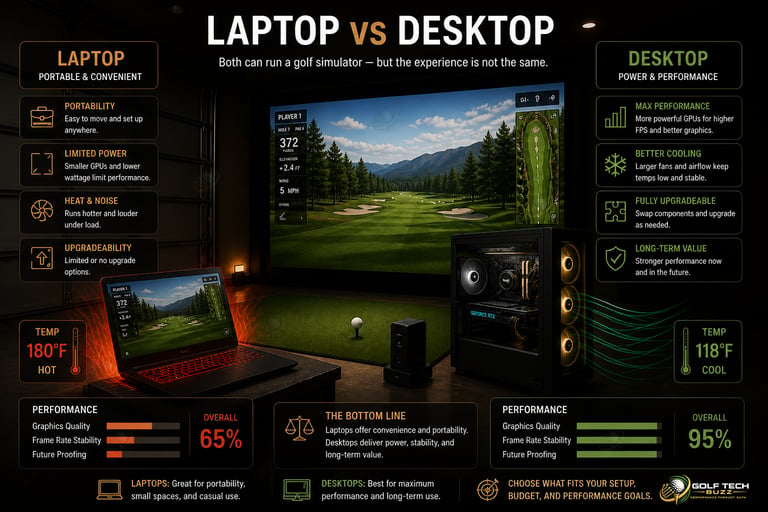
Laptop vs Desktop for Golf Simulators
This is one of the most common decisions — and one of the most misunderstood.
When a Laptop Makes Sense
Portable setups
Mobile golf businesses
Limited space
But performance is limited compared to desktops.
👉 Full breakdown: Golf Simulator Computers: Laptop vs Desktop (What Actually Works?)
When a Desktop Is the Better Choice
Maximum performance
Better cooling
Upgrade flexibility
For most users, a desktop is the better long-term investment.
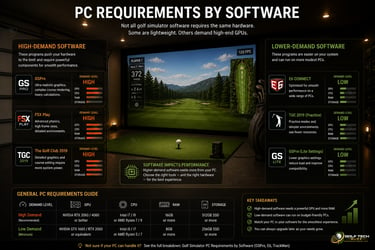
PC Requirements by Software
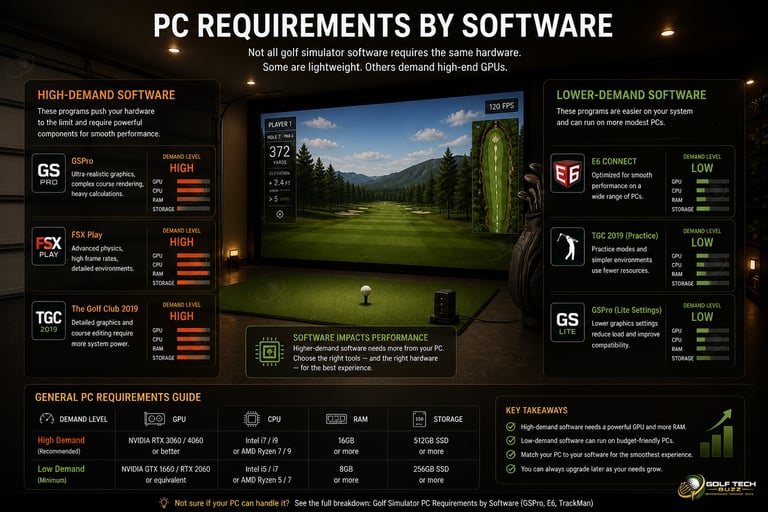
Not all golf simulator software requires the same hardware.
Some are lightweight. Others demand high-end GPUs.
High-Demand Software
Programs like GSPro and FSX Play require:
Strong GPUs
More RAM
Higher-end CPUs
Lower-Demand Software
Programs like E6 CONNECT and The Golf Club 2019 can run on:
Mid-range systems
Some laptops
👉 See full breakdown: Golf Simulator PC Requirements by Software (GSPro, E6, TrackMan)
Prebuilt vs Custom Golf Simulator PCs
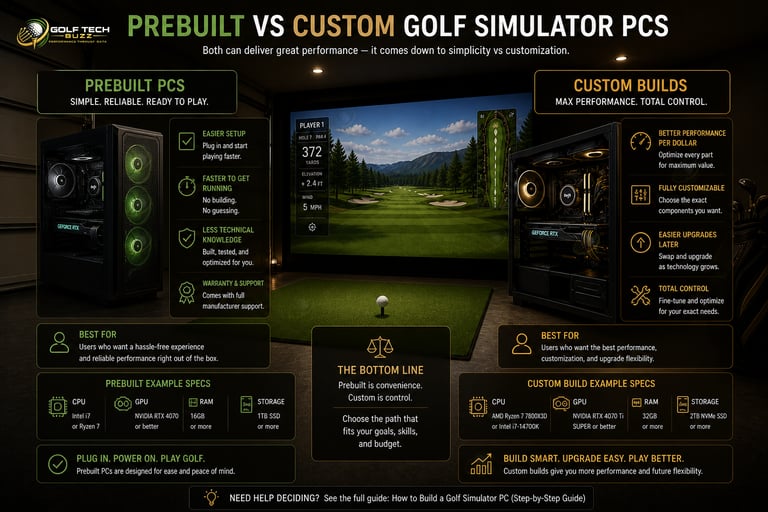
Another major decision is whether to build your own PC or buy one ready to go.
Prebuilt PCs
Easier setup
Faster to get running
Less technical knowledge required
👉 Learn more: Are Prebuilt Gaming PCs Good Enough for Golf Simulators?
Custom Builds
Better performance per dollar
Fully customizable
Easier upgrades later
👉 Full guide: How to Build a Golf Simulator PC (Step-by-Step Guide)
Common Mistakes When Choosing a Golf Simulator PC
Overspending on CPU Instead of GPU
The GPU matters more — always.
Underestimating 4K Requirements
4K simulation requires significantly more power than most people expect.
Buying a Laptop Without Understanding Limitations
Laptops can work — but not all of them.
Ignoring Upgrade Paths
A good PC should last years, not months.
👉 Not sure which tier fits your setup? See real performance breakdowns in Best Golf Simulator Computers by Performance Level (Entry to 4K)
How Much Should You Spend on a Golf Simulator PC?
Your budget should match your expectations, but most people underestimate how quickly performance requirements increase as you move up tiers.
Entry-Level Builds
Entry-level systems are built for basic simulation at lower settings. They’ll run most software, but you’ll sacrifice visual quality and smoothness in more demanding environments.
Mid-Tier Builds
Mid-range systems offer the best balance between cost and performance. This is where most users should focus, as it delivers smooth gameplay without unnecessary overspending.
High-End Builds
High-end systems are designed for maximum performance, including 4K simulation and ultra settings. These builds remove nearly all limitations but come at a significantly higher cost.
👉 Full cost breakdown: How Much Does a Golf Simulator PC Cost? (Real Budgets Explained)
Frequently asked questions
What is the most important part of a golf simulator PC?
The GPU is the single most important component in a golf simulator computer. It controls how smooth the simulation runs, how detailed the courses look, and whether you can realistically run higher resolutions like 1440p or 4K. You can have a strong CPU and plenty of RAM, but if the graphics card can’t keep up, you’ll see lag, stuttering, and reduced visual quality. When choosing a system, this is where the majority of your budget should go.
Can I use a gaming PC for a golf simulator?
Yes, and in most cases, a gaming PC is exactly what you want. Golf simulator software behaves very similarly to modern video games, relying heavily on real-time rendering and graphical performance. A properly balanced gaming PC will handle course environments, ball flight visuals, and smooth playback without issues. The only thing to watch is the GPU level, since entry-level gaming systems can still struggle with more demanding simulator software.
Is 16GB of RAM enough for a golf simulator?
For most setups, 16GB of RAM is enough to run golf simulator software without issues. It provides a stable experience for standard use and typical gameplay sessions. Moving up to 32GB won’t necessarily increase frame rates, but it can improve overall system responsiveness, especially if you’re running additional applications or using higher-end software. Think of RAM as stability rather than raw performance.
Can a laptop run a golf simulator?
A laptop can run a golf simulator, but only if it has the right hardware. Systems with dedicated GPUs and proper cooling can handle the workload, but most laptops are limited compared to desktops. They tend to run hotter, have less sustained performance, and offer little to no upgrade flexibility. Laptops make sense for portable or temporary setups, but for long-term use, desktops are almost always the better choice.
Do I need a high-end PC to run GSPro?
You don’t need a high-end PC to run it, but the experience will vary significantly depending on your hardware. Lower-tier systems can handle it at reduced settings and lower resolutions, but you may notice inconsistent performance. As you move into stronger GPUs, the experience becomes smoother, more detailed, and more immersive. High-end systems remove most limitations, especially if you’re aiming for 4K performance.
What happens if my PC isn’t powerful enough for a golf simulator?
When a PC falls below the required performance level, the problems are immediate and noticeable. You’ll typically see lag during shots, delays in ball flight rendering, and occasional stuttering throughout the simulation. In more severe cases, the software may struggle to load courses or run at all. Most of these issues trace back to the GPU being underpowered, which is why upgrading the graphics card is usually the most effective fix.
Is 4K worth it for a golf simulator?
4K can make a big difference in how realistic the simulation feels, especially on larger screens or full simulator setups. The added detail improves immersion and makes course environments look significantly sharper. That said, it requires a much stronger system to run smoothly. For many users, 1080p or 1440p provides a better balance between performance and cost, while still delivering a great experience.
Should I buy a prebuilt or build my own golf simulator PC?
Both options work, but they serve different types of users. Prebuilt systems are easier to set up and require less technical knowledge, making them a good option for beginners or anyone who wants a fast, simple solution. Building your own PC gives you more control over component quality and typically delivers better performance for the money. It also makes future upgrades much easier, which is important if you plan to improve your setup over time.
How much should I spend on a golf simulator computer?
The amount you should spend depends entirely on the level of performance you want. Lower budgets can handle basic simulation with reduced settings, while mid-range systems provide the best balance between smooth gameplay and cost. High-end builds are designed for users who want maximum performance with no compromises. Most people end up in the mid-range category because it delivers a strong experience without pushing into unnecessary expense.
Do I need a dedicated PC for a golf simulator?
A dedicated PC isn’t required, but it often makes the setup more reliable and consistent. Using a shared computer can introduce performance issues if other programs are running or if the system isn’t optimized for simulation. A dedicated setup ensures everything is configured specifically for your simulator, which leads to smoother performance and fewer interruptions. For permanent or high-end installations, it’s the better long-term choice.
Final Thoughts
Choosing the right golf simulator computer comes down to one thing:
👉 Matching performance to your expectations
If you just want a working setup, entry-level builds will do the job.
If you want smooth gameplay and strong visuals, mid-tier is the best value.
If you want the best experience possible, high-end systems remove all limitations.
If you’re ready to choose a system, start here:
© 2026 GolfTechBuzz. All rights reserved.
Golf Tech Buzz
Performance Through Data
Practical guides, real-world setups, and unbiased comparisons for golfers building smarter practice environments.
General Inquiries: