

SSD vs HDD for Golf Simulators
Discover why SSD for golf simulators offers faster load times and smoother performance compared to HDDs, improving your indoor golf experience.
COMPUTERS
Golf Tech Buzz Editorial Team - Led by AJ “Buzz” Eichman
5/5/20267 min read
When you’re setting up a golf simulator, every detail matters—from the projector to the sensor tech, and yes, even the storage inside your setup. You might not be thinking, “Man, I gotta nail this storage choice,” but here’s the deal: the drive you pick—SSD or HDD—can make or break your simulator’s performance. Load times, system responsiveness, even how smooth those high-res graphics play—this all hinges on your storage choice. So, let’s talk turkey and cut through the noise on SSD vs HDD for golf simulators, no fluff. If you want to see the full overview - check out Golf Simulator Computers.
Before choosing storage, it helps to understand your full system in What PC Specs Do You Need for a Golf Simulator? and how builds vary in Golf Simulator PC Requirements by Software.
Quick Verdict
SSDs deliver faster load times and noticeably smoother performance for golf simulator software.
HDDs offer bigger storage at a wallet-friendly price but tend to lag on speed and responsiveness.
For serious gamers and pros running high-res sims, SSDs are practically a must.
Budget setups or casual users might find HDDs acceptable, but know the tradeoffs.
If you’re comparing full builds, Best Golf Sim Computers Under $1000 and Best Golf Sim Computers Under $2500 show how storage impacts real setups.
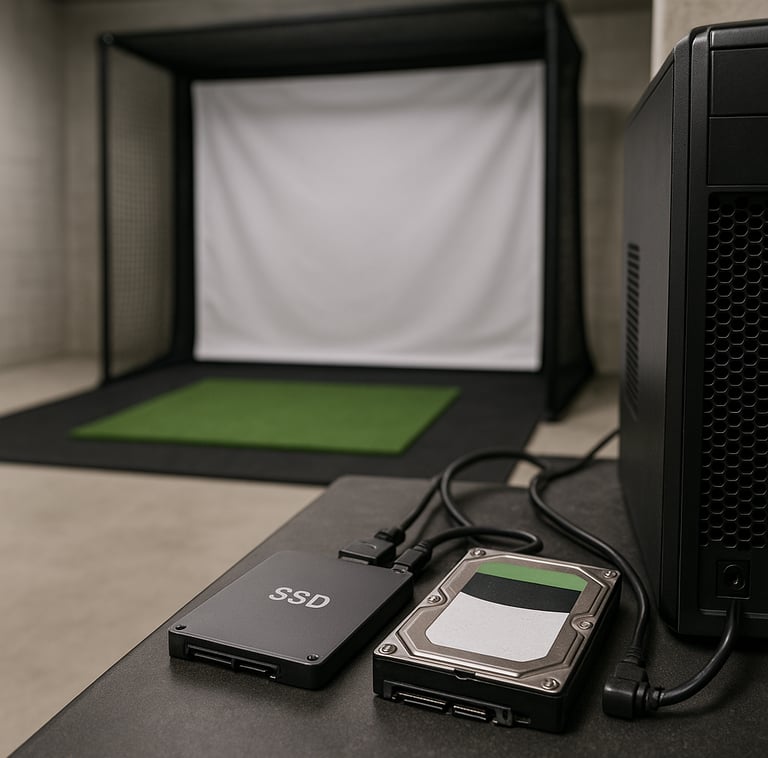
What Is SSD and How Does It Work in Golf Simulators?
If you’ve built or tweaked tech setups before, you probably know SSD stands for Solid State Drive, and those two words pack a punch. Unlike traditional drives, SSDs store data on flash memory chips—no spinning disks, no moving parts. That translates into lightning-fast data access speeds, quieter operation, and way better shock resistance. Think of it like upgrading from a beat-up rental golf cart to a turbocharged race cart every time you tee off indoors.
In a golf simulator, SSDs serve up your software files, textures, and replay data faster than you can say “birdie.” When you launch your sim software or switch scenarios, SSDs cut down loading times dramatically. If you’re swinging at those ultra-detailed tracks or using sophisticated physics engines, that speed isn’t a luxury—it’s a game-changer.
For performance impact, see How to Optimize Your PC for Golf Simulator Performance.
Understanding HDD Technology and Its Role in Golf Simulators
Hard Disk Drives (HDDs) are the old faithful of storage tech. They use spinning disks and moving read/write arms to store your data magnetically. While that mechanical dance worked fine for years, it’s slower and more prone to failure compared to SSDs. Loading big files or juggling complex simulation data on an HDD is like hauling a 15-pound bag of clubs through thick mud—it’s gonna slow you down.
That said, HDDs aren’t dead weight. They’re cheaper per gigabyte and often come in larger capacities. For someone running a home garage setup where cost is king and massive storage is a must, HDDs can still do the job. But expect sluggish load times and a potential hiccup or two when things get complex or high-res.
If you’re troubleshooting slow performance, check Why Your Golf Simulator Is Lagging.
Performance Comparison: SSD vs HDD for Golf Simulation
Here’s where the rubber meets the road: how does each storage type actually impact your golf sim experience?
Speed & Responsiveness
SSDs crush HDDs on speed. Typical SSDs hit data transfer rates from around 500 MB/s to several gigabytes per second. HDDs, by contrast, usually stick between 100-160 MB/s. That means when your simulator software calls for data—the latest swing analysis, course textures, or shot replay—the SSD serves it up quickly without a hiccup.
Loading Times
Ever been staring at a loading screen, club in hand, waiting to get going? That pause is usually the storage drive lagging. SSDs shrink these waits dramatically. It’s not just about convenience; shorter load times keep you engaged and practicing. HDDs make you wait. I’ve seen guys try this and lose focus mid-session because the sim took forever to load.
Reliability & Durability
With no moving parts to wear out, SSDs are less likely to fail, especially in home simulators where occasional bumps or power fluctuations happen. HDDs’ mechanical parts are prone to wear and tear and physical shocks. If your setup’s in a high-traffic spot or you travel with your gear, SSDs hold strong.
Capacity & Cost
HDDs still win when it comes to raw capacity per dollar. You can score multiple terabytes for a fraction of what an SSD would cost. But for most golf sims, you don’t need a fat chunk of that storage. The bulk of data is software files and video textures that fit comfortably on a reasonably sized SSD.
Real-World Applications and Setup Considerations
So you know the tech—how does it play out when you’re actually setting up your space?
Home Indoor Golf Simulator
If you’re a frequent user who wants seamless load times and smooth graphics, go SSD or go home. It takes your training sessions from frustrating to fluid. Running winter leagues or streaming swing data live? SSDs keep pace. Plus, less worry about your system freezing between shots.
Budget / Garage Simulators
If money’s tight and your sim time’s casual, an HDD can be budget-friendly. Just brace yourself for slower responses and plan your practice cadence accordingly. For some setups, a hybrid approach—SSD for OS and software, HDD for bulk storage—might hit the sweet spot.
For garage setups, What PC Do You Need for a Garage Golf Simulator Setup? helps align storage with full builds.
Professional Setups
If you’re renting bays or running a teaching facility, you can’t afford lag or downtime. SSDs are non-negotiable here. Your clients expect consistent performance and fast turnaround between players.
Portable Simulators
Durability takes precedence when you’re moving gear around. SSD’s shock resistance protects data in transit. You’re less likely to lose files or crash mid-round on the course-side.
Common Mistakes When Choosing Storage for Golf Simulators
I’ve seen guys make rookie moves here, so here’s a quick heads-up on what not to do:
Assuming HDDs are “good enough” without testing how slow load times ruin your flow.
Overbuying storage capacity without checking how much your sim software really needs.
Ignoring SSD speeds and expecting an identical experience with an HDD.
Skipping a compatibility check—some sims don’t play nice with certain NVMe or SATA SSDs.
Going purely on price: cheap HDDs can tank your setup’s performance big time.
Not considering hybrid drives or backup plans to balance speed and storage.
Buyer’s Guide: How to Choose the Best Storage for Your Golf Simulator
Here’s where things get practical. To land on the right storage, think about these factors:
Budget
If you’ve got the cash for an SSD, take it. Performance gains justify the cost. For tight budgets, start with at least a modest SSD or hybrid setup.
Capacity
For most golf sims, 250GB to 500GB SSDs cover software, updates, recordings, and settings comfortably. Need heaps of storage? Add an HDD for video or backups.
Performance Needs
If you run complex simulations, fast graphics, or multiple user profiles, SSDs keep the system snappy. Casual players with basic sims might get by on an HDD but will feel the lag.
Compatibility
Check that your simulator hardware supports the drive you pick. SATA SSDs fit most setups, but NVMe SSDs require compatible slots.
If you're building your system, Best PC Parts for a Golf Simulator Build helps align storage with CPU/GPU choices.
Upgrade Options & Future-Proofing Your Golf Simulator Storage
Got an older sim running on an HDD? Upgrading to an SSD is probably the best tweak you can make without buying an entirely new system. It’s often plug and play, especially if your sim allows it. Going SSD future-proofs your rig too—sim software keeps getting heavier, and gaming performance SSDs will handle tomorrow’s releases better.
If you’re building fresh, consider a hybrid strategy: an SSD for system and software files, paired with a large HDD for storing video replays or backups. This combo balances cost and performance nicely.
Frequently Asked Questions about SSD and HDD in Golf Simulators
What are the main differences between SSD and HDD for golf simulators?
SSDs use flash memory with no moving parts—making them faster, quieter, and more durable. HDDs have spinning disks and mechanical parts, offering bigger capacity but slower speeds and more maintenance needs.
Does an SSD improve gaming performance in golf simulators noticeably?
Absolutely. SSDs reduce load times and improve responsiveness, meaning smoother gameplay and less downtime between shots.
How much storage capacity do I need for a golf simulator?
Typically, 250GB to 500GB SSDs suffice for software and data. Add HDD space if you plan to store lots of video or backups.
Can I upgrade my existing golf simulator with an SSD?
Most likely, yes. Check your hardware specs for compatibility with SATA or NVMe SSDs. The upgrade can provide an instant boost in speed.
Are SSDs more reliable than HDDs for indoor golf setups?
Yes, because SSDs have no moving parts, they handle everyday bumps and power variations better than HDDs, reducing failure risks.
What is the impact of storage speed on data loading and responsiveness?
Faster storage means your simulator loads menus, textures, and shot analysis quicker, reducing wait times and enhancing your practice flow.
Are there any compatibility issues to watch out for?
Some simulators only support certain drive types or speeds. Always verify what hardware your sim accepts before buying.
Is a hybrid storage system recommended for golf simulators?
For many users, yes. Using SSDs for essential system files and software, with HDDs for bulk storage, combines speed and capacity affordably.
Conclusion
Look, if you’re serious about your golf simulator, the choice between SSD and HDD isn’t just hardware—it’s how much you value your time and experience. SSDs bring speed, durability, and smoothness that make practice sessions feel effortless and responsive. HDDs can work if price and capacity are your bottlenecks, but be ready for slower loads and occasional lag.
If I’m being honest, upgrading to an SSD is one of the smartest, most cost-effective moves you can make to step up your golf simulation game this year. Your swings will thank you, and so will your patience. Choose wisely, tee off often, and keep crushing it whether you’re indoors or out.
© 2026 GolfTechBuzz. All rights reserved.
Golf Tech Buzz
Performance Through Data
Practical guides, real-world setups, and unbiased comparisons for golfers building smarter practice environments.
General Inquiries: