
Golf Simulator Computers — Laptop vs Desktop
(What Actually Works?)
Choosing between a laptop and desktop for your golf simulator isn’t about preference — it’s about performance, use case, and long-term flexibility.
Both can work. But they don’t perform the same, scale the same, or handle simulator software the same way.
If you need a full system breakdown first, start with Best Computers for Golf Simulators or Best Laptops for Golf Simulators before comparing portability, cooling, and long-term upgradeability.
If you’re matching hardware to software, see Golf Simulator PC Requirements by Software (GSPro, E6, TrackMan).
The Core Difference
(Why This Decision Matters)
At a surface level:
Laptops = portable, compact
Desktops = powerful, upgradeable
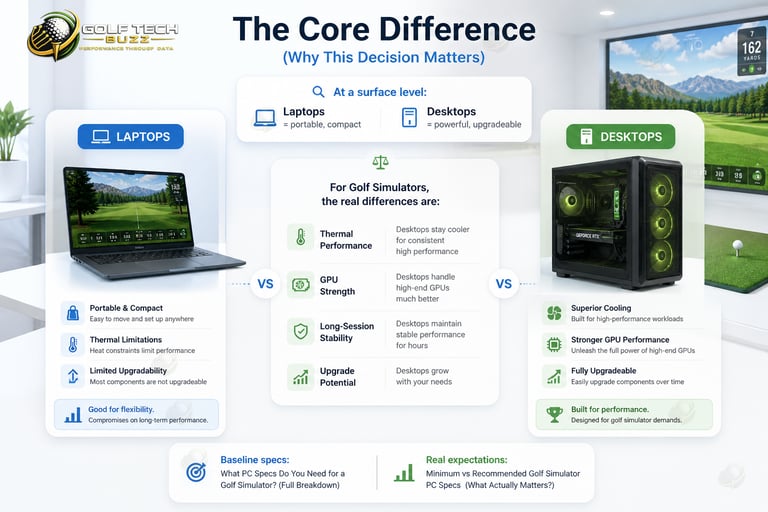
But for golf simulators, the real differences are:
Thermal performance
GPU strength
Long-session stability
Upgrade potential
Many golfers eventually realize the real-world gap becomes much clearer after reading The Best Laptops vs Desktops for Golf Simulators and comparing long-session simulator workloads.
👉 Baseline specs: What PC Specs Do You Need for a Golf Simulator? (Full Breakdown)
👉 Real expectations: Minimum vs Recommended Golf Simulator PC Specs (What Actually Matters?)

Laptop vs Desktop:
Performance Reality
Desktop Performance (Consistent Power)
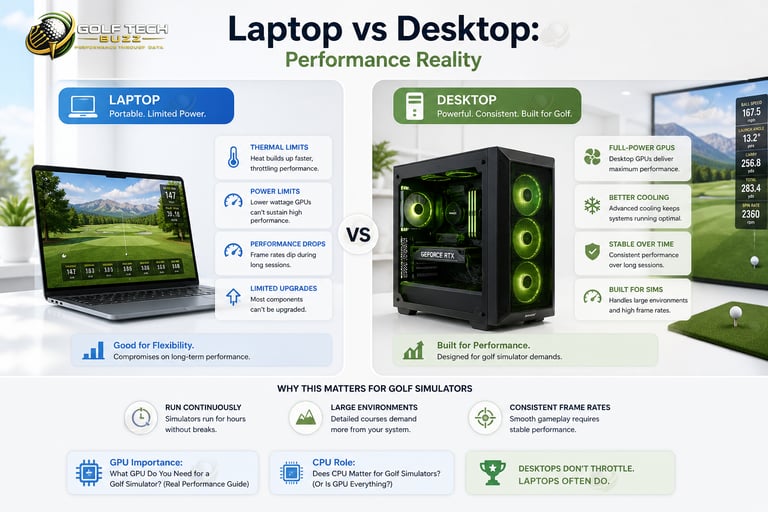
Desktops are built for sustained performance.
They offer:
Full-power GPUs
Better cooling systems
Stable performance over long sessions
This matters because golf simulators:
Run continuously
Render large environments
Require consistent frame rates
👉 GPU importance: What GPU Do You Need for a Golf Simulator? (Real Performance Guide)
👉 CPU role: Does CPU Matter for Golf Simulators? (Or Is GPU Everything?)
Desktops don’t throttle — laptops often do.
This becomes especially noticeable once golfers begin running software covered in Can Your PC Run GSPro? or Can Your PC Run FSX Play?

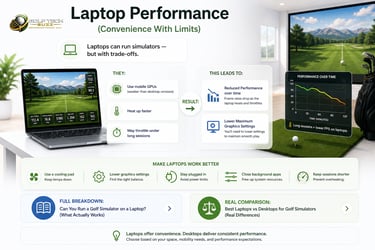
Laptop Performance
(Convenience With Limits)
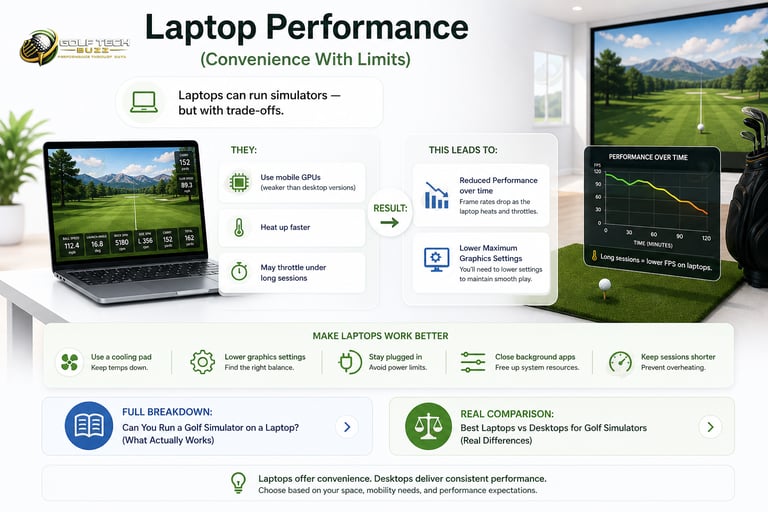
Laptops can run simulators — but with trade-offs.
For many modern setups, Can You Run a Golf Simulator on a Laptop? explains where gaming laptops actually perform surprisingly well.
They:
Use mobile GPUs (weaker than desktop versions)
Heat up faster
May throttle under long sessions
This leads to:
Reduced performance over time
Lower maximum graphics settings
👉 Full breakdown: Can You Run a Golf Simulator on a Laptop? (What Actually Works)
👉 Real comparison: Best Laptops vs Desktops for Golf Simulators (Real Differences)

When a Laptop Actually Makes Sense
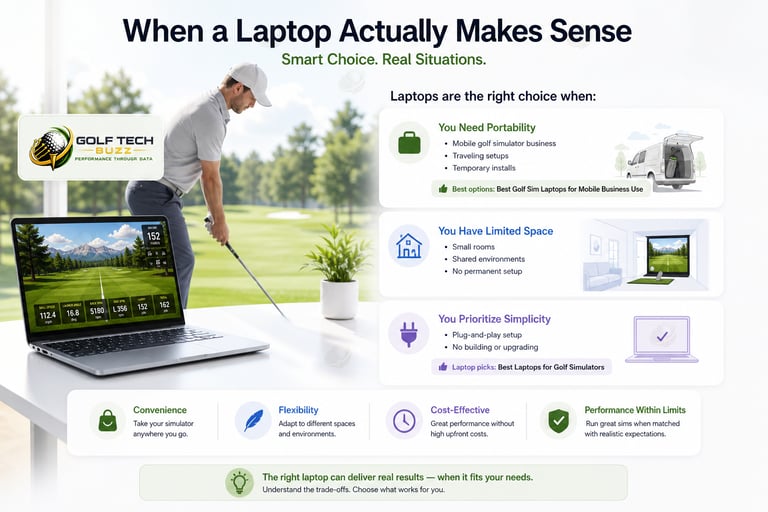
Laptops are the right choice when:
You Need Portability
Mobile golf simulator business
Traveling setups
Temporary installs
👉 Best options: Best Golf Sim Laptops for Mobile Business Use
You Have Limited Space
Small rooms
Shared environments
No permanent setup
You Prioritize Simplicity
Plug-and-play setup
No building or upgrading
Many golfers wanting an easier all-in-one solution eventually start with Best Laptops for Golf Simulators before considering permanent desktop setups.

Using a Golf Simulator in a Garage or Shed
(What Changes?)
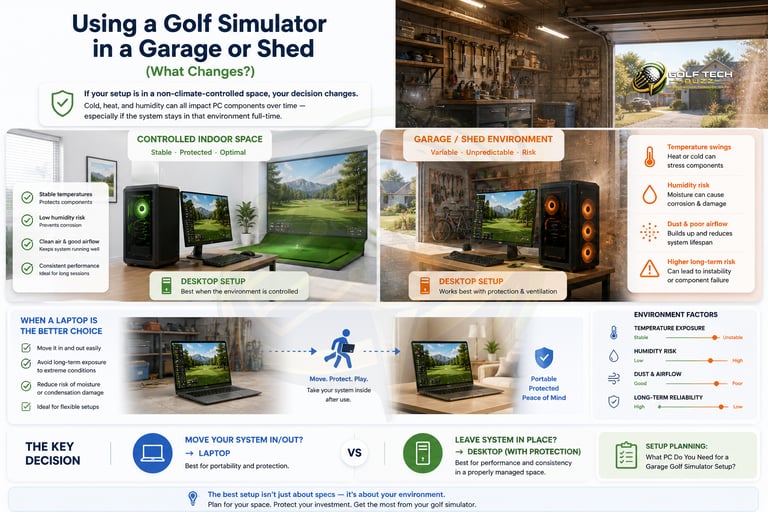
If your setup is in a non-climate-controlled space, your decision changes.
Cold, heat, and humidity can all impact PC components over time — especially if the system stays in that environment full-time.
When a Laptop Is the Better Choice
You can bring it inside after use
Avoid long-term exposure to temperature swings
Reduce risk of moisture or condensation damage
👉 Best options: Best Golf Sim Laptops for Mobile Business Use
When a Desktop Still Works
System stays permanently installed
Space is properly ventilated
You manage dust, heat, and airflow
Garage environments also change cooling and hardware planning significantly, which is why What PC Do You Need for a Garage Golf Simulator Setup? becomes important for permanent installs.
The Key Decision
Move your system in/out? → Laptop
Leave system in place? → Desktop (with protection)

Real-World Performance Differences
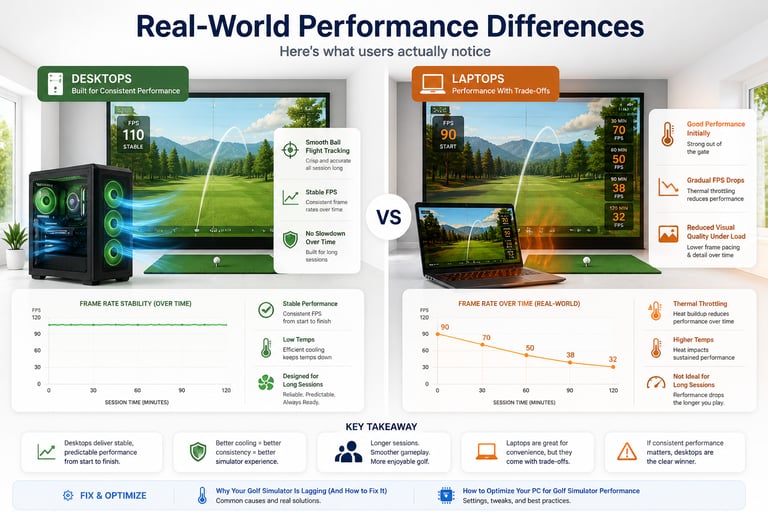
Here’s what users actually notice:
Desktops
Smooth ball flight tracking
Stable FPS
No slowdown over time
Laptops
Good performance initially
Gradual FPS drops (thermal throttling)
Reduced visual quality under load
In many cases, these slowdowns eventually lead golfers into researching What Happens If Your PC Isn’t Powerful Enough for a Golf Simulator?

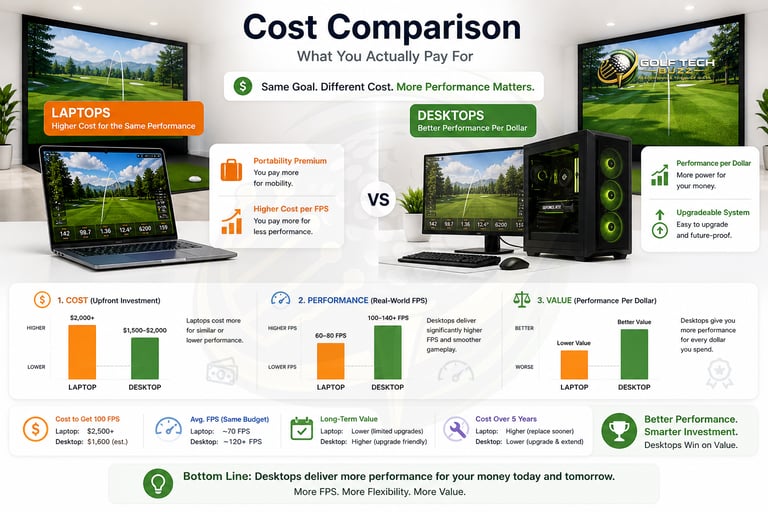
Cost Comparison
(What You Actually Pay For)
This is where things get interesting.
Laptops
Higher cost for the same performance
Paying for portability
Budget differences become even more noticeable once golfers compare systems discussed in Can You Use a Gaming PC for a Golf Simulator?
Desktops
Better performance per dollar
More flexibility
👉 Budget breakdown: How Much Does a Golf Simulator PC Cost? (Real Budgets Explained)

Performance by Use Case
Home Simulator Setup
👉 Desktop wins
Better visuals
More stable
Upgradeable
Garage Simulator
👉 Desktop preferred
Handles temperature variation better
Easier long-term setup
👉 Setup planning: What PC Do You Need for a Garage Golf Simulator Setup?
Mobile / Business Setup
👉 Laptop wins
Portable
Faster setup
Larger garage simulator builds running software like Can Your PC Run E6 CONNECT? or GSPro usually benefit from stronger cooling and upgrade flexibility.
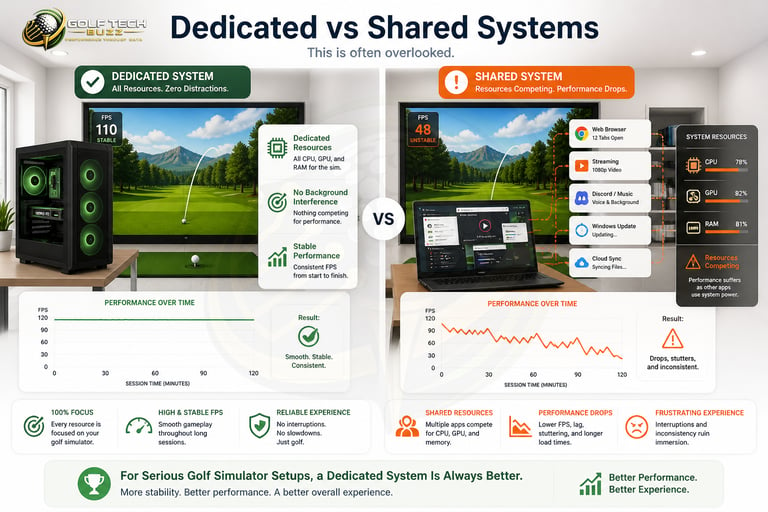
Dedicated vs Shared Systems
This is often overlooked.
Running a simulator on a shared PC can cause:
Performance drops
Background interference
This is one reason many serious simulator users eventually research Do You Need a Dedicated PC for a Golf Simulator?
For serious setups, a dedicated system is always better.
Gaming PC vs Laptop
(Where They Actually Compare)
If you're choosing between a gaming desktop and a laptop:
👉 Full comparison: Gaming PC vs Laptop for Golf Simulators (Performance, Cost & Setup)
Short version:
Gaming desktops outperform laptops at the same price
Laptops sacrifice power for portability
For golfers wanting deeper breakdowns on real-world gaming desktop performance, Can You Use a Gaming PC for a Golf Simulator? explains where desktops still maintain major advantages.
Choosing Laptop for Performance
Laptops are not built for sustained high-end simulation.
Overestimating GPU Power in Laptops
Mobile GPUs are weaker than desktop versions (even with the same name).
Ignoring Thermal Limits
Heat kills performance — especially in laptops. This becomes even more obvious when running heavier software environments covered in What PC Do You Need for TrackMan Simulator Software?
👉 Learn more: What GPU Do You Need for a Golf Simulator? (Real Performance Guide)
Not Planning for Future Upgrades
Laptops have limited upgrade paths.
Common Mistakes When Choosing
Final Decision Framework
Use this:
Want max performance? → Desktop
Want portability? → Laptop
Running GSPro / FSX Play? → Desktop
Running E6 / lighter software? → Either
Planning long-term upgrades? → Desktop
Area is Not Climate Controlled → Laptop
Frequently asked questions
Is a laptop or desktop better for a golf simulator?
For most setups, a desktop is better because it delivers stronger performance, better cooling, and long-term upgrade flexibility. Laptops work well for portability, but they sacrifice power and consistency. For a full breakdown, see Best Laptops vs Desktops for Golf Simulators (Real Differences).
Can a laptop run GSPro or FSX Play smoothly?
Only high-end laptops with strong dedicated GPUs can run GSPro or FSX Play well, and even then, performance may drop during longer sessions due to heat. Desktops handle these programs much more consistently. Learn more in Can Your PC Run GSPro? (Full System Requirements + Performance Checker) and Can Your PC Run FSX Play? (High-End Requirements Explained).
Why do laptops overheat during golf simulator use?
Golf simulator software puts continuous load on the GPU, which generates heat over time. Laptops have limited cooling compared to desktops, which can lead to thermal throttling and reduced performance. See Why Your Golf Simulator Is Lagging (And How to Fix It) for common performance issues.
Is a gaming laptop good enough for a golf simulator?
Gaming laptops can work, but they don’t match the performance of similarly priced desktops. You’ll often pay more for less power due to portability. For a direct comparison, see Gaming PC vs Laptop for Golf Simulators (Performance, Cost & Setup).
Can you upgrade a laptop for better simulator performance?
Upgrades are limited. You can usually increase RAM or storage, but the GPU (the most important component) cannot be upgraded. Desktops offer far more flexibility. See Prebuilt vs Custom PC for Golf Simulators (What Should You Choose?).
Do you need a dedicated PC for a golf simulator?
It’s not required, but highly recommended. Running simulator software alongside other programs can cause lag or instability. A dedicated system ensures consistent performance. Learn more in Do You Need a Dedicated PC for a Golf Simulator?.
Is a desktop cheaper than a laptop for the same performance?
Yes. Desktops provide significantly better performance per dollar because you’re not paying for portability or compact design. See How Much Does a Golf Simulator PC Cost? (Real Budgets Explained) for real budget comparisons.
When does a laptop actually make more sense than a desktop?
A laptop makes sense when portability is required — such as mobile golf simulator businesses, shared spaces, or temporary setups. For these use cases, flexibility outweighs performance limitations. See Best Golf Sim Laptops for Mobile Business Use.

Final Thoughts
Both laptops and desktops can run golf simulators.
But they serve different roles.
Laptops = flexibility
Desktops = performance
If you choose the wrong one, you’ll either:
Overspend
Or deal with performance issues long-term
If you’re ready to move forward, start with Best Computers for Golf Simulators for maximum long-term performance or Best Laptops for Golf Simulators if portability and flexibility matter more for your setup.
© 2026 GolfTechBuzz. All rights reserved.
Golf Tech Buzz
Performance Through Data
Practical guides, real-world setups, and unbiased comparisons for golfers building smarter practice environments.
General Inquiries: