
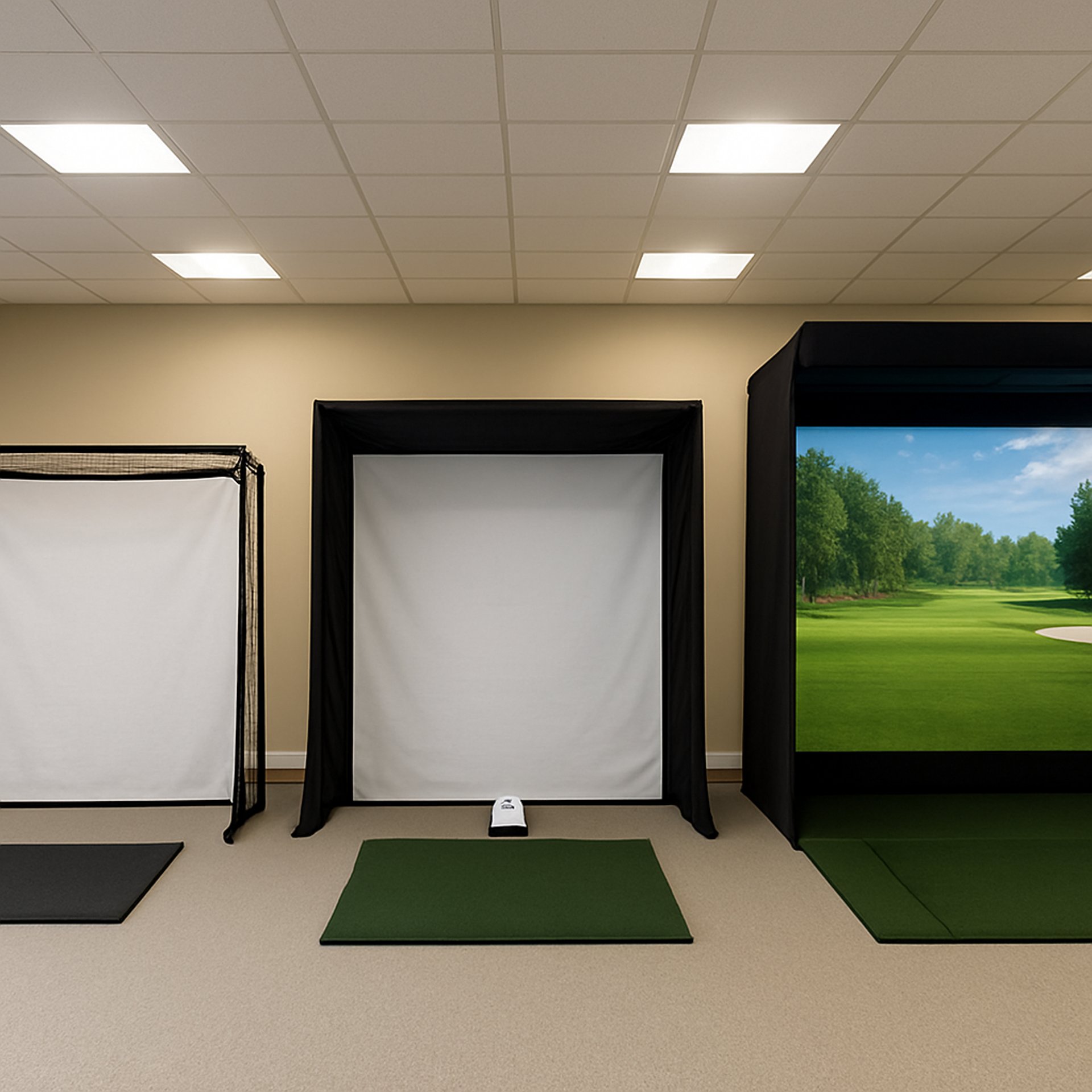
Best Golf Simulator Control Boxes
A golf simulator control box is one of those upgrades you rarely think about until you use one. Instead of walking back to your computer between every shot, a control box places your most-used simulator commands within arm's reach of the hitting area. Change clubs, take mulligans, restart holes, switch camera angles, or navigate menus with the press of a button.
Whether you're practicing alone, playing with friends, or hosting league nights, a dedicated control box helps keep the game moving while making your simulator feel more like a professional golf experience. Many models are designed specifically for popular software like GSPro, SkyTrak, and OptiShot, while others can be customized to fit nearly any golf simulator setup.
In this guide, we'll cover the best golf simulator control boxes available today, explain the features that matter most, and help you decide which model is the right fit for your simulator. If you're still planning your setup, our Golf Simulators guide covers launch monitors, computers, impact screens, projectors, and the core equipment needed to build a simulator from the ground up.
Transparency Note: We may earn a commission from qualifying purchases. Product selections are made independently and are not influenced by manufacturers.
Quick Verdict
If you want the best overall experience, the Club Keyboard Pro Series 28 Button offers the most comprehensive control layout, premium construction, and extensive customization options for serious simulator owners.
Golfers looking for the best value should consider the Golf Simulator Control Box, which delivers the core functions most players use without paying for buttons they'll never touch.
If wireless convenience is your priority, the GSPRO Wireless Control Box keeps your simulator setup clean while allowing complete freedom around your hitting area.
SkyTrak owners will appreciate the Roxor Golf SKT Plug & Play, which is designed specifically for SkyTrak users and minimizes setup time.
If you're building your first simulator, the Golf Simulator Control Box – Opti-Shot Edition provides an affordable introduction to dedicated simulator controls without a significant investment.
A golf simulator control box is a dedicated controller that replaces many of the keyboard commands used while operating golf simulator software. Instead of walking back to your computer after every shot, you can perform common actions directly from your hitting area.
Most control boxes connect through USB or wireless technology and function by sending pre-programmed keyboard commands to your simulator software. Depending on the model, these commands may include changing clubs, taking mulligans, switching camera angles, navigating menus, restarting holes, or accessing practice modes.
While a standard keyboard can accomplish the same tasks, a dedicated control box places larger, clearly labeled buttons exactly where golfers need them. This creates a smoother practice session and allows players to stay focused on their swing rather than managing the computer. For golfers exploring upgrades beyond their launch monitor and hitting mat, the Golf Simulator Accessories Guide covers other add-ons that can improve the simulator experience.
What Is a Golf Simulator Control Box?
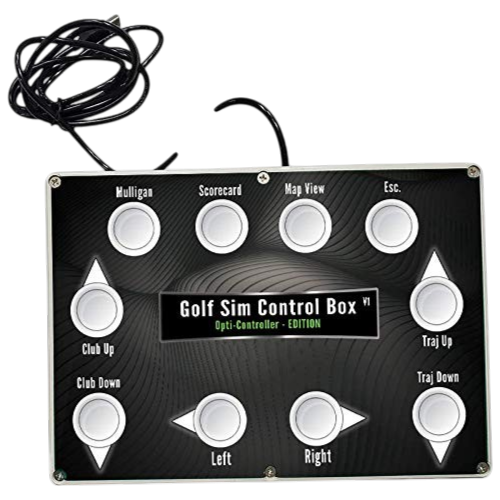
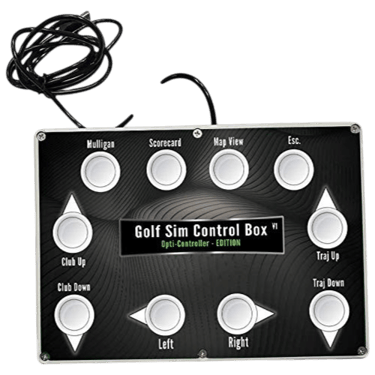
Golf Simulator Control Box – Opti-Shot Edition
Best Budget
Best For:
Budget-friendly simulator upgrades
OptiShot users
Home golf simulators
Simple control layouts
First-time simulator owners
Specs (Quick Breakdown)
Connection: USB
Compatibility: Windows
Control Style: Physical push buttons
Layout: Pre-configured controls
Installation: Plug-and-play
Best Use: Basic simulator navigation
Why We Chose It
The Golf Simulator Control Box – Opti-Shot Edition is an affordable way to improve simulator convenience without adding unnecessary complexity. Its straightforward button layout allows golfers to perform common simulator functions from the hitting area instead of walking back to the computer after every shot.
It's an excellent choice for newer simulator owners or anyone looking for a simple, dependable controller that focuses on the essentials rather than advanced customization.
BUZZ PICK
Simulator Opti-Shot Edition
Best Budget
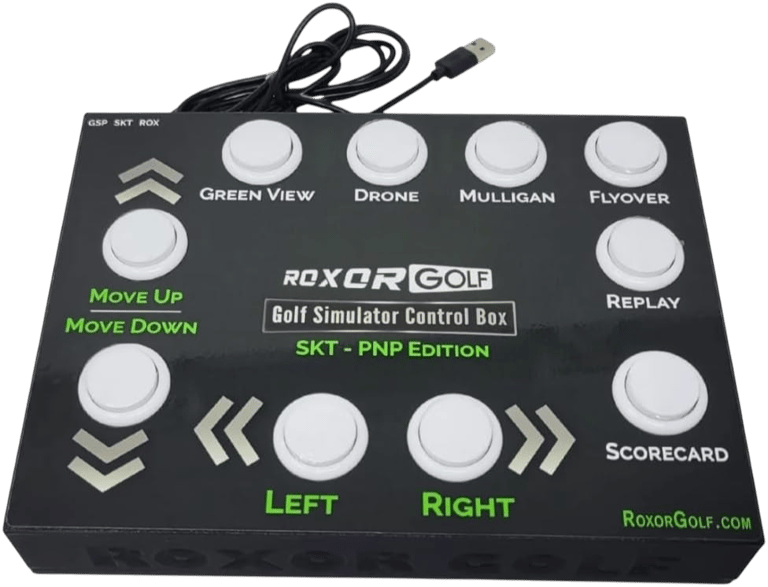
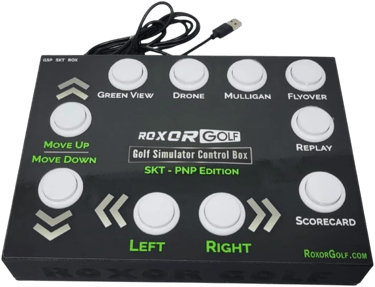
Roxor Golf SKT Plug & Play
Best for SkyTrak
Best For:
SkyTrak owners
Dedicated home simulators
Plug-and-play setups
Faster simulator navigation
Permanent installations
Specs (Quick Breakdown)
Connection: Wired USB
Compatibility: SkyTrak
Control Style: Physical buttons
Installation: Plug-and-play
Layout: Simulator-specific controls
Best Use: SkyTrak navigation
Why We Chose It
Designed specifically for SkyTrak users, the Roxor SKT simplifies simulator operation by placing commonly used controls directly beside the hitting area. Its dedicated layout minimizes setup while providing quick access to the commands golfers use most during practice and simulated rounds.
For SkyTrak owners who want a cleaner and more efficient simulator experience, it's one of the easiest upgrades available.
BUZZ PICK
Roxor Golf SKT
Best for SkyTrak
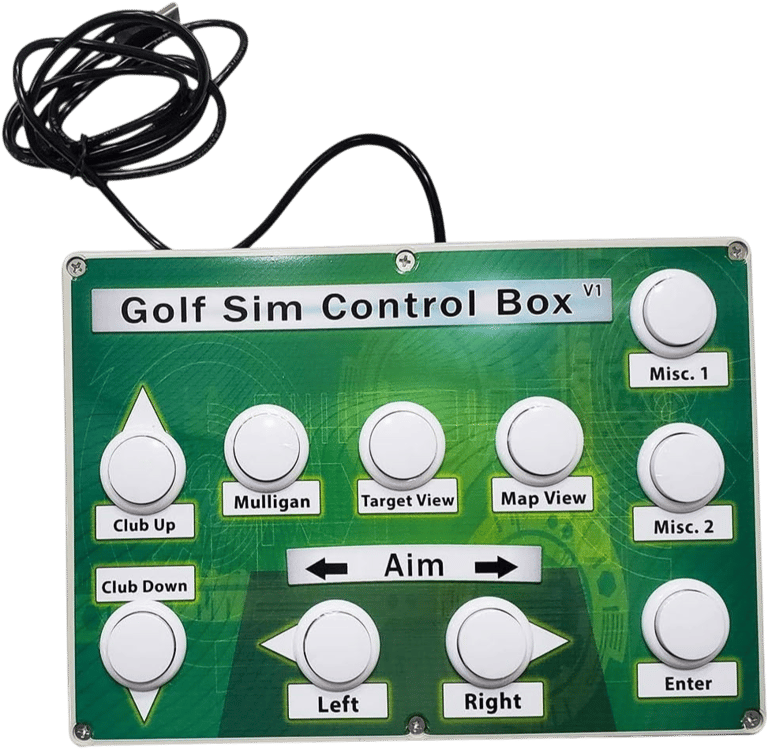
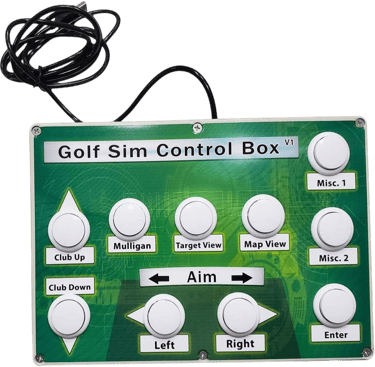
Golf Simulator Control Box

Best Value
Best For:
Everyday simulator use
Home golf studios
Practice sessions
General simulator software
Golfers wanting simplicity
Specs (Quick Breakdown)
Connection: USB
Compatibility: Windows
Control Style: Physical push buttons
Installation: Plug-and-play
Layout: Multi-function controls
Best Use: Everyday navigation
Why We Chose It
This control box focuses on delivering the core functions most golfers use every session without adding unnecessary features that increase cost. The straightforward layout is easy to learn while still providing quick access to important simulator commands.
For golfers looking to improve convenience without spending premium-level money, it offers an excellent balance of functionality and value.
BUZZ PICK
Golf Sim Control Box
Best Value
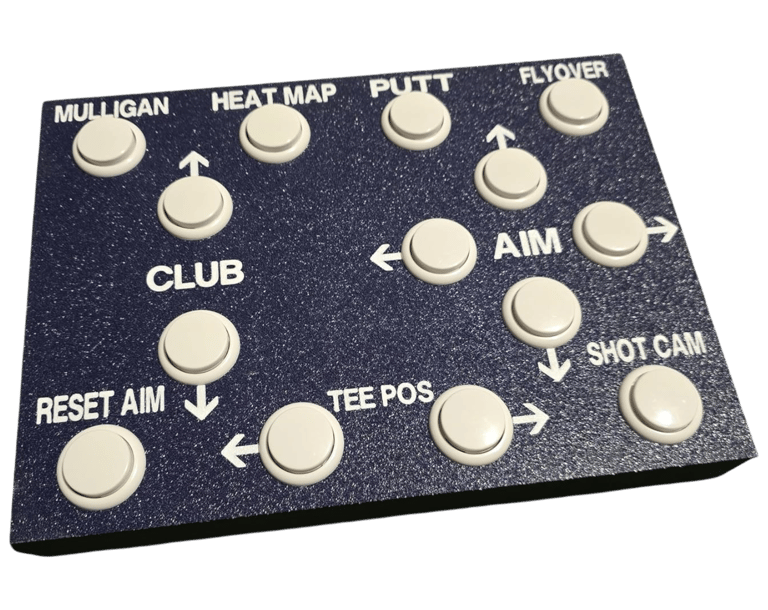
GSPRO Wireless Golf Simulation Control Box
Best Wireless
Best For:
Wireless simulator setups
GSPro users
Clean installations
Flexible controller placement
Home golf rooms
Specs (Quick Breakdown)
Connection: Wireless RF
Compatibility: GSPro
Control Style: Large tactile buttons
Installation: Plug-and-play
Feature: RF dongle included
Best Use: Wireless control
Why We Chose It
The GSPRO Wireless Control Box removes cable clutter while keeping important simulator controls within easy reach. Its wireless design allows golfers to position the controller wherever it's most comfortable without sacrificing responsiveness.
It's an excellent option for simulator owners who value a cleaner installation and greater flexibility around the hitting area.
BUZZ PICK
GSPRO Wireless
Best Wireless
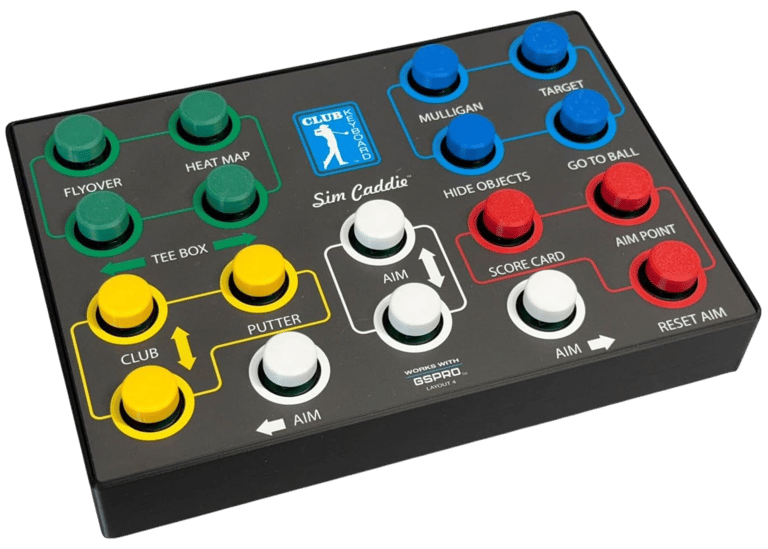
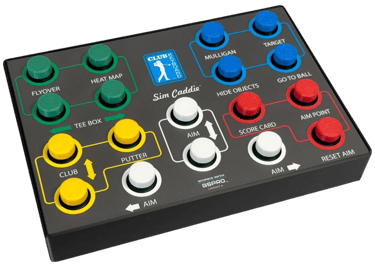
Club Keyboard Sim Caddie

Best for GSPro
Best For:
GSPro players
Simulator enthusiasts
Home practice
Dedicated golf rooms
Frequent simulator use
Specs (Quick Breakdown)
Connection: Wired
Compatibility: GSPro
Control Style: Large programmable buttons
Installation: Plug-and-play
Layout: Dedicated simulator controls
Best Use: GSPro operation
Why We Chose It
The Club Keyboard Sim Caddie provides a purpose-built controller designed specifically around the GSPro experience. Its organized button layout keeps common simulator commands close at hand while eliminating the need to constantly return to the computer.
For dedicated GSPro users, it delivers an intuitive and reliable way to streamline every practice session.
BUZZ PICK
Club Keyboard Sim
Best for GSPro
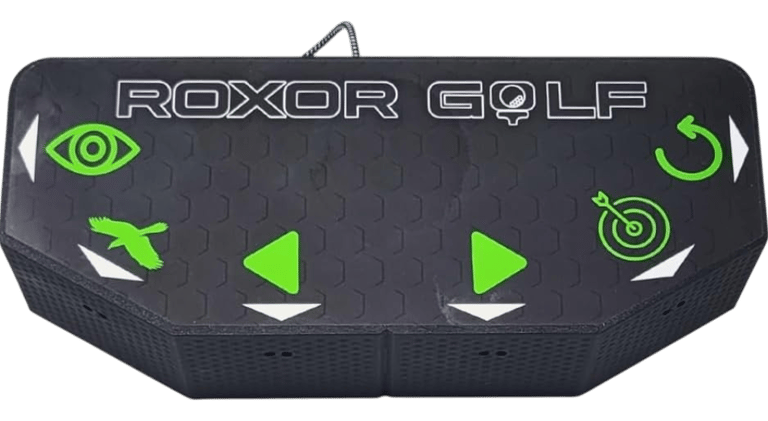
Touchless Golf Simulator Control Box

Most Innovative
Best For:
Hands-free operation
Modern simulator rooms
Convenience
Clean setups
Technology enthusiasts
Specs (Quick Breakdown)
Connection: USB
Compatibility: Windows
Control Style: Touchless sensors
Installation: Plug-and-play
Layout: Gesture controls
Best Use: Contact-free navigation
Why We Chose It
The Touchless Golf Simulator Control Box offers a unique alternative to traditional push-button controllers by using sensor-based inputs instead of physical switches. This creates a modern experience while reducing the need to touch controls between shots.
Golfers looking for something different will appreciate its innovative approach to simulator navigation.
BUZZ PICK
Touchless Control Box
Best Innovative Design
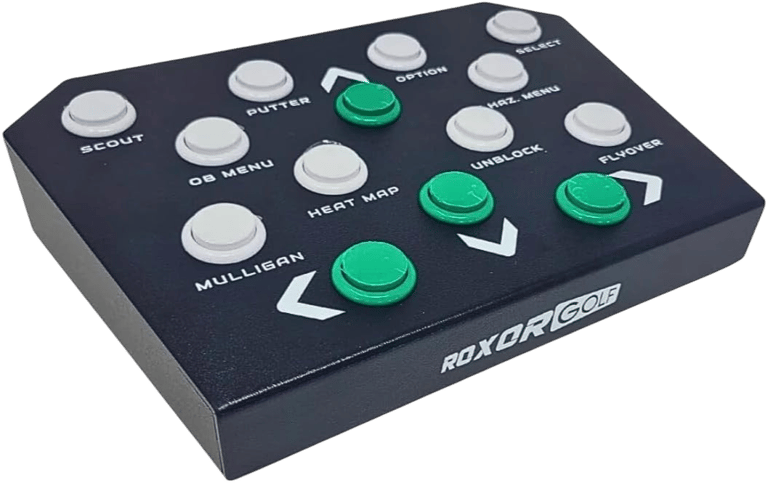
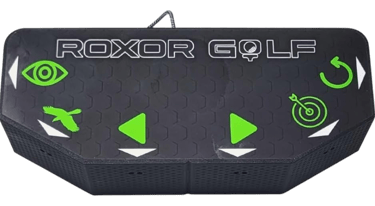
Roxor Golf Premium Mag14
Best Overall
Best For:
Premium simulator builds
Advanced golfers
Larger control layouts
Frequent practice
Permanent installations
Specs (Quick Breakdown)
Connection: Wired USB
Compatibility: Multiple simulator platforms
Control Style: Multi-button layout
Installation: Plug-and-play
Layout: 14-button controller
Best Use: Advanced simulator control
Why We Chose It
The Roxor Premium Mag14 expands on the company's entry-level models by offering additional controls for golfers who want quicker access to more simulator functions. The larger layout reduces menu navigation while creating a smoother overall experience.
It's a strong choice for serious simulator owners who spend significant time practicing indoors.
BUZZ PICK
Roxor Premium Mag14
Best Overall
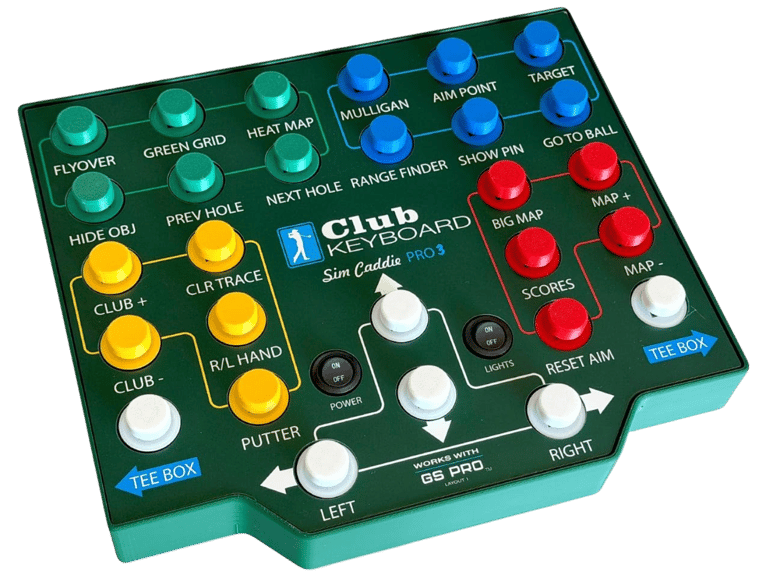
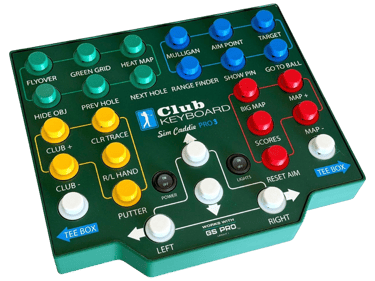
Club Keyboard Pro Series 28 Button

Best Premium
Best For:
Premium simulator rooms
Heavy simulator use
Advanced users
GSPro enthusiasts
Maximum functionality
Specs (Quick Breakdown)
Connection: Wireless
Compatibility: GSPro
Control Style: 28 programmable buttons
Installation: Plug-and-play
Layout: Full-featured controller
Best Use: Complete simulator control
Why We Chose It
The Club Keyboard Pro Series 28 Button delivers the most complete control experience in this guide. Its extensive button layout provides quick access to virtually every commonly used simulator command while minimizing interruptions during practice and play.
For golfers building a premium home simulator, it offers the best combination of functionality, organization, and overall usability.
BUZZ PICK
Club Keyboard Pro Series
Best Premium
How We Chose the Best Golf
Simulator Control Boxes
Not every golf simulator control box offers the same experience. While many perform similar functions, differences in compatibility, button layouts, connectivity, and overall usability can significantly affect how enjoyable your simulator becomes.
When selecting products for this guide, we focused on the features that make the biggest difference during actual practice and play.
Software Compatibility
A control box is only useful if it works with your simulator software. We prioritized models designed for popular platforms like GSPro, SkyTrak, OptiShot, and other PC-based golf simulators that support keyboard shortcuts or programmable inputs.
Ease of Setup
Most golfers don't want to spend hours programming macros or configuring software. Plug-and-play functionality and simple setup procedures were given preference whenever possible.
Button Layout
The number of buttons matters less than how they're organized. We looked for controllers that provide quick access to commonly used commands such as:
Mulligan - Next Hole - Previous Shot - Club Selection - Camera Views - Putting Mode - Menu Navigation
Layouts that reduce confusion while practicing received higher marks.
Build Quality
Simulator accessories should last for years. We favored products with durable enclosures, responsive buttons, and quality switches that can withstand thousands of button presses.
Wired vs. Wireless Performance
Both wired and wireless models have advantages. Wired control boxes offer maximum reliability with no batteries to manage, while wireless models eliminate cable clutter around your simulator bay. We evaluated each product based on how well it performs within its intended design.
Overall Value
Rather than choosing the most expensive options, we focused on products that provide meaningful improvements to the simulator experience for their price. A well-designed $150 controller often delivers better value than a premium model filled with features many golfers never use.
Benefits of Using a Golf Simulator Control Box
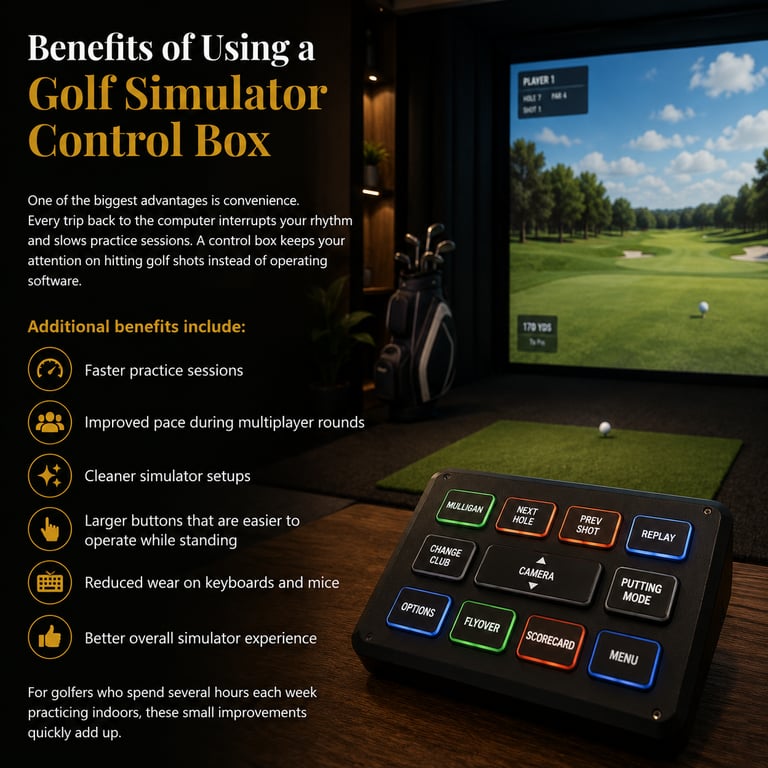
One of the biggest advantages is convenience. Every trip back to the computer interrupts your rhythm and slows practice sessions. A control box keeps your attention on hitting golf shots instead of operating software.
Still wondering whether dedicated controls are worth the investment? Read Are Golf Simulator Control Boxes Worth It? for a deeper breakdown of who benefits most.
Additional benefits include:
Faster practice sessions
Improved pace during multiplayer rounds
Cleaner simulator setups
Larger buttons that are easier to operate while standing
Reduced wear on keyboards and mice
Better overall simulator experience
For golfers who spend several hours each week practicing indoors, these small improvements quickly add up.

Wired vs. Wireless Golf Simulator Control Boxes
Both connection types work well, but each has its own advantages.
Wired Control Boxes
Wired models connect directly to your simulator computer using a USB cable. They require virtually no maintenance, never need charging, and provide extremely reliable performance with no wireless interference. They are often the preferred option for permanent simulator installations.
Wireless Control Boxes
Wireless models eliminate cable clutter and offer more flexibility when positioning your controller around the hitting area. Many golfers appreciate being able to move the controller wherever it's most comfortable without worrying about cable routing. The tradeoff is occasional battery charging and slightly higher cost.
Neither option is universally better—the right choice depends on your simulator layout. For a complete comparison of connection types, check out Wired vs Wireless Golf Simulator Control Boxes.
How Many Buttons Do
You Really Need?
More buttons don't automatically create a better experience.
Entry-Level Controllers
Basic controllers typically include six to ten buttons covering the commands most golfers use every round.These are excellent for casual simulator users.
Mid-Level Controllers
Controllers with around twelve to sixteen buttons provide faster access to additional camera views, practice functions, and menu navigation. Many golfers find this to be the ideal balance between simplicity and functionality.
Premium Controllers
High-end control boxes often include twenty or more programmable buttons. These models are ideal for dedicated simulator owners, instructors, and players who regularly use advanced simulator features.
Compatibility Considerations
Before purchasing a control box, verify that it supports your simulator software.
Many controllers are specifically designed for:
GSPro
SkyTrak
OptiShot
E6 Connect
The Golf Club (TGC)
Keyboard-controlled PC golf simulators
Some models allow complete button customization, while others ship with layouts already optimized for specific software platforms.
Choosing a controller designed for your preferred simulator often results in easier setup and a better overall experience. Before buying, it's also worth reading How to Choose the Right Golf Simulator Control Box to make sure the controller matches your software and setup.
Can You Build Your Own Golf Simulator Control Box?
Yes.
Many golfers have created DIY control boxes using programmable keypads, arcade buttons, and inexpensive USB encoder boards.
Of course, plenty of golfers skip the DIY route entirely and compare dedicated hardware against traditional inputs in Golf Simulator Control Box vs Keyboard: Which Is Better?
While DIY projects can save money and allow complete customization, they also require additional setup, programming, and troubleshooting.
For most simulator owners, purchasing a dedicated control box provides a cleaner appearance, simpler installation, and ongoing reliability.
Are Golf Simulator Control Boxes Worth It?
For occasional simulator users, a keyboard and mouse may be perfectly adequate.
However, golfers who practice several times each week often find that a dedicated control box becomes one of their favorite simulator upgrades.
Being able to remain at the hitting area keeps practice sessions flowing naturally while making simulator rounds feel far more immersive.
Compared to the overall investment of a home golf simulator, a quality control box is a relatively affordable upgrade that improves the experience every time you play.
Frequently asked questions
What does a golf simulator control box do?
A golf simulator control box replaces common keyboard commands with dedicated physical buttons, allowing golfers to control simulator software without returning to the computer.
Do golf simulator control boxes work with GSPro?
Many models are designed specifically for GSPro and offer pre-programmed button layouts for the software. If GSPro is your simulator of choice, see Do You Need a Golf Simulator Control Box for GSPro? for a closer look at compatibility and setup requirements.
Can I use a control box with SkyTrak?
Yes. Several manufacturers offer control boxes designed specifically for SkyTrak simulators, while programmable models can often be customized as well.
Are wireless golf simulator control boxes reliable?
Modern wireless models are generally very reliable and perform well for home simulator use, provided batteries remain charged and wireless interference is minimal.
Can I build my own control box?
Yes. DIY options using programmable keypads and arcade buttons are popular among hobbyists, although commercial products usually offer a more polished experience.
How many buttons do I need?
Most golfers are well served by controllers offering between eight and sixteen buttons. Advanced users may prefer larger layouts with additional programmable controls.
Are golf simulator control boxes plug-and-play?
Many are designed for simple plug-and-play installation, although some may require minor button mapping depending on the simulator software being used.
Do control boxes work with every golf simulator?
Not always. Always verify software compatibility before purchasing, particularly if you're using less common simulator platforms.
Quick Picks for Your Simulator - Under $200


BUZZ PICK
Control Box
Opti-Shot Edition
Affordable plug-and-play simulator control box.
BUZZ PICK
Roxor Golf
SKT Plug & Play
Purpose-built controller designed for SkyTrak users.

BUZZ PICK
Golf Simulator Control Box
Simple, reliable controller for everyday simulator use.
BUZZ PICK
GSPRO Wireless Control Box
Wireless controller with responsive tactile buttons.
Quick Picks for Your Simulator - Under $400
BUZZ PICK
Club Keyboard
Sim Caddie
Purpose-built controller for dedicated GSPro players.
BUZZ PICK
Touchless
Control Box
Touch-free controller using motion-based navigation.
BUZZ PICK
Roxor Golf
Premium Mag14
Expanded button layout for advanced simulator setups.

BUZZ PICK
Club Keyboard
Pro Series
Premium 28-button controller for complete simulator control.

Final Verdict
A golf simulator control box won't improve your swing, but it can dramatically improve your simulator experience. By placing essential controls within easy reach, these devices reduce interruptions, speed up practice sessions, and create a more immersive environment for both solo practice and multiplayer rounds.
Whether you're looking for an affordable plug-and-play solution or a premium programmable controller, choosing the right control box can make every session more enjoyable. As you continue upgrading your simulator, accessories like launch monitor protection, swing cameras, cable management, and storage solutions can further improve both the functionality and longevity of your setup.
Where Do You Want to Go Next?
Choose your path based on what you need right now.
Explore Everything
Learn everything you need to build a golf simulator.
Explore:
launch monitors
golf simulator computers
impact screens
hitting mats
projectors
complete setups
Compare Before You Buy
Looking to improve your simulator experience? Explore the accessories.
Discover:
control boxes
swing cameras
cable management
storage solutions
lighting upgrades
setup tools
If you want a premium control box with dedicated simulator buttons and an easy-to-use layout, the Roxor Golf Premium Mag14 is built to simplify every session.
Perfect for:
GSPro users
home simulators
larger setups
faster navigation
cleaner operation
Just Get It Done
© 2026 GolfTechBuzz. All rights reserved.
Golf Tech Buzz
Performance Through Data
Practical guides, real-world setups, and unbiased comparisons for golfers building smarter practice environments.
General Inquiries: