
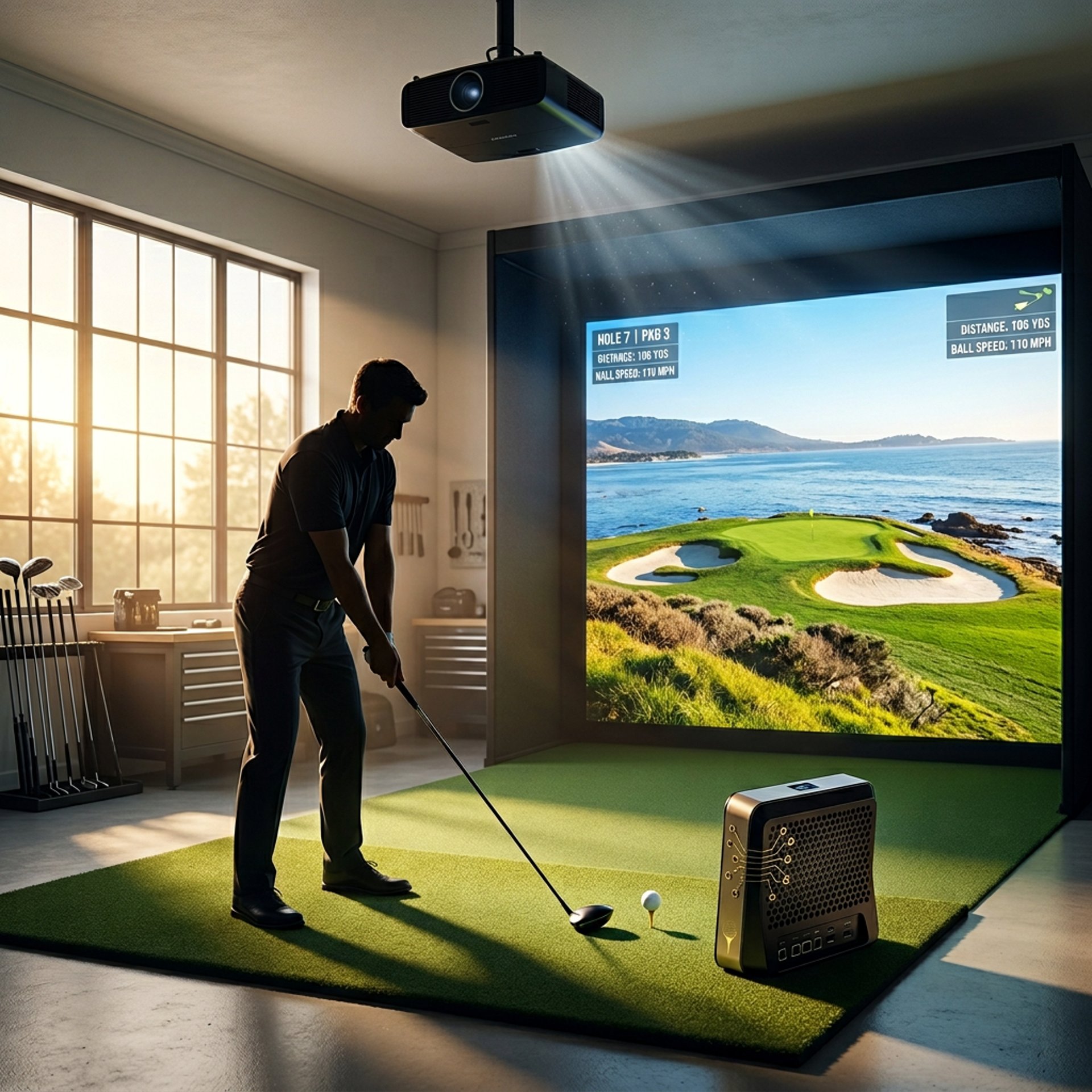
Best Golf Simulator Computers Under $1000
Building a golf simulator setup is exciting, but choosing the right computer can be confusing when you're trying to balance performance and budget. That's why understanding Golf Sim Computers, Golf Simulator PC Requirements by Software, and the Complete Golf Simulator Computer Guide matters before spending money on hardware.
The good news is that modern gaming desktops have become far more powerful than many golfers realize. Today, several computers under $1000 can comfortably run GSPro, E6 Connect, and other simulator software while delivering smooth gameplay and realistic course graphics.
Whether you're building a garage simulator, basement setup, or dedicated golf room, these budget-friendly computers offer some of the strongest performance available without exceeding the $1000 mark.
Transparency Note: We may earn a commission from qualifying purchases. Product selections are made independently and are not influenced by manufacturers.
If you're looking for the best overall golf simulator computer under $1000, the MXZ Gaming Desktop Computer delivers the strongest balance of performance, storage, and long-term value for most golfers.
For golfers prioritizing maximum graphics performance, the Evounic Gaming PC Desktop stands out thanks to its RTX 4060 graphics card and stronger future-proofing potential.
If your goal is simply getting into GSPro or E6 Connect for the lowest possible cost, the HP Pavilion Gaming Desktop PC remains one of the most affordable ways to get started.
Meanwhile, the abytespark Gaming PC Desktop offers a solid middle ground for golfers who want a dedicated simulator PC without stretching their budget toward higher-end hardware.
Whether you're building a garage simulator, basement setup, or dedicated golf room, these systems offer some of the strongest value currently available under the $1000 mark. Golfers comparing entry-level and premium hardware should also review Best Golf Sim Computers Under $2500 and Entry-Level vs High-End Golf Simulator PC.
Quick Verdict
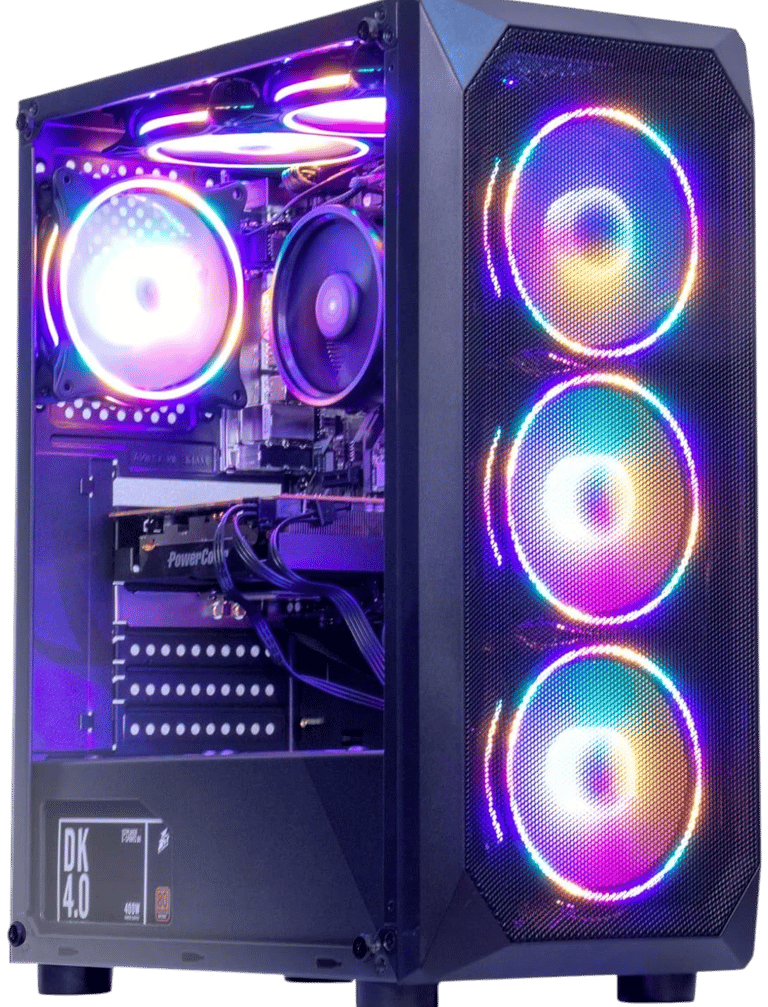
MXZ Gaming Desktop Computer
Verdict:
Best overall golf simulator PC under $1000 for balancing performance, storage, and long-term value.
Best For:
Golfers wanting the strongest all-around simulator PC without spending over four figures.
Not Ideal For:
Golfers planning premium 4K projection setups or heavy future hardware upgrades.
Key Strengths:
RTX 3060 delivers excellent GSPro performance
16GB DDR4 memory handles simulator software comfortably
1TB SSD provides plenty of room for courses and software
Strong value-to-performance ratio
Reliable 1440p golf simulator capability
Key Weaknesses:
RTX 3060 is beginning to show its age compared to newer GPUs
Ryzen 5 5500 is a budget-focused processor
Limited upgrade flexibility compared to larger enthusiast towers
Real-World Use Case:
Ideal for golfers building a garage or home simulator who want smooth GSPro performance, strong visuals, and enough storage to grow without exceeding their budget. This is the type of system many golfers ultimately end up buying after realizing entry-level gaming PCs can quickly become limiting for simulator software.
Setup Notes:
The RTX 3060 remains one of the best values in golf simulator computing thanks to its balance of graphical performance and VRAM capacity. For golfers running GSPro at 1080p or 1440p, this system provides enough power to handle realistic course rendering without becoming overly expensive.
If you're comparing performance against older entry-level systems, the difference becomes noticeable immediately. Golfers researching upgrade paths should also read Budget PC Specs for Golf Simulators (Under $1000 Guide) and Can Your PC Run GSPro?
Specs:
CPU: AMD Ryzen 5 5500
GPU: NVIDIA GeForce RTX 3060
RAM: 16GB DDR4
Storage: 1TB SSD
Operating System: Windows 11
Connectivity: Wi-Fi / Ethernet
Best Use: 1080p and 1440p golf simulator setups
BUZZ PICK
MXZ Gaming Desktop
Best Overall
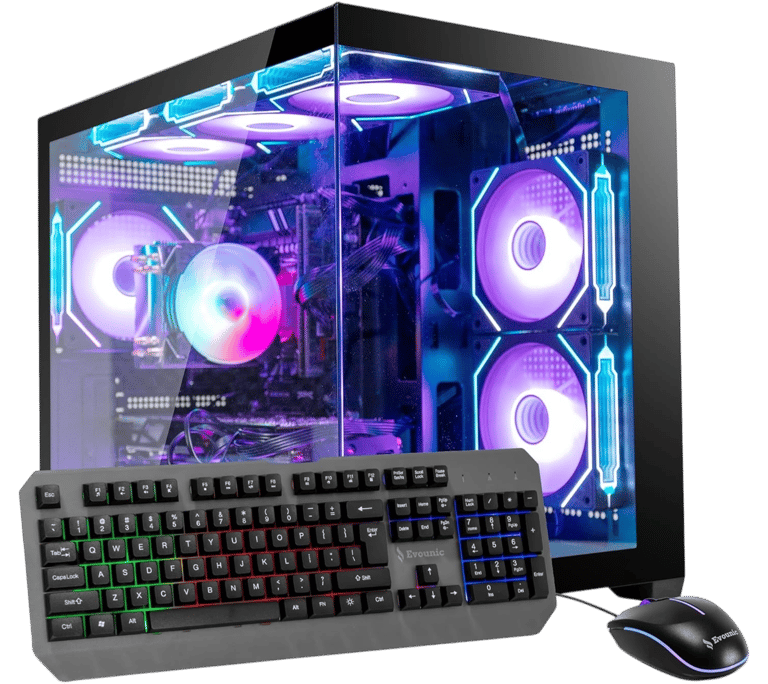
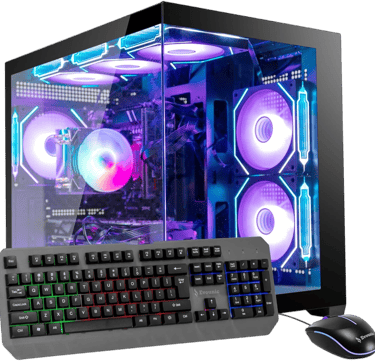
Evounic Gaming PC Desktop
Verdict:
Best performance golf simulator PC under $1000 for golfers wanting the strongest graphics capability available in this price range.
Best For:
GSPro users, higher-resolution simulator rooms, and golfers planning for future software demands.
Not Ideal For:
Golfers focused strictly on entry-level budgets or users prioritizing compact size over performance.
Key Strengths:
RTX 4060 delivers outstanding simulator graphics performance
DLSS support improves future game and simulator compatibility
Strong 1440p performance with entry-level 4K capability
1TB SSD provides excellent storage capacity
i7 processor offers strong overall system responsiveness
Key Weaknesses:
Older CPU platform limits long-term upgrade options
Prebuilt design may offer less customization than enthusiast systems
More performance than some casual golfers actually need
Real-World Use Case:
Excellent for golfers building a dedicated simulator room where graphics quality and long-term performance matter most. The RTX 4060 provides enough headroom to comfortably handle modern simulator software while remaining within a surprisingly affordable budget.
Setup Notes:
As golf simulator software continues becoming more graphically demanding, stronger GPUs are increasingly important than raw CPU power. The RTX 4060 allows this system to maintain strong performance even when paired with larger impact screens and higher-resolution projectors.
For golfers planning to stay with their simulator setup for years, this machine offers one of the safest long-term purchases in the category. If you're considering a graphics upgrade, see What GPU Do You Need for a Golf Simulator?
Specs:
CPU: Intel Core i7-11700F
GPU: NVIDIA GeForce RTX 4060
RAM: 16GB DDR4
Storage: 1TB SSD
Operating System: Windows 11 Pro
Connectivity: Wi-Fi / Bluetooth
Best Use: 1440p and entry-level 4K golf simulator setups
BUZZ PICK
Evounic Gaming PC
Best Performance
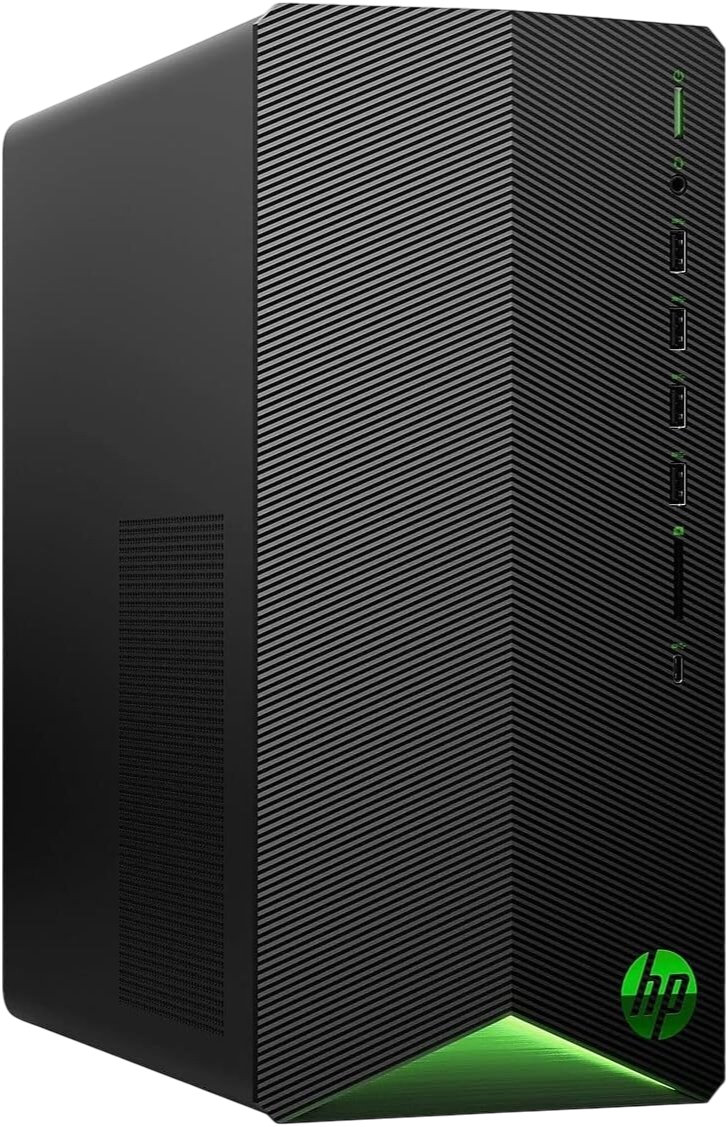
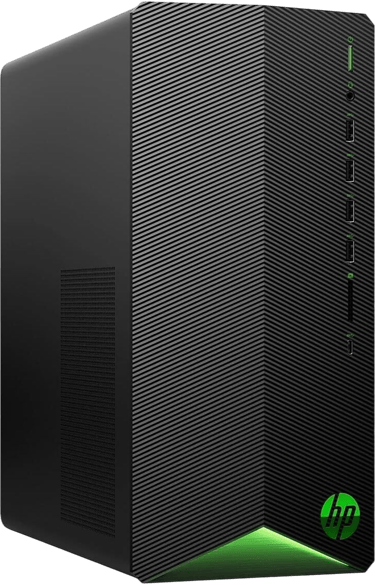
HP Pavilion Gaming Desktop PC
Verdict:
Best budget golf simulator PC for golfers who want the lowest-cost entry point into simulator software.
Best For:
Budget-conscious golfers looking to get started with GSPro or E6 Connect without making a major investment.
Not Ideal For:
4K projection, advanced graphics settings, or golfers wanting maximum long-term upgrade potential.
Key Strengths:
Affordable entry-level pricing
Ryzen 5 processor handles simulator software well
Compact footprint fits smaller simulator spaces
Trusted HP platform
Easy setup for first-time simulator owners
Key Weaknesses:
RX 5500 graphics card limits future performance
Only 8GB of RAM installed
Small 256GB SSD fills quickly
Upgrade needs may arrive sooner than with other systems
Real-World Use Case:
Perfect for golfers who want to begin using simulator software immediately while keeping startup costs as low as possible. For basic 1080p simulator environments, this system can still provide a surprisingly enjoyable experience.
Setup Notes:
The biggest limitation isn't the processor—it's the graphics card and memory configuration. Most golfers purchasing this system eventually add RAM or move to larger storage as simulator software libraries continue growing.
If your goal is simply getting into GSPro without spending a fortune, this remains one of the more accessible options available.
Specs:
CPU: AMD Ryzen 5 5600G
GPU: AMD Radeon RX 5500 4GB
RAM: 8GB DDR4
Storage: 256GB SSD
Operating System: Windows 10 Home
Connectivity: Wi-Fi / Bluetooth
Best Use: Entry-level 1080p golf simulator setups
BUZZ PICK
HP Pavilion Gaming Desktop
Best Budget Pick
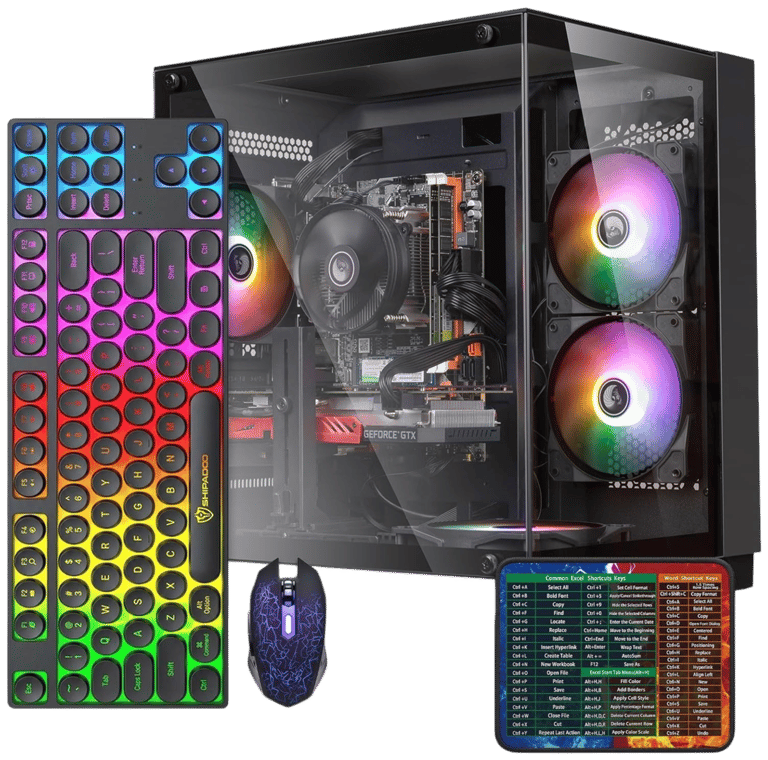
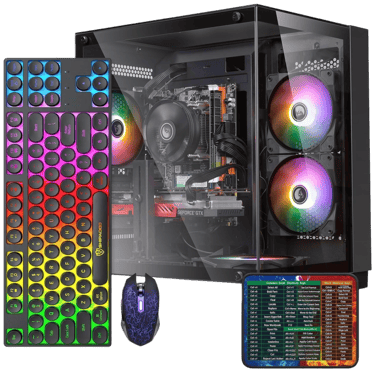
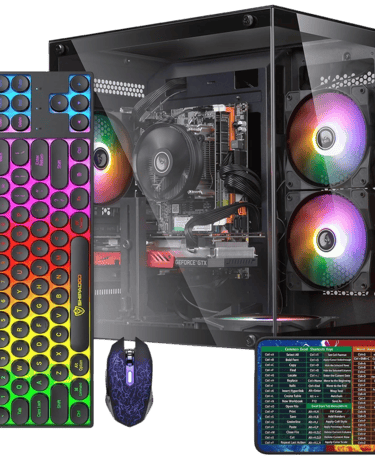
abytespark Gaming PC Desktop
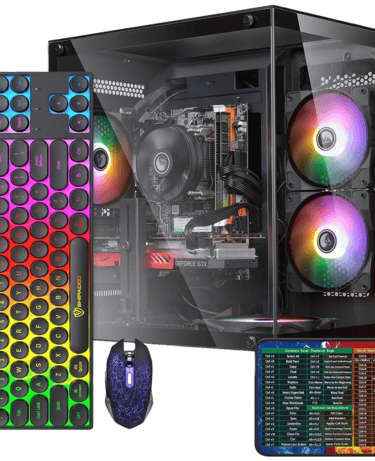
Verdict:
Best starter gaming PC for golfers moving beyond entry-level hardware while maintaining a modest budget.
Best For:
Golfers wanting stronger hardware than budget systems without stretching into premium pricing.
Not Ideal For:
High-end 1440p or 4K simulator rooms and golfers seeking maximum graphics performance.
Key Strengths:
Intel Core i7 processor provides solid overall performance
16GB RAM handles simulator multitasking well
RTX 3050 performs well for 1080p simulator use
Includes Wi-Fi connectivity
Good balance between affordability and capability
Key Weaknesses:
RTX 3050 trails the RTX 3060 and RTX 4060 significantly
512GB SSD may become restrictive over time
Limited long-term value compared to stronger GPU options
Real-World Use Case:
Well suited for golfers upgrading from older computers or laptops who want a dedicated simulator PC capable of handling modern software at standard resolutions. The system performs best in typical garage simulator environments where ultra-high graphics settings are not the priority.
Setup Notes:
The RTX 3050 remains capable for most 1080p golf simulator installations, but simulator software is increasingly demanding on graphics hardware. For golfers who plan to remain at 1080p and prioritize affordability, the system remains a practical option.
However, golfers considering larger projection screens or future upgrades may find stronger RTX 3060 and RTX 4060 systems more appealing.
Specs:
CPU: Intel Core i7
GPU: NVIDIA GeForce RTX 3050
RAM: 16GB DDR3
Storage: 512GB SSD
Operating System: Windows 11 Home
Connectivity: Wi-Fi / Ethernet
Best Use: 1080p golf simulator setups
BUZZ PICK
abytespark Gaming PC
Best Starter PC
Can You Run GSPro on a PC Under $1000?
One of the biggest misconceptions in the golf simulator world is that you need a $2,000 gaming computer to run GSPro effectively.
For many golfers, that's simply not true.
Modern budget gaming desktops have become surprisingly capable, especially when equipped with dedicated graphics cards like the RTX 3050, RTX 3060, or RTX 4060.
For 1080p simulator setups, many sub-$1000 systems can deliver smooth gameplay while maintaining realistic course graphics and shot tracking.
The key is understanding which components matter most.
While processor speed remains important, GSPro increasingly relies on graphics performance, making the GPU one of the most important buying decisions when choosing a golf simulator computer.
For golfers comparing requirements, our Minimum vs Recommended Golf Simulator PC Specs guide breaks down exactly what modern simulator software needs.
Does the GPU Matter More Than the CPU?
For most golfers, yes.
While the processor handles calculations and software operations, the graphics card is responsible for rendering course detail, textures, shadows, lighting effects, and overall visual quality.
This becomes especially important when using:
GSPro
Larger impact screens
High-brightness projectors
Higher display resolutions
Future simulator software updates
That's why systems equipped with RTX 3060 and RTX 4060 graphics cards tend to age more gracefully than systems relying on weaker GPUs.
Many golfers initially focus on CPU names while overlooking graphics performance entirely, which is why Does CPU Matter for Golf Simulators? remains one of the most common questions among simulator buyers.
In reality, simulator software performance often depends more heavily on the graphics card than the processor once you move beyond basic system requirements.
1080p Simulator Setups
Most golfers shopping for a computer under $1000 will be running a 1080p projector or display. The good news is that all four systems featured in this guide are capable of handling 1080p simulator environments. This makes 1080p the easiest and most affordable path into simulator ownership.
1440p Simulator Setups
1440p has become the sweet spot for many golfers seeking improved visual quality without moving fully into 4K territory. Systems equipped with RTX 3060 and RTX 4060 graphics cards perform particularly well at this resolution. For golfers planning future upgrades, starting with a computer capable of 1440p often provides better long-term value. For a deeper breakdown, see 1080p vs 4K Golf Simulator Performance.
4K Simulator Setups
4K projection significantly increases graphical demands. While some budget systems can technically run 4K displays, not all provide a consistently smooth experience at higher graphics settings. Golfers planning premium simulator rooms typically benefit from stronger graphics hardware and additional system headroom.
1080p vs 1440p Golf Simulator Setups
How Much RAM Do You Need for a Golf Simulator Computer?
For most golfers, 16GB of RAM should be considered the practical starting point.
Modern simulator software, Windows updates, launch monitor applications, internet browsers, and background programs all compete for system memory.
While 8GB can still function for basic use, it often becomes limiting much sooner than expected.
This is one reason the HP Pavilion ranks as a budget-focused option while the other systems offer stronger long-term flexibility. Golfers unsure how much memory they actually need should read How Much RAM Do You Need for a Golf Simulator?
For golfers planning to keep their simulator computer for several years, 16GB remains the safest choice.
Do Golf Simulator PCs Need Wi-Fi?
Not necessarily, but it helps.
Most modern launch monitors, simulator software platforms, and course downloads benefit from internet connectivity.
Wi-Fi allows easier access to:
Software updates
Course downloads
Online play
Cloud backups
Launch monitor firmware updates
All four systems featured in this guide include built-in wireless connectivity, making setup easier for golfers who cannot easily run an Ethernet connection to their simulator room.
A Message from Buzz the Editor
After decades of building PCs, working in the tech field, and being Hacker/Duffer on the course, there are three golf simulator components I would never cheap out on. You can still go Mid-Grade, but just don't go bottom dollar.
1. Cage & Impact Screen
Golf balls hit harder indoors than most people expect. A quality cage and impact screen help prevent bounce-back, damaged walls, and safety issues.
2. Hitting Turf/Mat
Cheap mats can be brutal on: wrists - elbows - shoulders - lower back
Good turf protects your body and creates a more realistic practice experience long term.
3. Your Golf Simulator Computer
This is a true “buy once, cry once” category. Cheap gaming PCs often struggle with newer simulator software, limited upgrades, and weaker long-term performance. In many cases, replacing an underpowered system later costs more than buying a stronger setup upfront.
If you plan on staying current with modern golf simulator software, your PC is not the place I would cut corners.
These are the same recommendations I would give family and friends building their own setups.
Frequently asked questions
Can you run GSPro on a computer under $1000?
Yes, many modern gaming desktops under $1000 can run GSPro effectively. Systems equipped with dedicated graphics cards such as the RTX 3050, RTX 3060, and RTX 4060 provide enough graphical power for smooth gameplay at 1080p and even 1440p in many setups. The key is choosing a system with a capable GPU and at least 16GB of RAM.
What is the most important component in a golf simulator computer?
For most golfers, the graphics card is the most important component. While the processor handles software calculations, the GPU is responsible for rendering course details, lighting, textures, and overall visual quality. A stronger graphics card often delivers a bigger improvement in simulator performance than a slightly faster processor.
How much RAM do I need for a golf simulator PC?
Most golfers should aim for at least 16GB of RAM. This provides enough memory for simulator software, launch monitor applications, Windows updates, and background tasks. While 8GB can work for basic setups, it often becomes limiting as software requirements increase over time.
Can a budget gaming PC handle a golf simulator projector?
Yes, many budget gaming PCs can support projector-based simulator setups. The ideal performance depends on the projector's resolution and the graphics card inside the computer. Systems equipped with RTX 3060 or RTX 4060 graphics cards are particularly well-suited for projector installations.
Is a desktop or laptop better for a golf simulator?
For permanent simulator installations, desktops are usually the better choice. They offer better cooling, stronger sustained performance, easier upgrades, and better value for the money. Laptops are useful when portability is important, but most golfers benefit from a dedicated desktop system.
Can I upgrade a golf simulator computer later?
In many cases, yes. Most desktop gaming PCs allow upgrades such as additional RAM, larger SSDs, and sometimes newer graphics cards. Upgrade flexibility varies by manufacturer, but desktop systems generally provide more options than laptops for future improvements.
Do I need a 4K computer for a golf simulator?
Not necessarily. Most golfers are perfectly satisfied with 1080p or 1440p simulator setups. While 4K can provide sharper visuals, it also requires significantly more graphics power. Many golfers find that a strong 1440p setup offers the best balance between image quality and performance.
What is the best golf simulator computer under $1000?
The best option depends on your priorities. Golfers seeking the best overall value often prefer systems with RTX 3060 graphics cards, while those wanting maximum performance may choose an RTX 4060-equipped system. Budget-focused buyers can still find capable options that provide smooth simulator performance without exceeding the $1000 mark.
Quick Picks for Your Sim Setup


BUZZ PICK
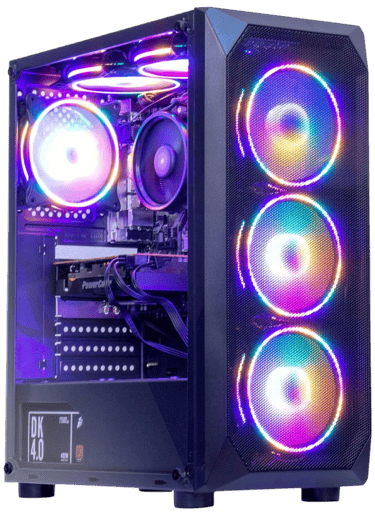
MXZ Gaming
Desktop Computer
Balanced performance and value for most golfers.
BUZZ PICK
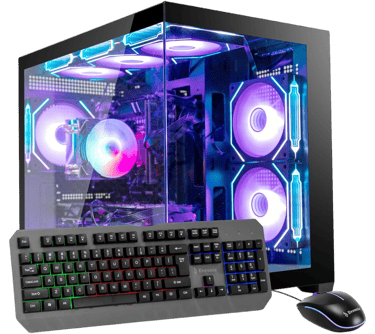
Evounic Gaming
PC Desktop
RTX 4060 power for serious simulator setups.
BUZZ PICK
HP Pavilion
Gaming Desktop PC
Affordable entry-level golf simulator computer.
BUZZ PICK
abytespark Gaming PC Desktop
Strong starter PC for 1080p simulator setups.

Final Verdict
Finding a capable golf simulator computer no longer requires spending thousands of dollars.
Modern gaming desktops have become powerful enough that many golfers can comfortably run GSPro, E6 Connect, and other simulator platforms while staying under the $1000 budget mark.
For the strongest balance of performance and value, the MXZ Gaming Desktop Computer stands out as the best overall choice for most golfers.
If maximum graphics performance is your priority, the Evounic Gaming PC Desktop offers impressive simulator capability thanks to its RTX 4060 graphics card.
Golfers seeking the lowest-cost entry point into simulator ownership should consider the HP Pavilion Gaming Desktop PC, while the abytespark Gaming PC Desktop provides a solid upgrade path for golfers wanting stronger hardware without reaching premium price levels.
Ultimately, the best golf simulator computer depends on your room, projection, performance expectations, and future upgrade plans. Buyers deciding between desktops and portable systems should also compare Golf Simulator Computers: Laptop vs Desktop and Best Laptops for Golf Simulators.
Where Do You Want to Go Next?
Choose your path based on what you need right now.
Explore Everything
Dive deeper into:
golf sim PC requirements
GPU vs CPU performance
gaming desktop setups
GSPro computer guides
simulator PC upgrades
1080p vs 4K performance
This is the best place to better understand golf simulator computer performance and setup planning.
Compare Before You Buy
Trying to decide between a gaming laptop or desktop for your simulator setup?
Compare:
laptop portability
desktop performance
cooling and thermals
upgradeability
long-term value
If you want the strongest all-around golf simulator computer under $1000, start with the MXZ Gaming Desktop Computer.
It offers:
excellent GSPro performance
strong 1440p capability
1TB storage capacity
proven RTX 3060 graphics
outstanding overall value
Just Get It Done
© 2026 GolfTechBuzz. All rights reserved.
Golf Tech Buzz
Performance Through Data
Practical guides, real-world setups, and unbiased comparisons for golfers building smarter practice environments.
General Inquiries: