

How Much RAM Do You Need for a Golf Simulator?
Discover how much RAM you need for golf simulator setups, including minimum and recommended specs for smooth and responsive performance.
COMPUTERS
Golf Tech Buzz Editorial Team - Led by AJ “Buzz” Eichman
5/5/20266 min read
When setting up your golf simulator, you probably zeroed in on the graphics card or the CPU, right? That’s where most folks stop—focusing on frame rates and processor speed like they’re buying a race car. But here’s where things get interesting: RAM, or Random Access Memory, is often the unsung hero behind smooth, glitch-free golf simulation experiences. Without enough RAM, your simulator software might stutter, lag, or freeze at the worst possible moment (imagine a crucial putt freezing mid-swing—nightmare territory). If you want to see the full overview - check out Golf Simulator Computers.
To understand how RAM fits into your full system, it helps to review What PC Specs Do You Need for a Golf Simulator? and how setups compare in Golf Simulator PC Requirements by Software.
This article dives deep into how much RAM you really need for a golf simulator, breaking down the minimum requirements, recommended specs, and why this seemingly “simple” hardware component has a surprisingly big impact on your golf tech setup. I’ll even walk you through how RAM fits into the bigger picture of your system, and what you can do if you find your simulator performance lagging behind.
Quick Verdict
Minimum RAM for basic golf simulator software is typically 8GB; anything less risks lag and poor responsiveness.
16GB RAM is recommended for smooth, future-proofed performance — particularly with high-end simulators featuring realistic 3D graphics and real-time physics.
Gaming PCs used for golf simulators benefit greatly from extra RAM, especially if you’re multitasking or streaming.
Upgrading RAM is one of the easiest, cost-effective ways to boost your simulator’s performance without a full system overhaul.
If you’re comparing builds, Best Golf Sim Computers Under $1000 and Best Golf Sim Computers Under $2500 show how RAM scales across systems.
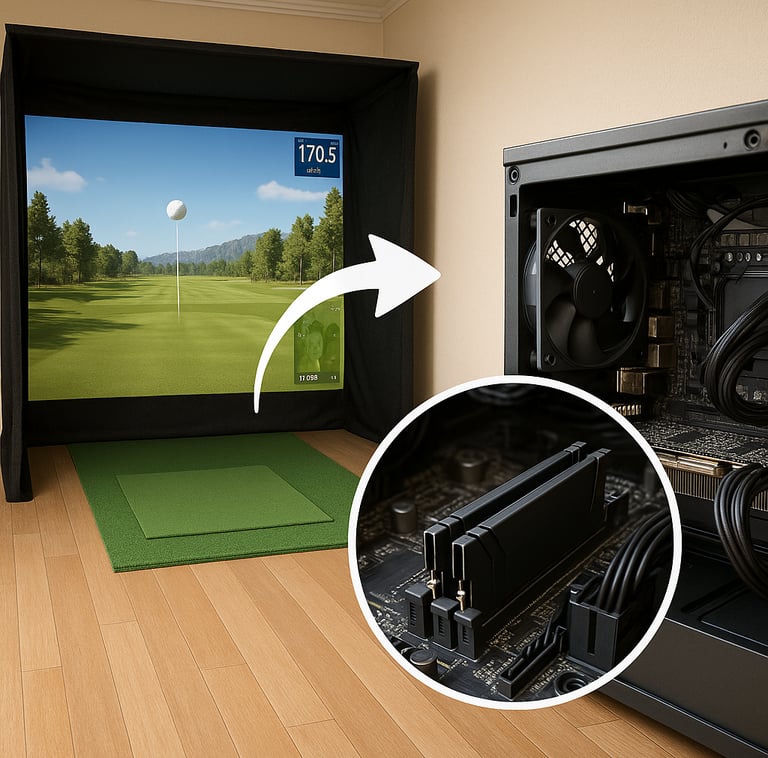
What Is RAM and Why It Matters for Golf Simulators
Let’s start with the basics: RAM is your computer’s short-term memory. It temporarily holds the data your CPU needs quick access to at any given moment. The bigger your RAM “workspace,” the more data can be instantly grabbed and processed without delays.
In golf simulators, this translates to how smoothly your software renders courses, tracks your swing data, and updates graphics on the fly. You want those shot trajectories and ball roll animations to happen in real-time, without frame drops. If RAM is too limited, your system has to offload some of that data to slower disk storage, causing noticeable lag or stuttering.
If your system feels slow, Why Your Golf Simulator Is Lagging helps identify RAM bottlenecks.
Here’s what that actually means in real use: If you’re practicing in your basement, a tight indoor space doesn’t leave room for bulky delays or hiccups ruining your rhythm. The last thing you want is your golf sim freezing mid-shot just because your system doesn’t have enough memory to keep up with the software.
Minimum vs. Recommended RAM for Golf Simulator Software
Most golf simulator software will list system requirements somewhere on their site—and usually, 8GB of RAM pops up as a minimum. That’s generally true for simpler or older golf simulation titles, or if you’re only doing basic swing analysis.
But—and this is important—minimum RAM means “this will barely run,” not “this is ideal.” Think of it like a car that just manages to start but hesitates badly when you hit the gas. If you want smooth gameplay and less frustration, you’re aiming for the recommended RAM.
For modern, detailed golf simulation software—like the big names with lush 3D courses, detailed physics models, and realistic ball behavior—16GB RAM is where you want to be. This extra memory means your sim will run fluidly, load times will be quicker, and frame rates will feel responsive.
For a deeper breakdown of system tiers, compare with Minimum vs Recommended Golf Simulator PC Specs.
If you’re streaming your golf sim sessions or running other apps alongside your simulator, adding even more RAM (say 32GB) is worth considering to keep everything snappy.
How RAM Influences Golf Simulator Performance
RAM doesn’t work alone; it’s part of a trio along with CPU and GPU that collectively drive your golf simulator’s performance. But underinvesting in RAM means you’re bottlenecking your whole system. Here’s how RAM specifically influences the experience:
Data Handling: The simulation software constantly tracks swing data, ball spin, environmental variables like wind, and renders real-time graphics. RAM must handle all this data simultaneously—more capacity means better multitasking and less lag.
Loading Speed: More RAM helps load courses and assets faster, which means less waiting when you’re switching holes or game modes.
Responsiveness: Dual-channel RAM (two sticks rather than one) doubles memory bandwidth, improving responsiveness. This subtly but noticeably smooths out animations and tracking accuracy.
Stability: Insufficient RAM leads to software crashes or freezes, especially during intensive calculations or when running additional background processes.
For performance tuning, How to Optimize Your PC for Golf Simulator Performance can help refine your setup.
Understanding Golf Simulator System Requirements
When shopping for a golf simulator PC or configuring one yourself, don’t just chase RAM alone. The recommended system requirements will typically specify a balanced CPU, GPU, and RAM setup. For example, an Intel i5 or Ryzen 5 CPU paired with a mid-tier Nvidia or AMD graphics card, combined with 16GB RAM, hits a sweet spot for most golf simulators.
Keep in mind that GPUs handle the heavy lifting for graphics rendering, while CPUs manage physics and game logic. RAM acts like the fast workspace where data shuffles between these components. Too little RAM and you get bottlenecks—no matter how great your GPU or CPU is.
To align hardware, see Best GPUs for Golf Simulators.
Common RAM-Related Mistakes to Avoid
Let me overthink these so you don’t have to:
Buying systems with 4GB or less RAM: This is a classic underestimation mistake. Even the most basic golf sim software struggles here, leading to frustrating lag.
Ignoring RAM while obsessing over CPU and GPU specs: Your shiny new graphics card won’t shine if your RAM chokes the data pipeline.
Mixing up minimum versus recommended RAM: Minimum RAM is your bare baseline; you want to aim for recommended specs for the smoothest game.
Forgetting to check individual software requirements: Some sims are heavier on RAM than others, especially those with advanced physics and graphics.
Overlooking RAM speed and configuration: It’s not just about capacity. Running dual-channel RAM sticks and higher RAM speed (measured in MHz) enhances simulator responsiveness.
Upgrading RAM for Better Golf Simulation Experience
If your golf simulator is lagging or shuddering through gameplay, upgrading your RAM might be the quickest fix. Here’s a simple path:
Check your current RAM: Use your system info tools to find current RAM capacity and configuration.
Identify RAM specs: Look for type (DDR4 is common), speed (e.g., 2666MHz, 3200MHz), and slots available on your motherboard.
Buy compatible RAM: Matching your system’s RAM type and speed ensures stability.
Install modules in pairs: For dual-channel performance, add RAM sticks in pairs rather than just one.
Test performance: After upgrading, test your simulator to see if gameplay feels smoother and load times improve.
This upgrade can be a game-changer, especially if you’re running a mid-range system and want to avoid a full rebuild.
FAQs About RAM and Golf Simulators
How much RAM do I need for a golf simulator?
You’ll want at least 8GB RAM as a bare minimum, but 16GB is recommended for a smooth and future-proof experience.
Is 8GB RAM enough for golf simulator software?
It depends on the software. Basic sims might run fine on 8GB, but expect lag or stutters with more advanced programs.
Can I use a gaming PC with 16GB RAM for golf simulation?
Yes! 16GB RAM is perfect for golf simulators, especially gaming PCs designed with similar specs.
Does increasing RAM improve golf simulator graphics performance?
RAM doesn’t directly improve graphics quality but supports the overall system performance, reducing lag and stutter, which can feel like better graphics.
What are the recommended computer specs for golf simulator setups?
Balanced specs include a mid-to-high-end CPU, a decent GPU, and 16GB RAM for smooth performance.
Can I run a golf simulator on a laptop with limited RAM?
You can try, but laptops with less than 8GB RAM may struggle, leading to poor responsiveness and lag.
How does RAM affect the accuracy of a golf simulator?
RAM itself does not affect sensor accuracy, but insufficient RAM can cause delayed or dropped data processing, impacting the feel of accuracy during gameplay.
Should I upgrade RAM if experiencing lag in my golf simulator?
Yes, upgrading RAM is often a quick and effective fix if lag stems from memory bottlenecks.
Conclusion
Let me wrap this up without digging too deep into the weeds—but you know me, I couldn’t resist the details! RAM is one of those tech specs that many overlook but really shouldn’t. If your golf simulator setup feels bogged down or sluggish, checking and upgrading your RAM might just restore that smooth, immersive experience you’re after. Aim for 16GB if you want the sim to keep pace with your improving golf game and any extra background tasks you throw in, like streaming.
Remember, your golf simulator’s performance depends on a balanced system—CPU, GPU, and RAM all play their parts. But if you pair a good CPU and GPU with skimped RAM, you’re limiting what your rig can do. So whether you’re setting up a home sim in the garage or a pro-level studio, investing in adequate RAM ensures fewer headaches and more swings. Because at the end of the day, the last thing you want is your tech slowing down your golf grind.
© 2026 GolfTechBuzz. All rights reserved.
Golf Tech Buzz
Performance Through Data
Practical guides, real-world setups, and unbiased comparisons for golfers building smarter practice environments.
General Inquiries: