
Best Golf Simulator
Swing Cameras
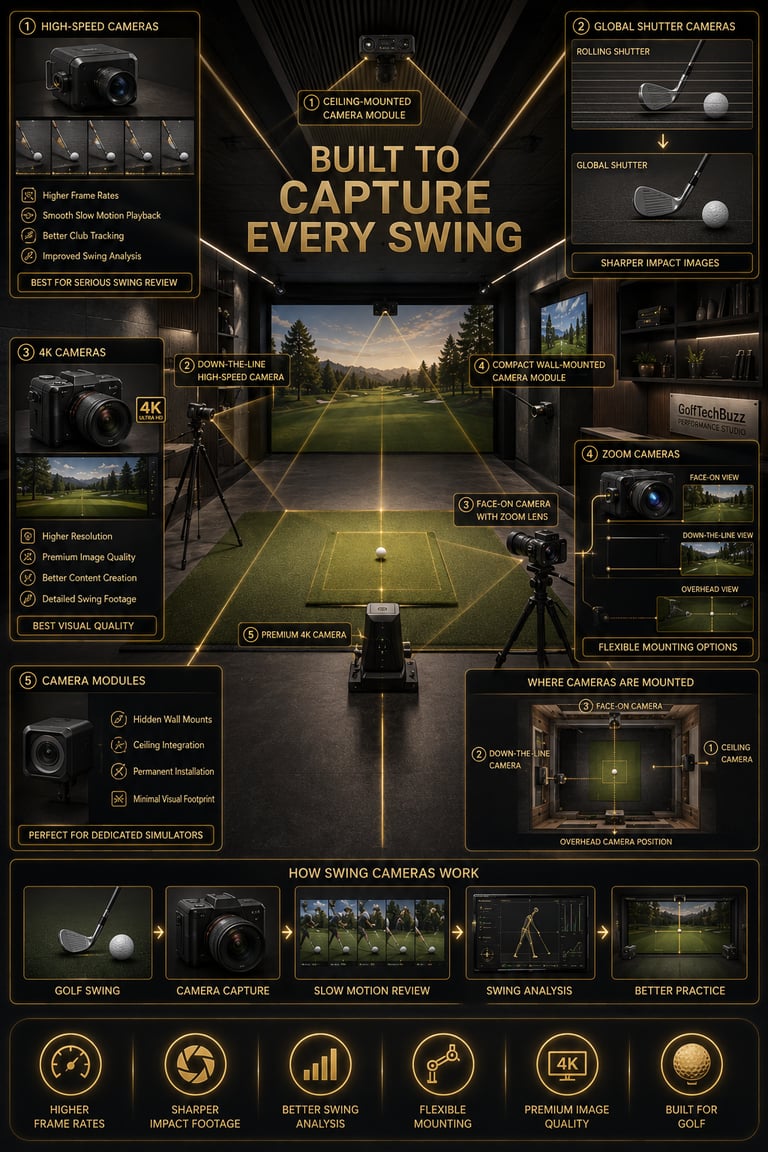
Building a golf simulator isn't just about choosing the right launch monitor and projector anymore. More golfers are adding dedicated cameras to their setups for swing analysis, slow-motion playback, and club path tracking. Whether you're trying to fix a slice, analyze impact, or simply watch your swing from multiple angles, the right camera setup can make a huge difference.
The challenge is that golf simulator cameras come in several different forms. Some prioritize image quality, while others focus on high frame rates, global shutter technology, or adjustable zoom. Choosing the wrong camera can leave you with blurry swings and unusable footage, while the right one can turn your simulator into a personal training studio.
If you're still planning your setup, be sure to check out our Golf Simulators guide and the Golf Simulator Accessories Guide for additional equipment recommendations.
Transparency Note: We may earn a commission from qualifying purchases. Product selections are made independently and are not influenced by manufacturers.
Quick Verdict
Not every golfer needs dedicated swing cameras, but they can dramatically improve the simulator experience for players who want more than basic ball data. Casual golfers may only need a single camera for playback, while serious players often use two or three cameras to analyze different parts of the swing.
For most golfers, the sweet spot is a high-speed camera with adjustable zoom. Players focused on impact analysis should consider global shutter cameras, while golfers building premium simulator rooms may prefer higher-resolution 4K options.
Our favorite overall pick is the SVPRO USB 3.0 Global Shutter Camera thanks to its combination of speed, image quality, and flexibility.
A golf simulator camera is a dedicated camera designed to record and analyze different parts of your golf swing. Unlike a standard webcam, golf simulator cameras often feature higher frame rates, adjustable lenses, manual focus controls, and specialized sensors that reduce motion blur.
There are several types of golf simulator cameras:
High-Speed Cameras
High-speed cameras capture more frames per second, making it easier to review your swing in slow motion. These are ideal for golfers who want to analyze body movement and club position throughout the swing.
Global Shutter Cameras
Most webcams use rolling shutters, which capture the image line by line. Global shutter cameras capture the entire frame simultaneously, reducing distortion and keeping fast-moving clubs sharp during impact. If you're deciding between sensor types, check out Global Shutter vs Rolling Shutter for Golf Swing Cameras to see how each technology affects swing playback.
4K Cameras
Higher-resolution cameras prioritize image quality over extreme frame rates. These cameras are popular with content creators and golfers building premium simulator spaces.
Zoom Cameras
Many golf simulator cameras include manual zoom lenses, allowing golfers to adjust framing for face-on, down-the-line, or overhead mounting positions.
Camera Modules
Compact camera modules are designed for permanent installations and custom mounting systems. They often disappear into the simulator room itself.
Not sure what separates one model from another? Our guide to What Makes a Good Golf Simulator Swing Camera? breaks down the features that matter most, including frame rates, sensors, lenses, and mounting options.
What Is a Golf Simulator Swing Camera?

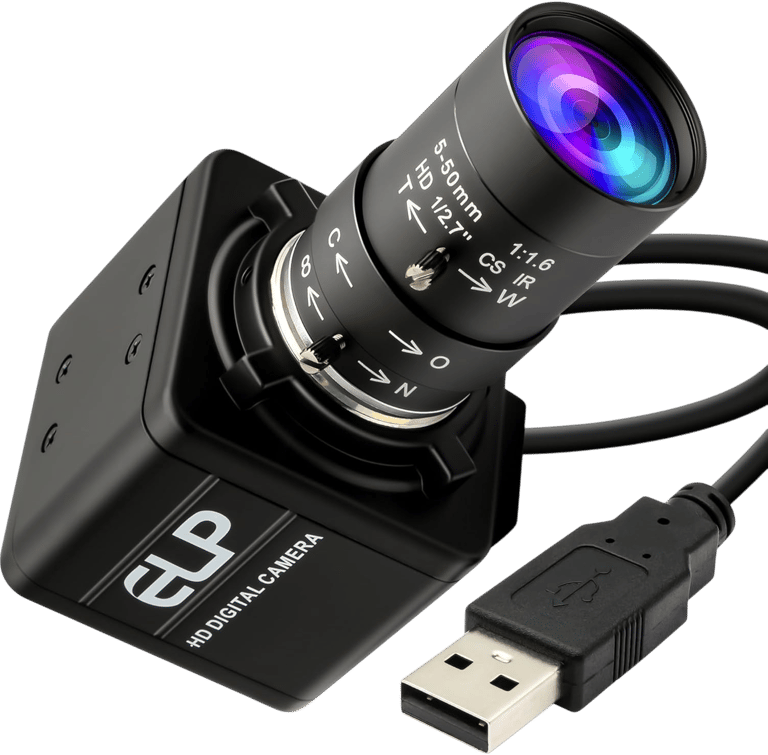
QILOVE Global Shutter USB Camera
Best for Ultra Slow Motion
Best For:
High-speed swing analysis
Slow-motion replay
Garage simulators
Golfers focused on impact data
Budget-conscious simulator builds
Specs (Quick Breakdown)
Price: $75
Resolution: 800P monochrome
Frame Rate: Up to 640 fps
Lens: 5–50 mm manual focus lens
Sensor Type: Global shutter
Connection: USB
Best Use: Ultra-slow-motion swing capture
Why We Chose It
The QILOVE Global Shutter camera offers something few cameras in this price range can match: extremely high frame rates paired with global shutter technology. Unlike traditional webcams, the sensor captures the entire image at once, reducing distortion during fast swings.
While its monochrome output makes it less appealing for golfers who want polished video, players focused on club delivery and impact analysis will appreciate the incredible slow-motion capabilities at a very affordable price.
BUZZ PICK
QILOVE Global Shutter
Best for Ultra Slow Motion
Magnolia 1080P USB Camera
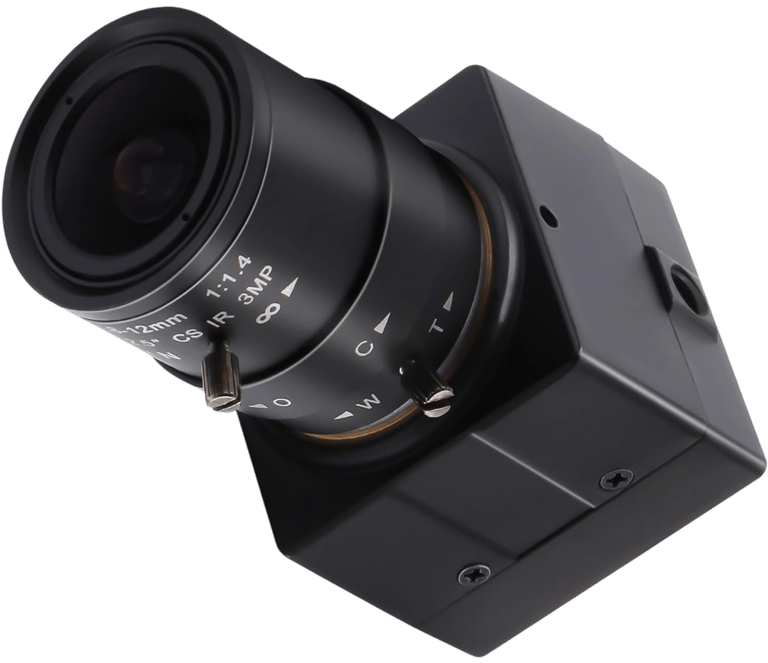
Best for Entry-Level Setups
Best For:
First-time simulator owners
Practice bays
Budget builds
Basic swing recording
Low-light environments
Specs (Quick Breakdown)
Price: $74
Resolution: 1080P
Frame Rate: 30 fps
Lens: 2.8–12 mm manual focus lens
Sensor: IMX323
Connection: USB 2.0
Best Use: Entry-level swing recording
Why We Chose It
For golfers who simply want a dedicated camera without spending much money, the Magnolia offers adjustable zoom and manual focus in a compact package. The metal housing and tripod mounting options also make installation straightforward.
Its frame rate falls well below the other cameras on this list, but for golfers who only need occasional swing footage or a secondary camera angle, it provides an inexpensive starting point.
BUZZ PICK
Magnolia 1080P USB
Best for Entry-Level
MMlove 8MP USB Camera
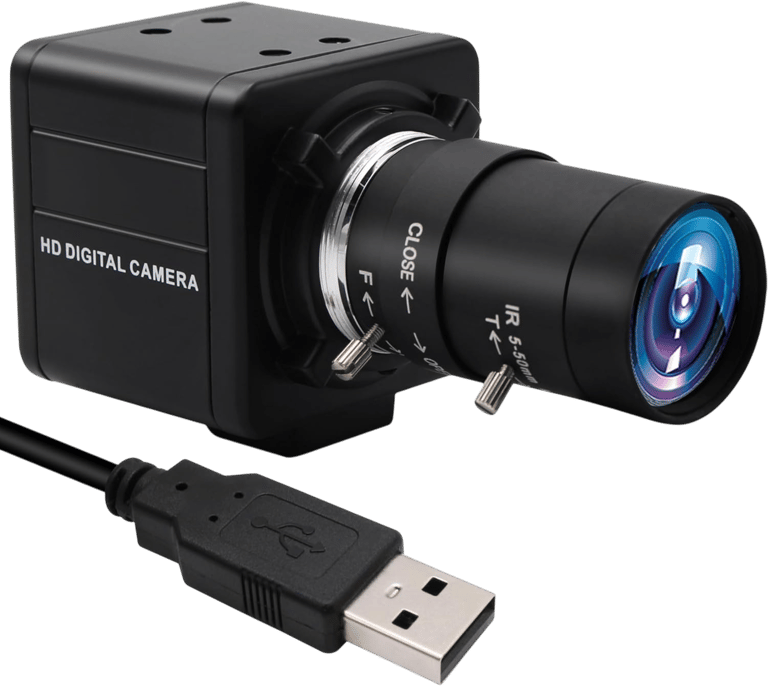
Best for Budget Zoom
Best For:
Home simulators
Close-up swing capture
Adjustable camera angles
Budget-conscious golfers
Permanent installations
Specs (Quick Breakdown)
Price: $80
Resolution: 2448P / 8 MP
Frame Rate: 30 fps
Lens: 5–50 mm manual zoom lens
Optical Zoom: 10×
Connection: USB
Best Use: Budget zoom setups
Why We Chose It
The MMlove camera combines a large 5–50 mm lens with impressive 10× optical zoom, giving golfers plenty of flexibility when positioning cameras around the simulator. Whether mounted behind the player or down the target line, the adjustable lens makes framing easy.
Although it doesn't match the high frame rates of premium swing-analysis cameras, it delivers a solid combination of image quality and zoom control at one of the lowest prices available.
BUZZ PICK
MMlove 8MP USB
Best for Budget Zoom
SVPRO 1080P High-Speed Camera
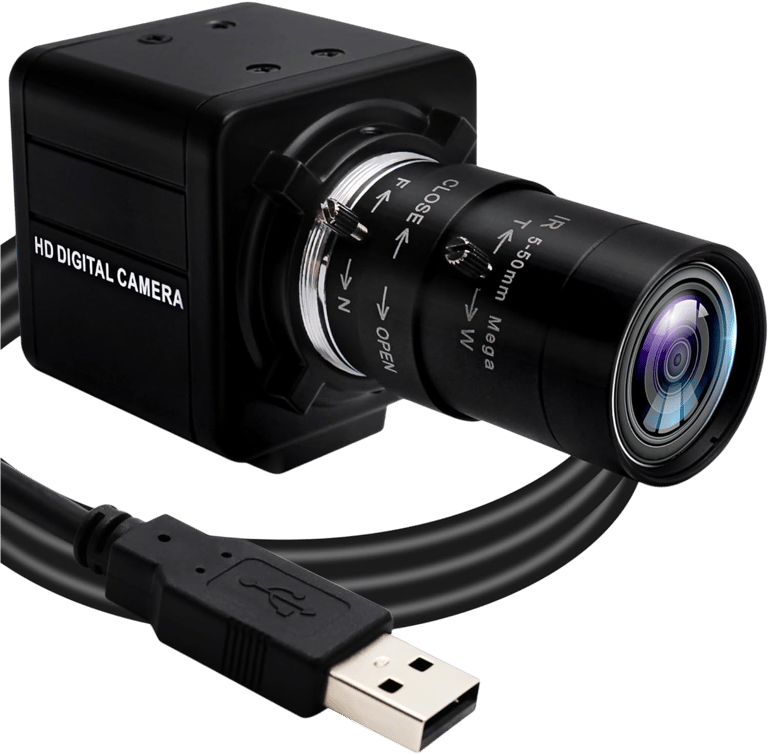
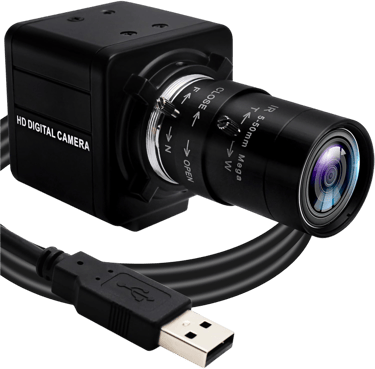
Best for Optical Zoom
Best For:
Detailed swing analysis
Multi-camera setups
Permanent simulator rooms
Close-up club tracking
Adjustable installations
Specs (Quick Breakdown)
Price: $91
Resolution: 1080P
Frame Rate: 260 fps (360P), 120 fps (720P)
Lens: 5–50 mm varifocal lens
Optical Zoom: 10×
Connection: USB
Best Use: Adjustable high-speed capture
Why We Chose It
The SVPRO combines high-speed recording with one of the most versatile lenses in the category. Its 10× optical zoom and manual controls make it easy to dial in the exact framing needed for face-on and down-the-line camera positions.
Golfers building dedicated simulator spaces will appreciate the aluminum housing and flexible mounting options, especially when multiple cameras are installed around the hitting area.
BUZZ PICK
SVPRO 1080P High-Speed
Best for Optical Zoom
ELP 1080P USB Camera
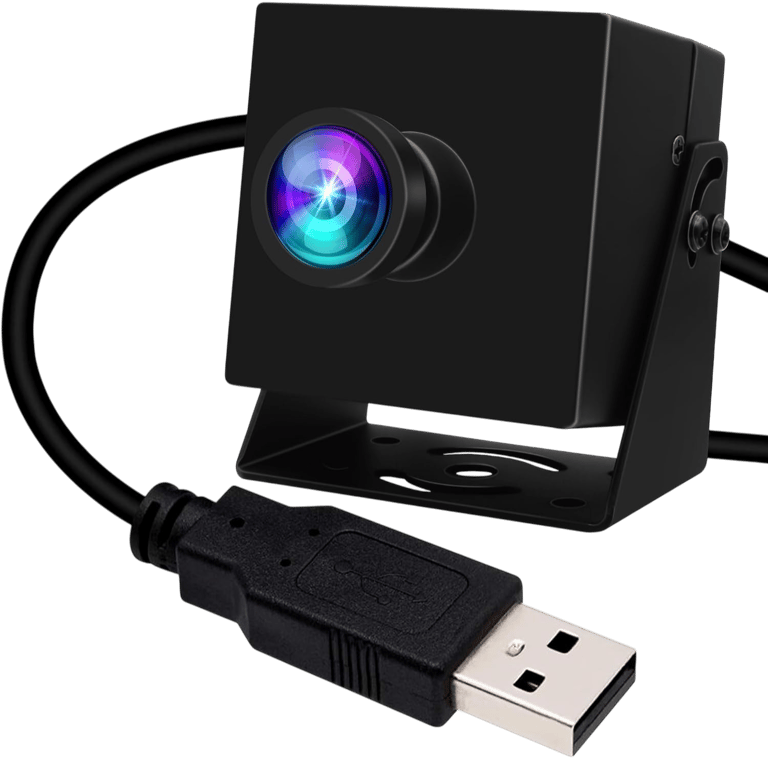

Best Value Premium Pick
Best For:
Simulator upgrades
High-speed recording
Compact installations
Indoor golf studios
Multi-angle setups
Specs (Quick Breakdown)
Price: $104
Resolution: 12 MP
Frame Rate: 120 fps
Lens: 110° wide-angle lens
Sensor Size: 1/2.3-inch
Connection: USB
Best Use: Premium performance on a budget
Why We Chose It
The ELP camera delivers premium-level specifications without crossing into premium pricing. Its 12 MP sensor and 120 fps recording provide noticeably smoother playback than standard webcams, while the compact housing makes mounting simple.
For golfers looking to upgrade from entry-level cameras without spending top-tier money, it strikes one of the best balances between price and performance.
BUZZ PICK
ELP 1080P USB
Best Value Premium Pick
IFWATER 4K Camera Module
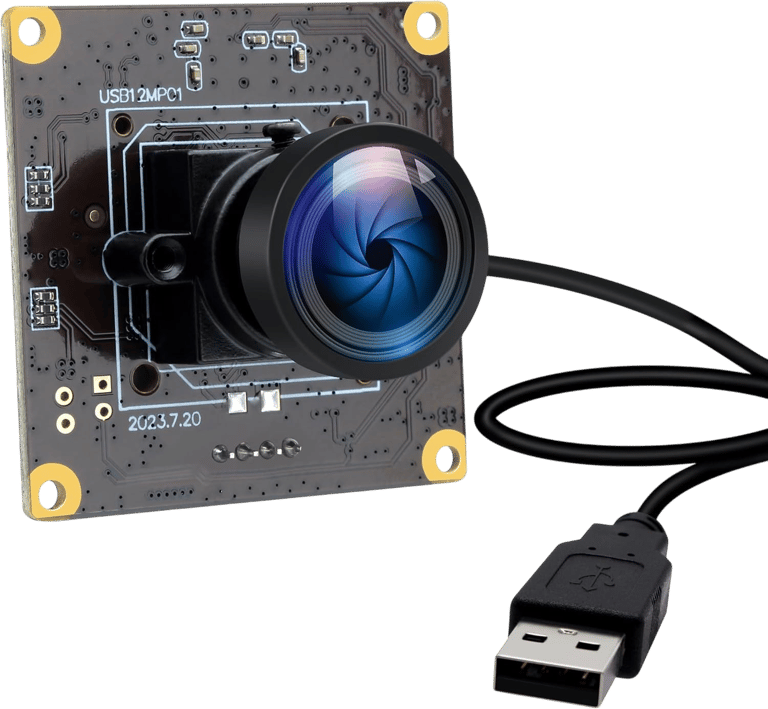
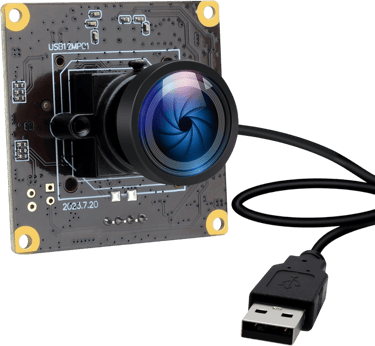
Best for Permanent Installations
Best For:
Dedicated simulator rooms
Permanent camera mounts
Multi-camera systems
Tech-focused builds
Custom installations
Specs (Quick Breakdown)
Price: $107
Resolution: 4K / 12 MP
Frame Rate: 120 fps
Lens: 110° wide-angle lens
Design: Open camera module
Connection: USB
Best Use: Permanent simulator integration
Why We Chose It
Unlike traditional webcams, the IFWATER camera module is designed to disappear into a simulator build. The compact board-style design makes it ideal for golfers planning custom mounts, overhead installations, or multi-camera setups.
Combined with 4K resolution and 120 fps recording, it offers excellent image quality while remaining flexible enough for advanced simulator projects.
BUZZ PICK
IFWATER 4K USB Module
Best for Permanent Installations
SVPRO USB 3.0 Global Shutter Camera
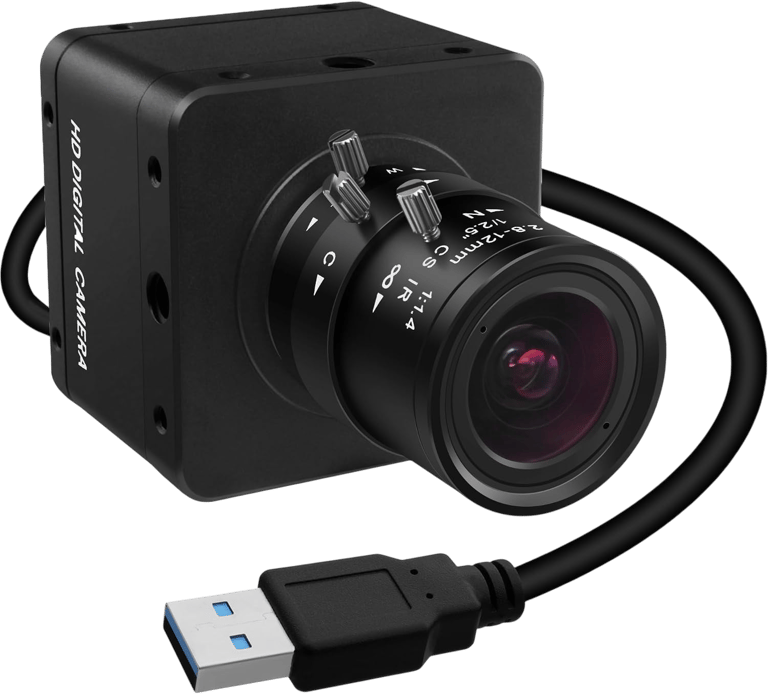
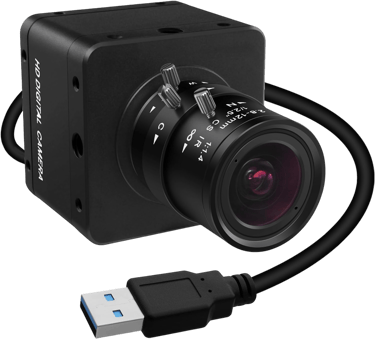
Best Overall
Best For:
Serious swing analysis
Dedicated golf simulators
Fast club-speed players
Permanent installations
Data-focused golfers
Specs (Quick Breakdown)
Price: $113
Resolution: 1200P
Frame Rate: 120 fps (1200P), 200 fps (720P)
Lens: 2.8–12 mm manual zoom lens
Sensor Type: Global shutter
Connection: USB 3.0
Best Use: Professional-level swing capture
Why We Chose It
If you're serious about swing analysis, this is the camera that stands out. The combination of global shutter technology, high frame rates, and adjustable optics makes it one of the most complete golf simulator cameras currently available.
Because global shutter sensors capture an entire frame simultaneously, fast-moving clubs remain sharp and free from the distortion that can appear with standard webcams. For dedicated simulator owners, it's one of the strongest values in the category.
BUZZ PICK
SVPRO USB 3.0 Global Shutter
Best Overall
IFWATER 4K Webcam
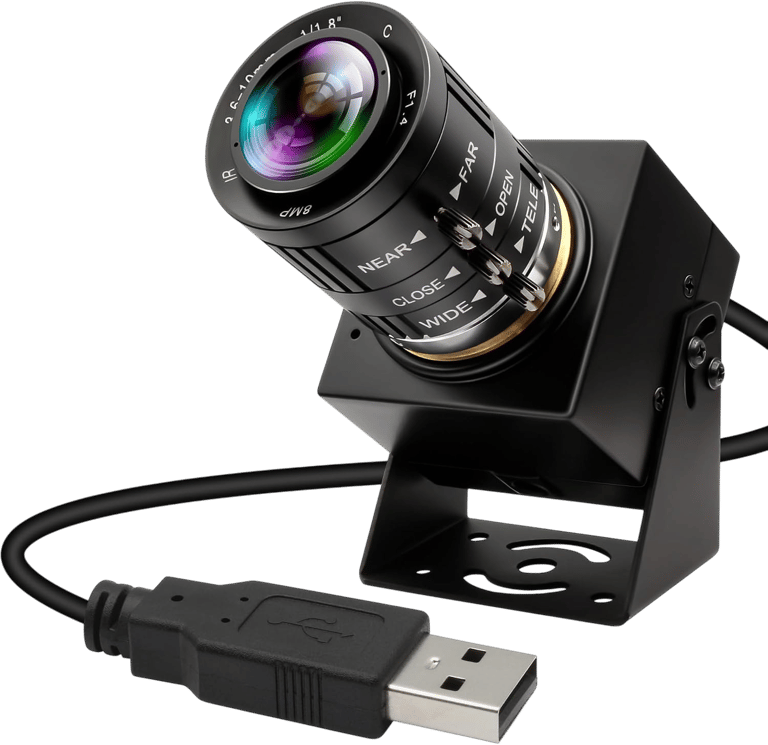
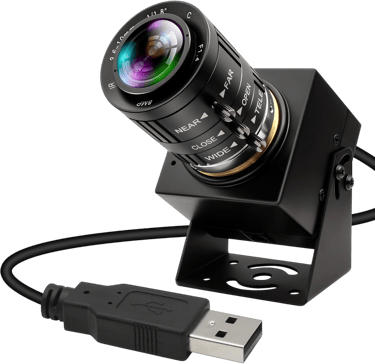
Best for Image Quality
Best For:
Premium simulator rooms
High-end installations
Detailed swing playback
Multi-use workspaces
Golf content creators
Specs (Quick Breakdown)
Price: $124
Resolution: 4K / 12 MP
Frame Rate: 120 fps
Lens: 3.6–10 mm varifocal lens
Optical Zoom: 3×
Connection: USB
Best Use: Maximum image quality
Why We Chose It
The IFWATER 4K Webcam delivers the sharpest image quality in this lineup thanks to its 12 MP sensor, 4K resolution, and adjustable varifocal lens. The manual zoom controls make it easy to fine-tune camera placement without sacrificing clarity.
For golfers building premium simulator spaces or creators recording lessons and swing breakdowns, this camera offers the highest overall visual quality on the page.
BUZZ PICK
IFWATER 4K Webcam
Best for Image Quality
How We Chose the Best Golf
Simulator Swing Cameras
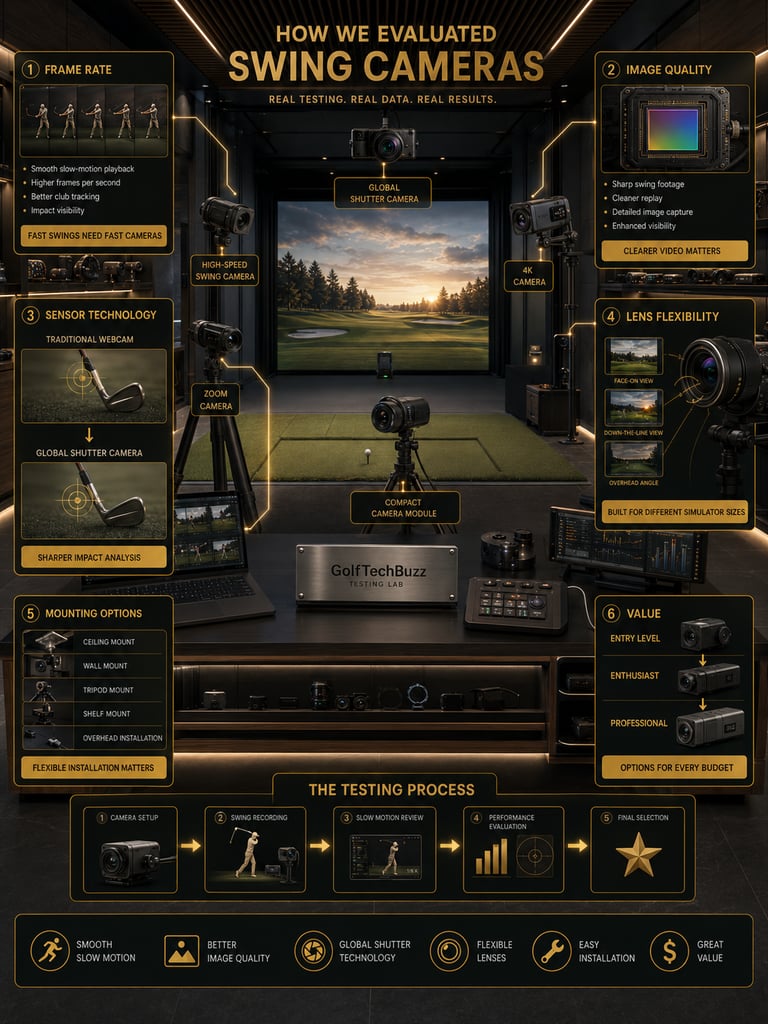
We focused on the features that matter most in a simulator environment rather than simply choosing the highest-resolution cameras available.
Frame Rate
Fast swings require fast cameras. We prioritized cameras capable of capturing smooth slow-motion footage. Still unsure how much speed you actually need? Our guide on How Many FPS Do You Need for Golf Swing Analysis? explains which frame rates work best for different types of players.
Image Quality
Higher-resolution sensors produce cleaner video and more detailed swing playback.
Sensor Technology
Global shutter cameras received special attention because they eliminate much of the motion blur that affects traditional webcams.
Lens Flexibility
Golf simulators vary dramatically in size, so adjustable lenses and optical zoom were important factors.
Mounting Options
Some golfers need simple tripod mounts, while others want permanent overhead installations.
Value
We intentionally included options across multiple price points to help golfers build systems that fit their budgets.

Benefits of Using Golf
Simulator Swing Cameras
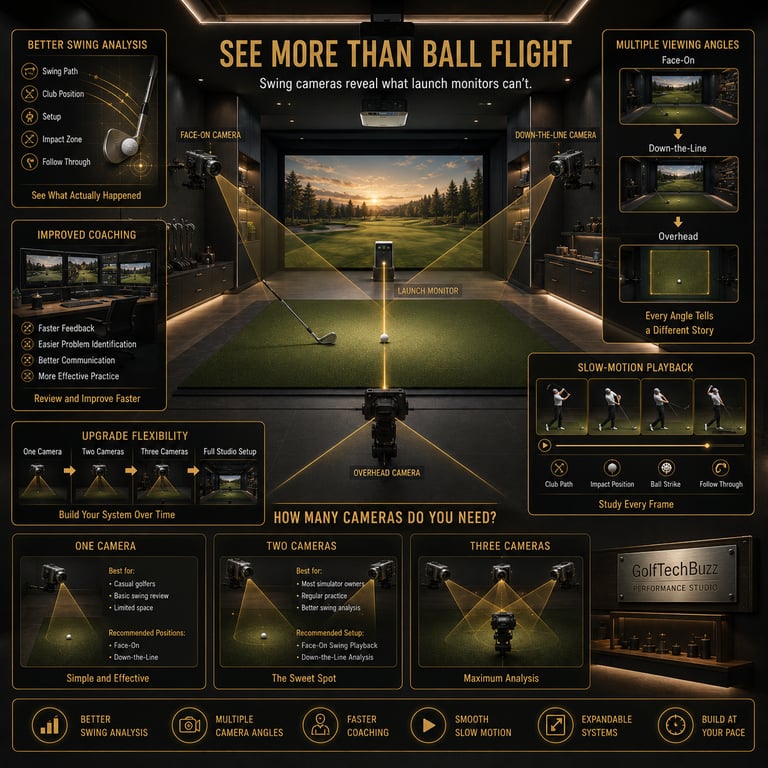
Better Swing Analysis
Launch monitors provide ball data, but cameras let you see what actually happened during the swing.
Multiple Viewing Angles
Face-on, down-the-line, and overhead cameras all reveal different aspects of your swing mechanics.
Improved Coaching
Golf instructors and players can review footage together and identify problems more quickly.
Slow-Motion Playback
High-speed cameras make it easier to study club position and impact.
Upgrade Flexibility
Many golfers start with one camera and add more over time as their simulator evolves.
Camera placement matters just as much as the camera itself, which is why we created Where Should You Mount a Golf Swing Camera? to help golfers choose the best locations.

How Many Cameras Do You Need
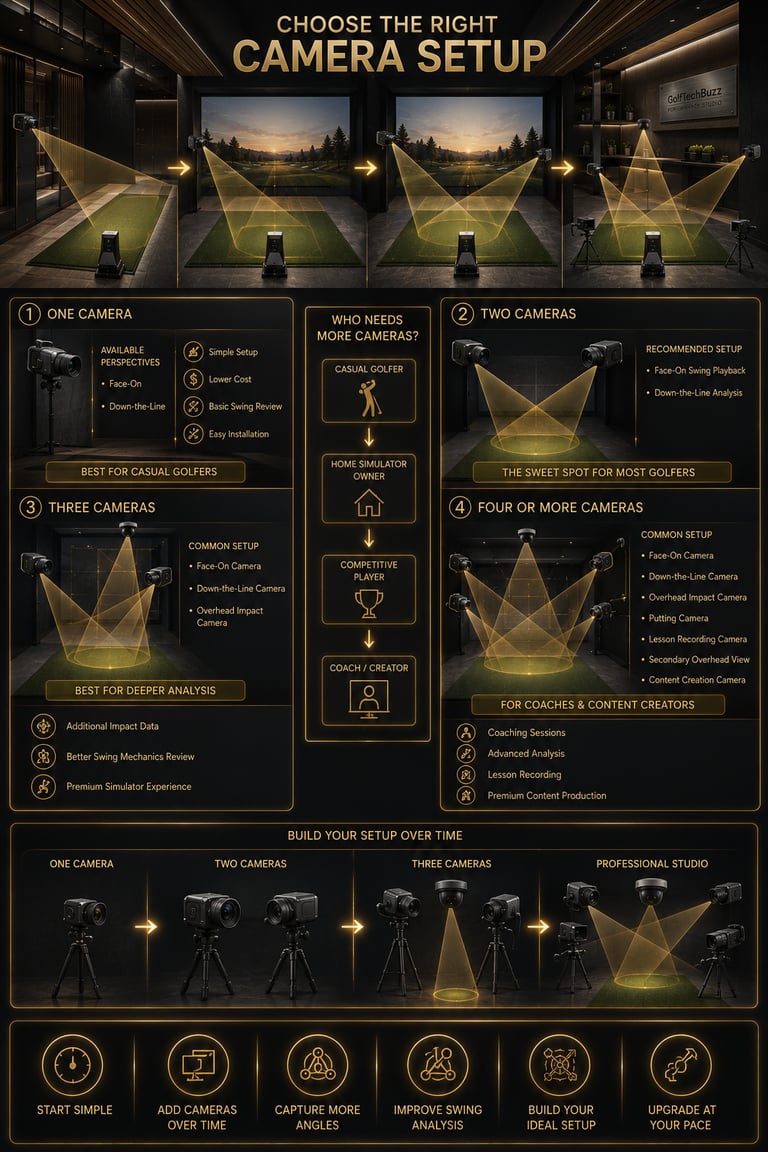
The answer depends entirely on your goals.
One Camera
A single camera works well for casual golfers who simply want to watch their swing and identify major issues.
Best Position
Face-on
Down-the-line
Two Cameras
Two cameras are the sweet spot for most simulator owners.
Recommended Setup
Face-on swing playback
Down-the-line swing analysis
This setup gives golfers a complete view of their mechanics without adding too much complexity.
Three Cameras
Golfers who want deeper analysis often add a third camera.
Common Three-Camera Setup
Face-on camera
Down-the-line camera
Overhead impact camera
Four or More Cameras
Advanced golfers, coaches, and content creators may install additional cameras for putting analysis, overhead views, and lesson recording.

Can Any Camera Be Used as a Golf Simulator Camera?
Technically, yes—but that doesn't mean every camera is a good choice. Basic webcams can record your swing, but most struggle with fast club speeds. Motion blur, poor low-light performance, and limited lens options often make them frustrating to use.
Golf simulator cameras differ because they typically include:
Higher frame rates
Manual focus controls
Adjustable zoom lenses
Better sensors
Improved mounting options
Global shutter technology
If you're thinking about repurposing equipment you already own, take a look at Can You Use a Regular Webcam as a Golf Swing Camera? before buying dedicated hardware.
Are Golf Simulator
Cameras Worth It?
For casual golfers who only want launch monitor data, dedicated cameras may not be necessary.
For everyone else, the answer is usually yes.
A launch monitor tells you what happened to the golf ball. Cameras tell you why it happened. Even an affordable camera setup can help golfers identify swing flaws, compare practice sessions, and track improvement over time.
The biggest advantage is flexibility. Most golfers can start with a single camera and gradually expand into a full multi-camera system as their needs change.
Frequently Asked Questions
Do golf simulator cameras improve accuracy?
No. Cameras don't improve launch monitor accuracy, but they can help golfers understand the swing changes that produce different ball flights.
What is the best position for a golf simulator camera?
Most golfers start with either a face-on or down-the-line camera. Serious players often use both.
Do I need a global shutter camera?
Not necessarily. Global shutter cameras are most useful for golfers who want extremely detailed club and impact analysis.
Can I use a webcam for my golf simulator?
Yes, but standard webcams often struggle with motion blur and may not provide the frame rates needed for swing analysis.
How many cameras do professional simulator setups use?
Professional setups commonly use two to four cameras depending on the level of analysis required.
Are 4K cameras better than high-speed cameras?
Not always. Higher resolution improves image quality, while higher frame rates improve slow-motion playback.
Can I add cameras later?
Yes. Many golfers start with one camera and upgrade their setup over time.
Are golf simulator cameras only for serious golfers?
No. Even casual golfers can benefit from seeing their swings from different angles.
Quick Picks for Your Simulator - Under $100


BUZZ PICK
QILOVE
Global Shutter
640fps global shutter camera for swing analysis
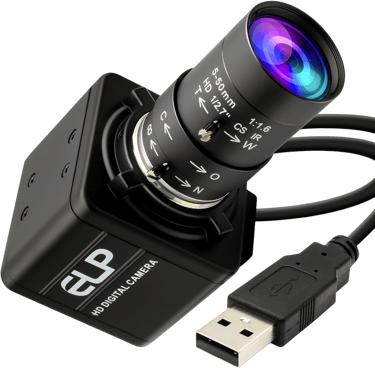

BUZZ PICK
Magnolia 1080P
USB Camera
Affordable manual-focus camera for beginners

BUZZ PICK
MMlove 8MP
USB Camera
Budget-friendly camera with 10× optical zoom
BUZZ PICK
SVPRO 1080P
High-Speed
High-speed camera with versatile 10× zoom
Quick Picks for Your Simulator - Under $150
BUZZ PICK
ELP 1080P
USB Camera
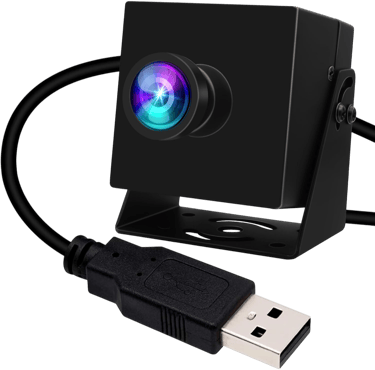
Compact 120fps camera with premium features

BUZZ PICK
IFWATER 4K
Camera Module
Compact 4K module for custom simulator builds
BUZZ PICK
SVPRO USB 3.0
Global Shutter
Global shutter camera built for serious golfers

BUZZ PICK
IFWATER 4K
Webcam
Premium 4K camera with adjustable zoom lens


Final Verdict
Golf simulator cameras aren't essential for every golfer, but they can completely change how you practice and analyze your game. Whether you're looking for a simple replay system or a multi-camera swing lab, there's an option that fits nearly every budget.
For most golfers, a two-camera setup offers the best balance between cost and performance. Players who want deeper analysis should look at global shutter options, while golfers building premium simulator rooms may prefer higher-resolution 4K models.
Where Do You Want to Go Next?
Choose your path based on what you need right now.
Explore Everything
Learn everything you need to build a golf simulator.
Explore:
launch monitors
golf simulator computers
impact screens
hitting mats
projectors
complete setups
Compare Before You Buy
Looking to improve your simulator experience? Explore the accessories.
Discover:
control boxes
swing cameras
cable management
storage solutions
lighting upgrades
setup tools
If you want a high-speed camera designed specifically for detailed swing analysis, pick the SVPRO USB 3.0 Global Shutter Camera.
Perfect for:
serious golfers
swing analysis
simulator studios
impact review
permanent setups
Just Get It Done
© 2026 GolfTechBuzz. All rights reserved.
Golf Tech Buzz
Performance Through Data
Practical guides, real-world setups, and unbiased comparisons for golfers building smarter practice environments.
General Inquiries: