
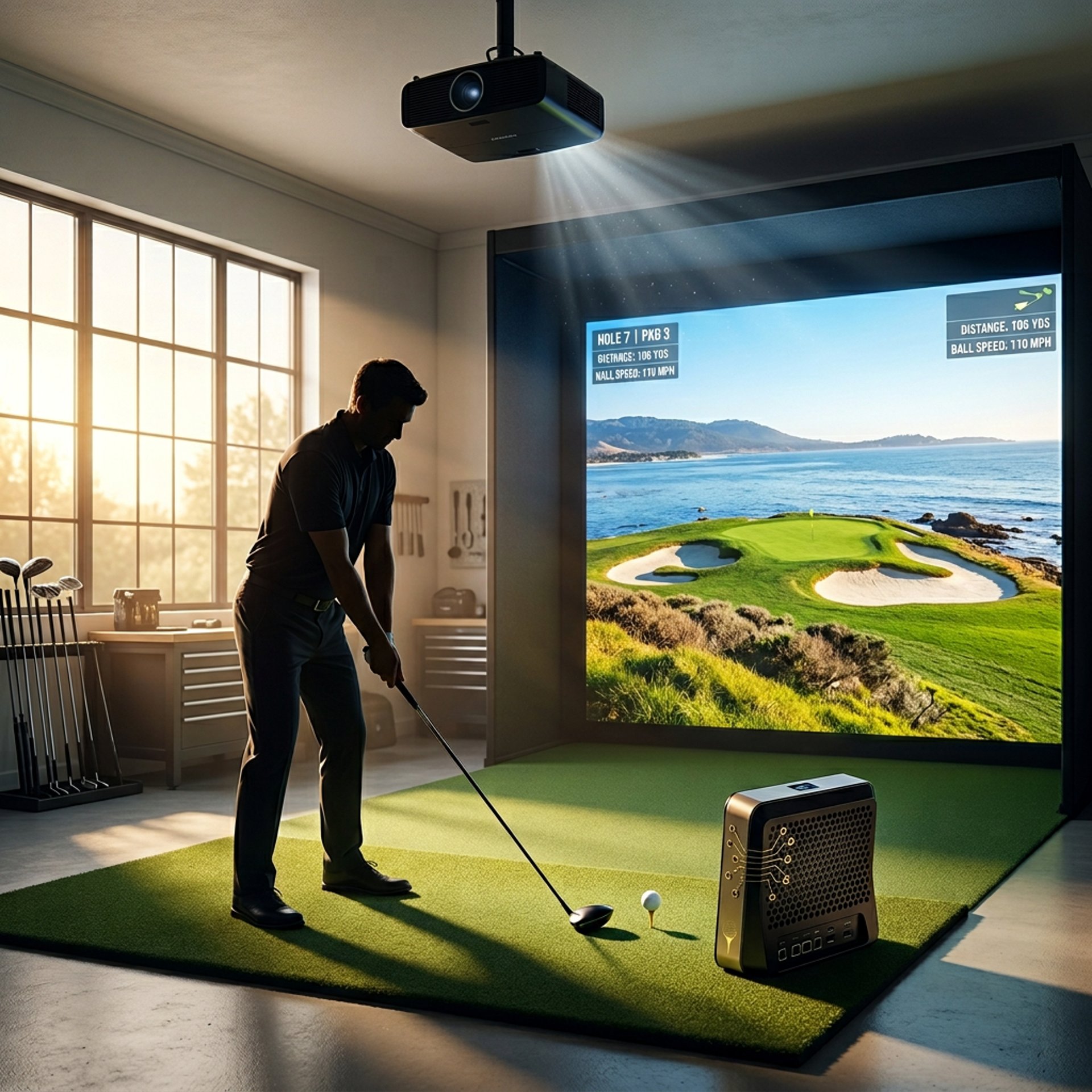
Best Golf Simulator Computers Under $2500
Building a serious golf simulator setup requires more than just a launch monitor and projector. The computer powering your simulator often determines how realistic your courses look, how smoothly gameplay runs, and how well your system handles future software updates. That's why understanding Golf Sim Computers, Golf Simulator PC Requirements by Software, and the Complete Golf Simulator Computer Guide is important before investing in premium hardware.
At the $2500 price point, golfers gain access to significantly stronger processors, more powerful graphics cards, larger storage drives, and better cooling systems than typical budget gaming PCs.
Whether you're building a dedicated simulator room, upgrading an older setup, or future-proofing your golf simulator for years to come, these systems offer some of the strongest performance currently available.
Transparency Note: We may earn a commission from qualifying purchases. Product selections are made independently and are not influenced by manufacturers.
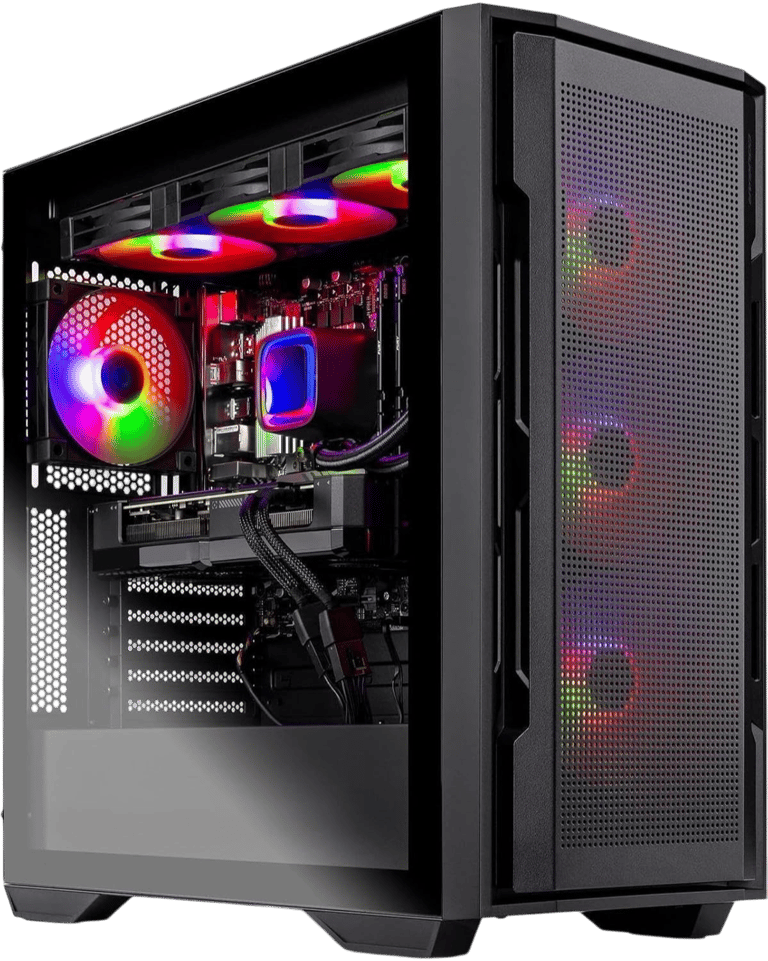
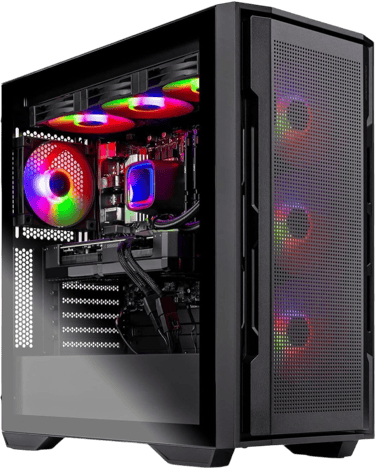
If you want the strongest overall golf simulator computer under $2500, the Skytech Gaming Rampage Desktop PC stands out immediately thanks to its RTX 5070 Ti graphics card, Ryzen 7 9700X processor, and premium cooling system.
For golfers building a premium simulator room, the Skytech Gaming Rampage is the clear leader. Golfers still deciding between premium and budget hardware should also compare Best Golf Sim Computers Under $1000 and Entry-Level vs High-End Golf Simulator PC before buying.
The MXZ Gaming PC delivers exceptional AMD-powered performance for golfers who want elite gaming capability alongside simulator use.
Meanwhile, the iBUYPOWER SlateMesh Gaming PC offers outstanding versatility for golfers who need one computer for work, gaming, content creation, and simulator software.
For most golfers building a premium simulator room, the Skytech Gaming Rampage is the clear leader.
Quick Verdict
Skytech Gaming Rampage Desktop PC
Verdict
Best overall golf simulator computer under $2500 with premium hardware built for maximum performance, future upgrades, and demanding simulator environments.
Best For
4K golf simulator rooms, premium GSPro builds, dedicated simulator spaces, and golfers who want the strongest hardware available.
Not Ideal For
Golfers who primarily play at 1080p or buyers seeking the lowest possible price.
Key Strengths
RTX 5070 Ti delivers exceptional GSPro performance
16GB VRAM provides outstanding future-proofing
Ryzen 7 9700X is one of the strongest gaming CPUs available
32GB DDR5 memory handles demanding simulator workloads
360mm liquid cooling supports sustained performance
Real-World Use Case
Ideal for golfers building a dedicated simulator room with plans for premium projection, high graphics settings, and long-term ownership. This is the type of system that minimizes compromise and maximizes performance for years to come.
Setup Notes
Modern simulator software continues becoming more graphically demanding, especially when paired with larger impact screens and premium projectors. The RTX 5070 Ti provides enough power to comfortably handle today's simulator software while maintaining substantial headroom for future updates. If you're unsure whether premium hardware is necessary, start by reading What GPU Do You Need for a Golf Simulator? and Can Your PC Run GSPro?
If you're building a premium simulator room with long-term plans, this is the strongest option on the page.
Specs
CPU: AMD Ryzen 7 9700X
GPU: NVIDIA GeForce RTX 5070 Ti 16GB
RAM: 32GB DDR5 5600MHz
Storage: 1TB SSD
Cooling: 360mm Liquid Cooling
Connectivity: Wi-Fi / Ethernet
Best Use: Premium 1440p and 4K golf simulator setups
BUZZ PICK
Skytech Gaming Rampage
Best Overall
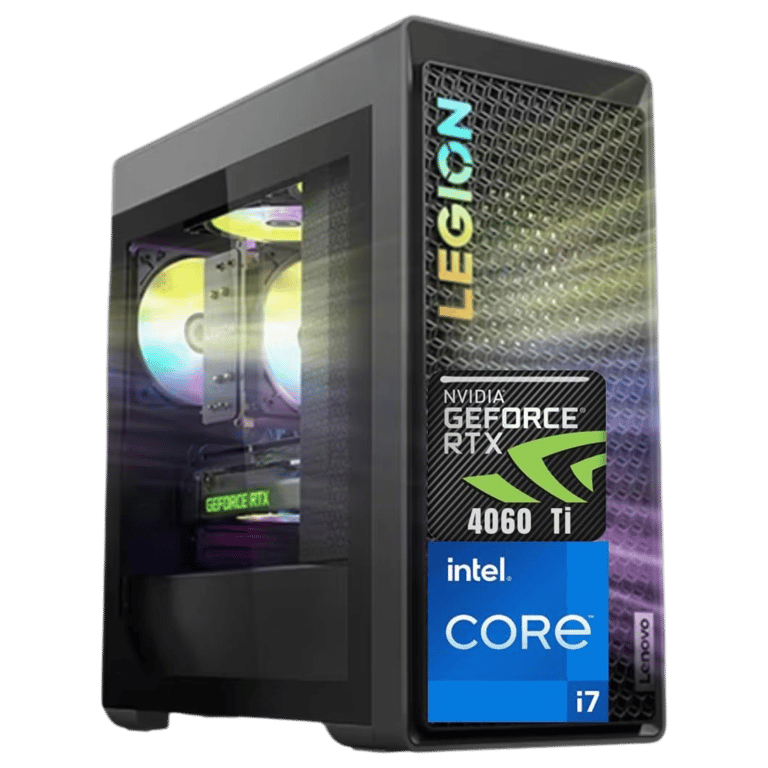
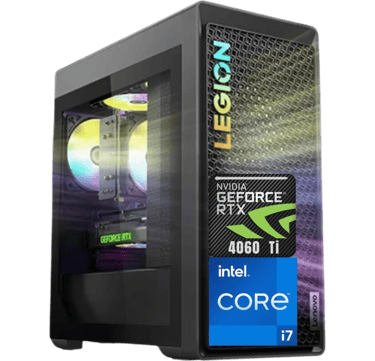
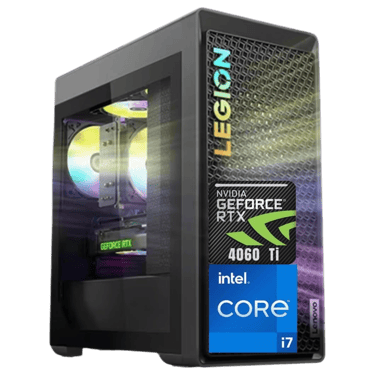
Lenovo Legion T5 Ultimate
Verdict
Best value golf simulator computer under $2500 for golfers who want premium reliability, excellent storage capacity, and dependable long-term simulator performance.
Best For
Golfers seeking a balanced simulator PC that delivers strong performance, quiet operation, and long-term stability.
Not Ideal For
Buyers chasing maximum graphics performance or premium 4K simulator builds.
Key Strengths
RTX 4060 Ti delivers excellent GSPro performance
Massive 2TB SSD provides plenty of room for simulator software and course libraries
32GB DDR5 memory supports demanding workloads
Legion systems are known for excellent thermals and reliability
Clean software experience with fewer unnecessary applications
Real-World Use Case
Perfect for golfers who want a simulator computer that performs well every day without requiring constant upgrades or troubleshooting. This is the type of system many golfers choose when they want strong simulator performance combined with dependable ownership and everyday usability.
Setup Notes
The Legion T5 balances performance, storage, cooling, and reliability better than many competing prebuilt systems. Golfers comparing factory-built systems should also read Prebuilt vs Custom PC for Golf Simulators before making a final decision. Its RTX 4060 Ti provides plenty of power for GSPro at 1080p and 1440p while the 2TB SSD ensures you'll have room for simulator software, course downloads, updates, and future expansion.
If reliability matters as much as performance, this is one of the safest choices on the page.
Specs
CPU: Intel Core i7-13700F
GPU: NVIDIA GeForce RTX 4060 Ti
RAM: 32GB DDR5
Storage: 2TB SSD
Operating System: Windows 11 Home
Connectivity: Wi-Fi / Ethernet
Best Use: Balanced GSPro and golf simulator setups
BUZZ PICK
Lenovo Legion T5
Best Value
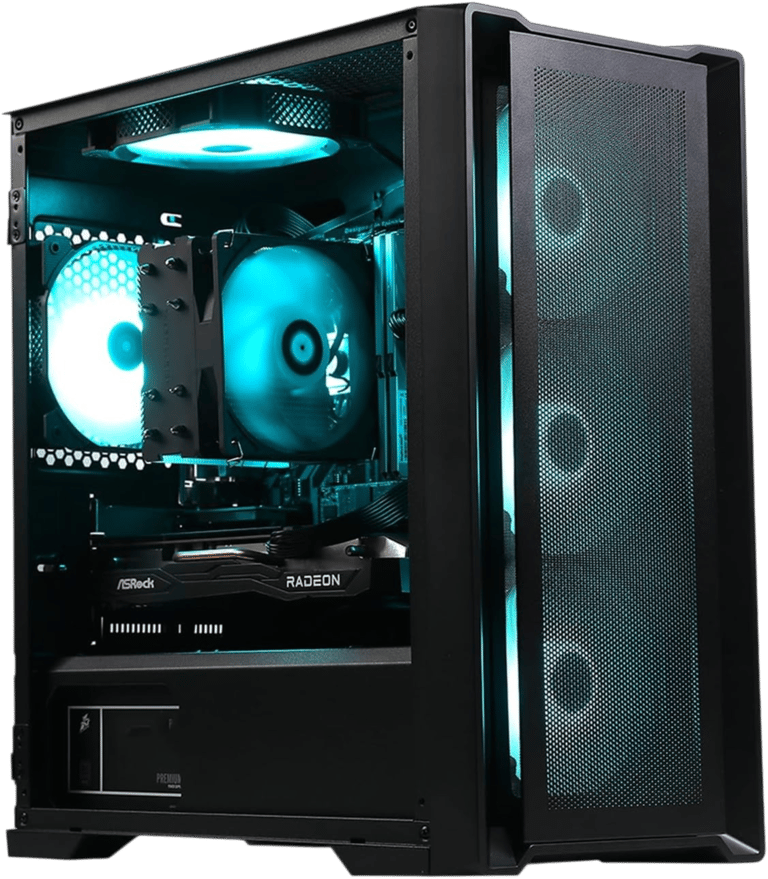
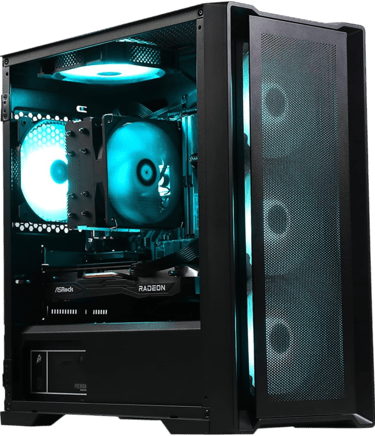
MXZ Gaming PC
Verdict
Best AMD-powered golf simulator computer under $2500 for golfers who want elite gaming performance and exceptional hardware value.
Best For
Enthusiast golfers, AMD fans, and users who want a powerful gaming and simulator PC in one machine.
Not Ideal For
Buyers who prefer NVIDIA graphics cards or want the most established simulator ecosystem.
Key Strengths
Ryzen 7 7800X3D is one of the best gaming processors available
RX 9070 XT delivers outstanding graphics performance
Fast DDR5 memory provides modern platform support
Excellent gaming performance outside simulator software
Strong overall hardware value
Real-World Use Case
Excellent for golfers who split their time between simulator practice and traditional PC gaming. The combination of the 7800X3D and RX 9070 XT creates a machine capable of handling demanding gaming workloads while remaining highly capable for simulator software.
Setup Notes
While many golf simulator discussions focus heavily on NVIDIA graphics cards, AMD hardware has become increasingly competitive. The RX 9070 XT delivers substantial graphical horsepower and pairs exceptionally well with the 7800X3D, making this one of the strongest performance-per-dollar systems available.
For golfers who want maximum gaming capability alongside simulator use, this is a compelling option.
Specs
CPU: AMD Ryzen 7 7800X3D
GPU: AMD Radeon RX 9070 XT
RAM: 16GB DDR5 6000MHz
Storage: 1TB SSD
Operating System: Windows 11 Pro
Connectivity: Wi-Fi / Ethernet
Best Use: High-performance gaming and simulator setups
BUZZ PICK
MXZ Gaming PC
Best AMD Performance
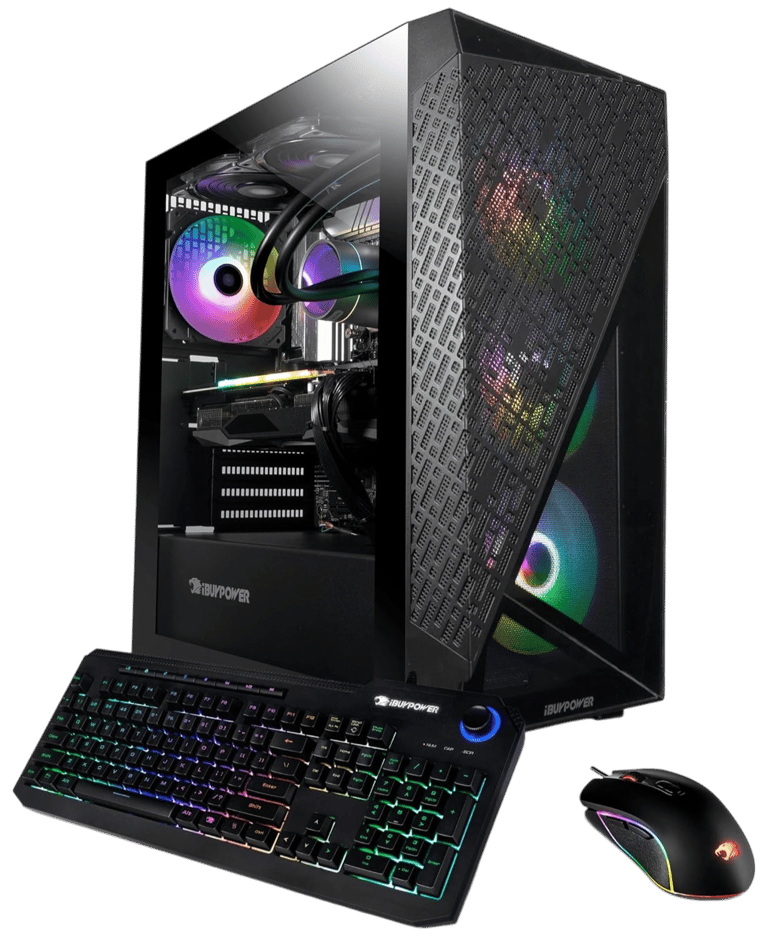
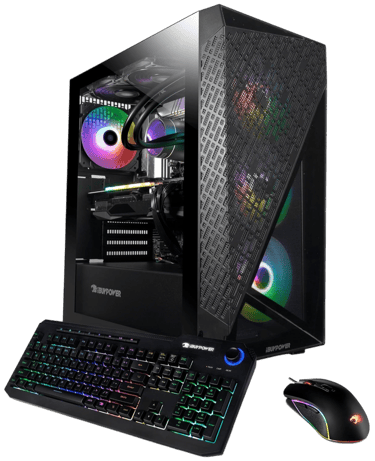
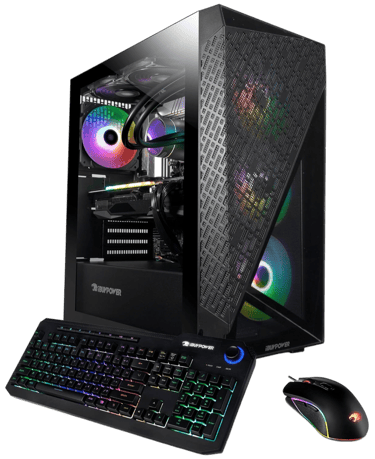
iBUYPOWER SlateMesh Gaming PC
Verdict
Best multi-purpose golf simulator computer under $2500 for golfers who need one machine for work, gaming, streaming, and simulator software.
Best For
Home office users, content creators, streamers, and golfers looking for a versatile all-around desktop.
Not Ideal For
Golfers focused exclusively on simulator performance or premium 4K projection environments.
Key Strengths
Intel Core i7-13700F delivers excellent overall system performance
32GB RAM supports heavy multitasking workloads
Large 2TB SSD provides outstanding storage capacity
RTX 4060 comfortably handles modern simulator software
Strong balance between gaming, productivity, and simulator use
Real-World Use Case
Ideal for golfers who need one computer to handle business tasks during the day and simulator sessions at night. Its combination of storage, memory, and processing power makes it one of the most versatile systems in this category.
Setup Notes
Golf simulator software is only one part of how many golfers use their computers. Whether you're editing videos, managing business projects, streaming, gaming, or running GSPro, the SlateMesh provides enough flexibility to handle a wide range of workloads without feeling specialized toward only one task.
Specs
CPU: Intel Core i7-13700F
GPU: NVIDIA GeForce RTX 4060
RAM: 32GB DDR4
Storage: 2TB SSD
Operating System: Windows 11 Home
Connectivity: Wi-Fi
Best Use: Multi-purpose gaming and golf simulator setups
BUZZ PICK
iBUYPOWER SlateMesh
Best Multi-Purpose
How Much PC Power Do You Actually Need for a Golf Simulator?
One of the most common mistakes golfers make is assuming simulator software has modest hardware requirements.
Modern simulator platforms like GSPro continue becoming increasingly demanding, which is why many golfers begin researching Minimum vs Recommended Golf Simulator PC Specs before building a simulator room.
As visual quality improves, graphics cards become increasingly important for maintaining smooth gameplay and realistic course rendering.
This is why premium simulator computers often prioritize graphics performance over simply choosing the fastest processor available.
For golfers planning a long-term simulator room, buying additional performance today often prevents costly upgrades later.
Does the Graphics Card Matter More Than the CPU?
For most golfers, yes.
The processor manages calculations, software operations, and background tasks, but the graphics card handles the visual experience you actually see on screen.
The graphics card impacts:
course detail
lighting effects
shadows
textures
frame rates
resolution support
As simulator software becomes more realistic, stronger graphics cards typically provide larger performance gains than modest processor upgrades, which is why Does CPU Matter for Golf Simulators? remains one of the most common questions golfers ask.
This is one reason systems equipped with RTX 5070 Ti, RTX 4060 Ti, and RX 9070 XT graphics cards continue attracting serious simulator enthusiasts.
1080p Simulator Setups
Most modern gaming PCs can comfortably handle 1080p golf simulator environments. At this resolution, golfers often experience smooth gameplay without requiring the most expensive graphics hardware.
1440p Simulator Setups
1440p has become the sweet spot for many golfers. It provides a noticeable visual improvement over 1080p while avoiding some of the extreme hardware demands associated with 4K projection. Most premium simulator computers perform exceptionally well at this resolution.
4K Simulator Setups
4K projection dramatically increases graphical demands. Higher resolutions require stronger GPUs, additional VRAM, and better cooling to maintain smooth gameplay. Golfers planning dedicated simulator rooms with premium projectors should strongly consider systems with higher-end graphics cards like the RTX 5070 Ti. For a deeper breakdown, see 1080p vs 4K Golf Simulator Performance.
1080p vs 1440p vs 4K Golf Simulator Setups
Why Cooling Matters More Than Most Golfers Realize
Golf simulator sessions often last significantly longer than traditional gaming sessions.
Many golfers spend multiple hours practicing, playing rounds, or participating in online tournaments.
During these extended sessions, cooling becomes increasingly important.
Better cooling helps:
maintain stable performance
reduce thermal throttling
improve component lifespan
lower system noise
support future upgrades
This is one reason premium systems with larger cases and advanced cooling solutions often outperform smaller systems over time.
Do You Need 32GB of RAM for GSPro?
For many golfers, 32GB of RAM has become the new comfort zone.
While 16GB remains usable, modern simulator software, launch monitor applications, Windows updates, and background programs can consume memory surprisingly quickly.
Additional RAM helps improve performance, responsiveness, and long-term stability. Golfers trying to determine whether 16GB is enough should read How Much RAM Do You Need for a Golf Simulator?
Golfers spending close to $2500 on a simulator computer will often benefit from starting with 32GB rather than upgrading later.
A Message from Buzz the Editor
After decades of building PCs, working in the tech field, and being Hacker/Duffer on the course, there are three golf simulator components I would never cheap out on. You can still go Mid-Grade, but just don't go bottom dollar.
1. Cage & Impact Screen
Golf balls hit harder indoors than most people expect. A quality cage and impact screen help prevent bounce-back, damaged walls, and safety issues.
2. Hitting Turf/Mat
Cheap mats can be brutal on: wrists - elbows - shoulders - lower back
Good turf protects your body and creates a more realistic practice experience long term.
3. Your Golf Simulator Computer
This is a true “buy once, cry once” category. Cheap gaming PCs often struggle with newer simulator software, limited upgrades, and weaker long-term performance. In many cases, replacing an underpowered system later costs more than buying a stronger setup upfront.
If you plan on staying current with modern golf simulator software, your PC is not the place I would cut corners.
These are the same recommendations I would give family and friends building their own setups.
Frequently asked questions
Is a $2500 golf simulator computer worth it?
For golfers building a long-term simulator room, investing in stronger hardware often provides better value over time. Premium computers typically remain capable for more years and require fewer upgrades as simulator software becomes more demanding.
Can these computers run GSPro at 4K?
Some can. Systems equipped with high-end graphics cards such as the RTX 5070 Ti are significantly better suited for 4K simulator environments than entry-level gaming PCs. Performance will vary based on graphics settings and projector resolution.
How much storage do I need for a golf simulator PC?
Most golfers should start with at least 1TB of storage. Larger course libraries, software updates, launch monitor applications, and recordings can consume space quickly. Systems with 2TB SSDs provide additional room for future growth.
Is NVIDIA or AMD better for golf simulators?
Both can work well. NVIDIA graphics cards have traditionally been more common in simulator discussions, but modern AMD cards offer excellent performance and value. The best choice often depends on the specific hardware configuration rather than the brand itself.
Should I prioritize the CPU or GPU?
For most golfers, the graphics card deserves priority. The GPU has a larger impact on visual quality, frame rates, and simulator realism, especially at higher resolutions.
Do golf simulator computers need liquid cooling?
Not always, but stronger cooling solutions can improve long-term performance and system stability. Golf simulator sessions often last for hours, making thermal management more important than many golfers realize.
Can these computers handle simulator software and gaming?
Yes. All of the systems featured in this guide can comfortably handle simulator software while also serving as capable gaming PCs.
What is the best golf simulator computer under $2500?
For most golfers, the Skytech Gaming Rampage Desktop PC offers the strongest overall combination of graphics performance, processing power, cooling, and future-proofing potential.
Quick Picks for Your Sim Setup


BUZZ PICK
Skytech
Gaming Rampage
Premium 4K-ready golf simulator performance.
BUZZ PICK
Lenovo Legion
T5 Ultimate
Reliable performance with massive 2TB storage.
BUZZ PICK
MXZ
Gaming PC
Elite AMD gaming and simulator performance.
BUZZ PICK
iBUYPOWER
SlateMesh
Powerful PC for work, gaming, and GSPro.

Final Verdict
The best golf simulator computer under $2500 ultimately depends on your room, projector, performance goals, and future upgrade plans.
If you want the strongest overall hardware package available in this category, the Skytech Gaming Rampage Desktop PC stands above the competition thanks to its RTX 5070 Ti graphics card, Ryzen 7 9700X processor, and premium cooling system.
Golfers prioritizing reliability, storage capacity, and everyday ownership should strongly consider the Lenovo Legion T5 Ultimate. Buyers still deciding between desktop and portable setups should compare Golf Simulator Computers: Laptop vs Desktop and Best Laptops for Golf Simulators.
The MXZ Gaming PC offers outstanding AMD-powered performance for enthusiasts, while the iBUYPOWER SlateMesh Gaming PC remains an excellent option for golfers seeking a versatile all-purpose desktop.
For golfers building a premium simulator room designed to last for years, stronger hardware today often means fewer compromises tomorrow.
Where Do You Want to Go Next?
Choose your path based on what you need right now.
Explore Everything
Dive deeper into:
golf sim PC requirements
GPU vs CPU performance
gaming desktop setups
GSPro computer guides
simulator PC upgrades
1080p vs 4K performance
This is the best place to better understand golf simulator computer performance and setup planning.
Compare Before You Buy
Trying to decide between a gaming laptop or desktop for your simulator setup?
Compare:
laptop portability
desktop performance
cooling and thermals
upgradeability
long-term value
If you're building a premium simulator room and want the strongest overall option on this page, start with the Skytech Gaming Rampage Desktop PC.
Its combination of RTX 5070 Ti graphics, Ryzen 7 processing power, and premium cooling makes it one of the most capable golf simulator computers available under $2500.
Just Get It Done
© 2026 GolfTechBuzz. All rights reserved.
Golf Tech Buzz
Performance Through Data
Practical guides, real-world setups, and unbiased comparisons for golfers building smarter practice environments.
General Inquiries: