

Best Budget PC Specs for Golf Simulators
Discover the true golf simulator PC cost, from budget to high-end, and learn what hardware and specs deliver the best simulation performance.
COMPUTERS
Golf Tech Buzz Editorial Team - Led by AJ “Buzz” Eichman
5/5/20267 min read
Setting up a golf simulator is an epic way to keep your swing sharp when the weather turns nasty or your local course is closed. But here’s the deal: running a smooth, accurate golf sim isn’t about just plugging any old PC into your projector and calling it a day. You need the right hardware under the hood—especially if you’re balling on a budget, say under $1000. If you’re building this out properly, everything ties back to the Golf Sim Computers system so you understand how your PC fits into the full setup.
I’ve seen guys try this and that, and trust me, scrimping on a few key specs can turn your dream simulator into a frustrating lag fest.
In this guide, I’ll break down exactly what you need in a budget PC for golf simulators so your setup runs like a finely tuned driver swing, not a hacked together putter.
Quick Verdict
Prioritize a dedicated GPU like the NVIDIA GTX 1650 or AMD equivalent for smooth visuals.
Aim for at least 8GB of RAM, but 16GB makes multitasking and stability a breeze.
A recent-gen quad-core CPU such as the Intel i5 or AMD Ryzen 5 hits the sweet spot for performance and price.
Fast storage via SSD significantly improves loading times and responsiveness.
Double-check your simulator’s software and hardware needs before buying.
Plan ahead for future upgrades, especially GPU and RAM.
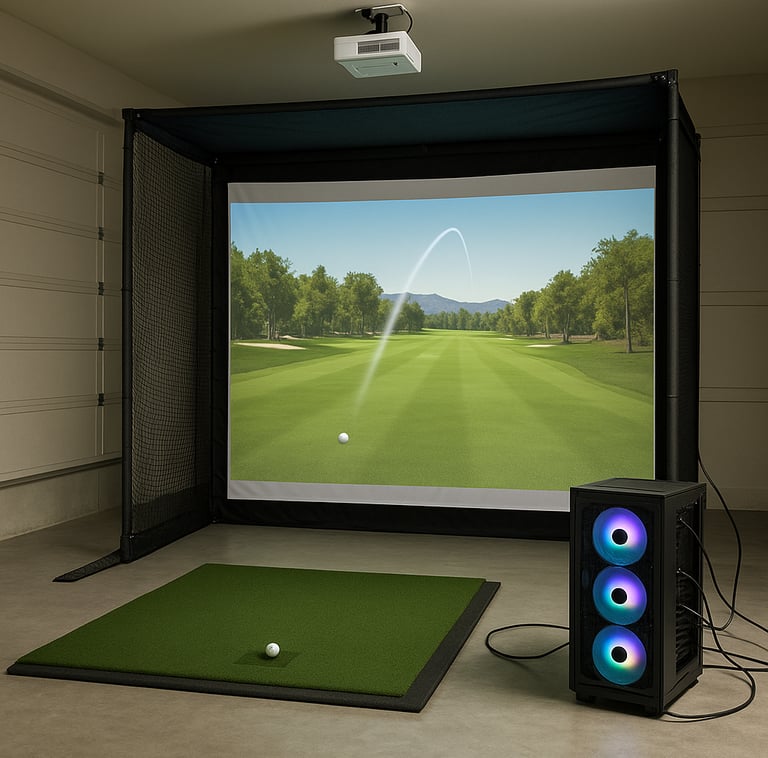
Why a Dedicated PC Is Important for Golf Simulators
You might wonder, “Can’t I just use my gaming rig or laptop to run this?” Well, here’s what I’ve learned running winter leagues and testing endless setups—golf simulators aren’t your average games.
They require real-time data processing from launch monitors or cameras, plus detailed graphics rendering of ball flight, course visuals, and swing data. This means your PC needs to juggle incoming sensor data, physics calculations, and graphics without choking.
Sure, some popular golf simulation software can run on mid-tier PCs, but that often means dialed-down graphics, occasional stutters, and longer load times. For a reliable, immersive experience, a dedicated PC with the right specs is your best bet. Plus, budget PCs under $1000 strike a great balance between performance and cost without forcing you to compromise on essential features. If you're unsure how different setups compare, see Golf Simulator Computers: Laptop vs Desktop.
Key Components for Budget Golf Simulator PCs: GPU, CPU, RAM, SSD
Let’s dive into each core component and what kind of specs you want to look for without busting your budget. If you want a full breakdown of how software impacts these specs, check Golf Simulator PC Requirements by Software.
Graphics Processing Unit (GPU)
The GPU is the workhorse for rendering your golf simulator’s graphics. If you’re imagining a smooth, detailed fairway under digital skies, you need a dedicated GPU—none of this integrated graphics nonsense.
The NVIDIA GTX 1650 is the go-to recommendation here. It handles simulation software duties smoothly, offers good power efficiency, and is affordable on the used market, too. AMD’s Radeon RX 570 or RX 580 are solid alternatives performing similarly well around the same price point.
Avoid GPUs below this tier, or you’ll face stutters, dropped frames, and ugly lag during ball flights and shot replays—nobody’s got time for that. If you want deeper guidance, read What GPU Do You Need for a Golf Simulator?.
Central Processing Unit (CPU)
The CPU does the heavy lifting for physics calculations and running simulation logic alongside supporting the GPU.
For under $1000 setups, a quad-core processor from recent generations will do nicely. Intel’s Core i5 (9th gen or newer) or AMD’s Ryzen 5 (3000 series or newer) deliver balanced power without killing your wallet. These CPUs handle multi-threaded workloads well, which helps when processing sensor data and running the simulation simultaneously.
Try to avoid dual-core or older CPUs; they bottleneck performance, causing delays and overheating risks if pushed too hard. If you're debating CPU impact, see Does CPU Matter for Golf Simulators?.
Memory (RAM)
Think of RAM as your PC’s workbench. It holds all the currently running processes and data. At the bare minimum, 8GB of RAM is essential to prevent hiccups, crashes, or freezing during simulation sessions.
That said, if your budget allows, 16GB is the sweet spot these days, letting you multitask (maybe streaming your rounds or running background software) without breaking a sweat. More RAM essentially future-proofs your setup as simulation software gets more demanding. If you want exact recommendations, check How Much RAM Do You Need for a Golf Simulator?.
Storage (SSD vs HDD)
If you’re still rocking a traditional hard disk drive (HDD), it’s time to upgrade. SSDs (solid-state drives) deliver faster read/write speeds, meaning your simulation software boots quicker, loads courses instantly, and saves data without annoying delays.
A 256GB SSD is often a good baseline for a budget build, balancing capacity and cost. If you can swing a 512GB SSD within your budget, even better. Remember, slow loading times put a real damper on your practice sessions. For a full comparison, see SSD vs HDD for Golf Simulators.
Recommended Specs and Components Under $1000
Here’s what you should aim for when buying or building a budget PC for golf simulation:
GPU: NVIDIA GTX 1650 or AMD Radeon RX 570/580
CPU: Intel Core i5 (9th Gen or newer) or AMD Ryzen 5 (3000 series or newer)
RAM: 8GB minimum (16GB recommended)
Storage: 256GB SSD minimum (512GB ideal)
USB 3.0 or higher ports (important for connecting cameras and launch monitors)
Windows 10 or higher (most simulator software prefers Windows OS)
If you want prebuilt options that fit these specs, start with Best Golf Sim Computers Under $1000 or compare across tiers in Best Golf Sim Computers Under $2500.
Tips for Ensuring Software and Hardware Compatibility
Before you throw your money at a shiny new box, double-check your chosen golf simulator software and peripherals for their specific requirements. If you're unsure where you fall, compare Minimum vs Recommended Golf Simulator PC Specs.
Some simulators will need USB 3.0 ports for connection to launch monitors or high-speed cameras.
Others might require Bluetooth for sensor integration.
Confirm your PC specs meet or exceed minimum recommendations—not just the bare minimum, but ideally hitting recommended specs.
Verify operating system compatibility; Windows 10 and 11 are the safest bets.
Check forums and user reviews for your specific hardware-software combination to catch any quirks or hidden issues.
Common Mistakes When Choosing a Golf Simulator PC
I’ve seen guys fall into these traps more times than I care to count:
Underestimating GPU power: hoping integrated graphics will cut it, only to get stutter city in the first ten minutes.
Skimping on CPU cores: grabbing a dual-core thinking it’ll be fine, but it chokes on physics calculations.
Going too cheap with RAM: buying 4GB machines and wondering why the software crashes mid-session.
Overlooking the need for SSD storage: waiting multiple minutes for courses to load kills your practice mojo.
Forgetting to check ports: no USB 3.0 and your fancy launch monitor might refuse to sync.
Ignoring future upgrades: you want a system that can grow with your simulator obsession, not an immediate dead-end.
If you’re comparing performance tiers, see Gaming PC vs Laptop for Golf Simulators (Performance, Cost & Setup).
Upgrade Paths for Future Performance Improvements
Buying a budget PC doesn’t mean you’re stuck with what you get forever. Choose a system that lets you upgrade down the line:
Adding more RAM is usually the easiest and cheapest upgrade.
GPUs often have multiple tiers so you can swap out for a better card when prices drop.
Consider SSD capacity expansion for more courses and data.
Keep an eye on new CPU options compatible with your motherboard for eventual boosts.
If you're going the DIY route, start with Best PC Parts for a Golf Simulator Build.
Top Budget PC Builds and Where to Buy
If you’re not building your rig from scratch, plenty of budget gaming PCs on sites like Newegg, Amazon, or even refurbished stores hit the sweet spot:
Check for pre-built desktop PCs featuring GTX 1650 or equivalent GPUs with at least 8GB RAM.
Some custom PC vendors offer entry-level simulation packages under $1000.
Don’t ignore second-hand or refurbished deals if you know what you’re doing—that’s how I scored my last beast for a steal.
Always balance cost and specs, and ask for sellers’ return policies just in case.
Frequently Asked Questions About Golf Simulator PCs
What is the minimum PC specification for running popular golf simulators?
Most popular golf simulators recommend at least a mid-tier dedicated GPU (like GTX 1650), a quad-core CPU (Intel i5 or Ryzen 5), and 8GB of RAM with SSD storage for smooth gameplay.
Can I use a budget gaming PC for a golf simulator?
Absolutely. Budget gaming PCs often have the right balance of GPU and CPU power needed for simulators. Just ensure it has adequate RAM and SSD storage.
How important is the GPU in a golf simulator PC build?
Super important. The GPU handles rendering of graphics and ball flight visuals in real-time. Without a solid dedicated GPU, you’ll face lag and lower visual quality.
Is 8GB RAM enough for smooth golf simulation performance?
8GB is the minimum you want. It’ll get the job done, but 16GB offers much better stability and multitasking capability, especially if you plan to run other apps alongside your simulator.
What type of storage should I choose for the best simulation experience?
SSD storage is the way to go. It drastically reduces load and save times compared to HDDs, keeping your sim responsive and smooth.
Are laptops viable options for golf simulator PCs under $1000?
They can be, but most laptops under $1000 lack a strong dedicated GPU or have thermal limits that impact performance. Desktops usually offer better performance per dollar. If you’re considering that route, see Best Laptops vs Desktops for Golf Simulators.
How do I ensure hardware compatibility with my golf simulator setup?
Check your simulator and peripheral manuals for system requirements, verify USB and Bluetooth support, and read user forums for real-world compatibility experiences.
Can I upgrade components of my budget PC later to improve performance?
Yes. Most budget PCs allow upgrading RAM, storage, and sometimes GPU. Plan for upgrade-friendly parts when buying.
Conclusion
Building a tight golf simulator setup on a budget under $1000 is totally doable, but only if you nail the right hardware specs. Focus your investment on a solid dedicated GPU, a quad-core CPU, and at least 8GB of RAM, paired with SSD storage for speed. Don’t cheap out on these essentials, or you’ll end up frustrating yourself more than improving your swing.
Double-check compatibility with your chosen golf simulation software and peripherals, and pick a system that lets you upgrade down the road as your simulator needs grow. With the right under-$1000 PC, you’re just a few shots away from your best indoor golf season yet.
Now get out there and crush those winter rounds—your golf sim and your handicap will thank you.
© 2026 GolfTechBuzz. All rights reserved.
Golf Tech Buzz
Performance Through Data
Practical guides, real-world setups, and unbiased comparisons for golfers building smarter practice environments.
General Inquiries: