
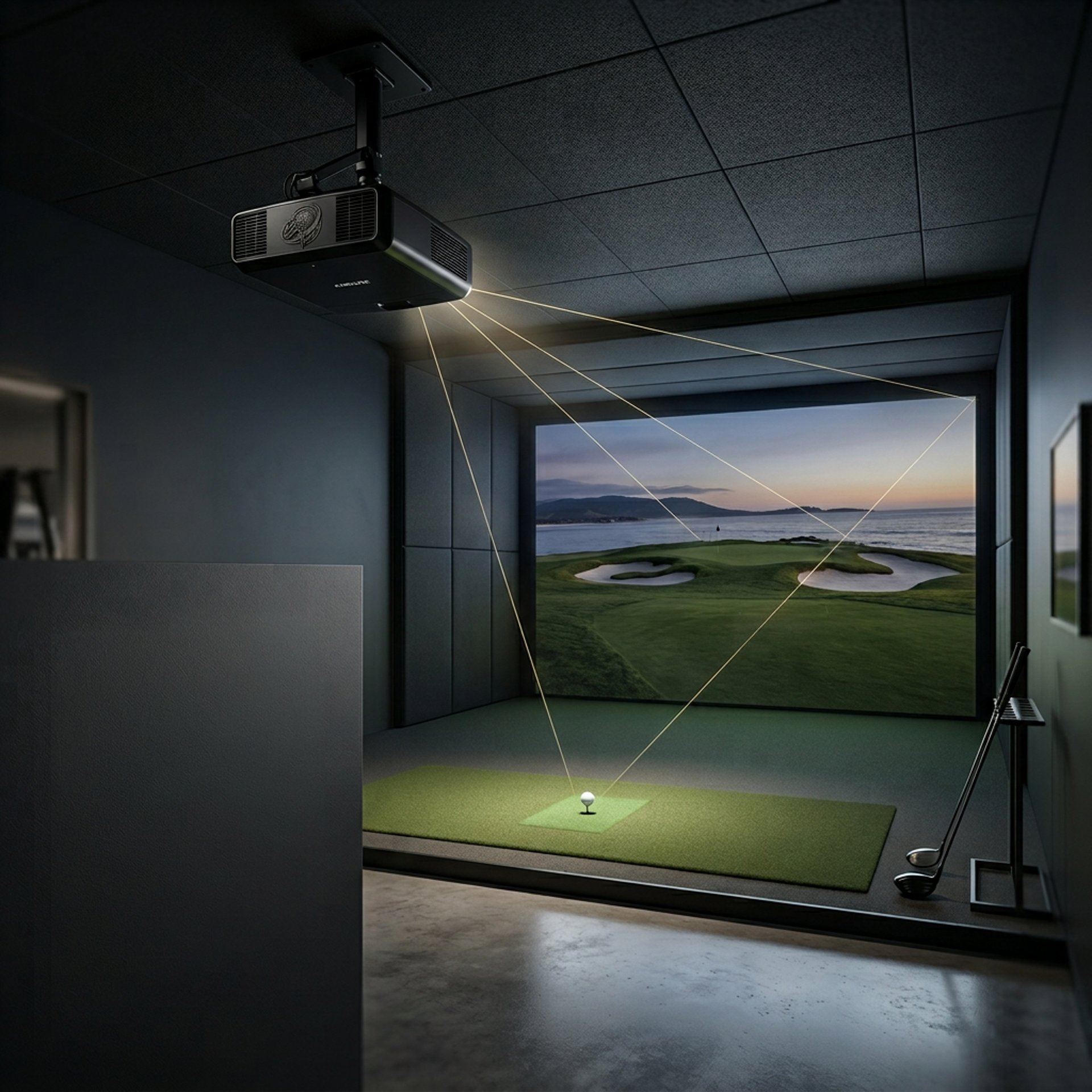
Do You Need a Short Throw Projector for Golf Sims?
Explore how a short throw projector can optimize your golf simulator setup, especially in small spaces, for shadow-free, clear gameplay.
PROJECTORSSIMULATORS
Golf Tech Buzz Editorial Team - Led by AJ “Buzz” Eichman
4/27/20266 min read
If you’re setting up a golf simulator, especially in a tight spot like a garage or small room, you’ve probably bumped into the topic of short throw projectors. Are they the magic ticket to shadow-free swings and crisp images, or just another gimmick?
Before deciding, make sure your full setup is mapped out with the Golf Sim Projectors pillar so everything works together correctly.
Here’s the drill: a short throw projector can seriously upgrade your sim experience if your setup is space-challenged. But they’re not always the right play depending on your room size, budget, and how serious you get with your virtual game.
If you want a full breakdown of projector specs, setup, and buying decisions, the Golf Simulator Projector Guide walks through everything step-by-step.
Quick Verdict
Short throw projectors shine in small spaces by projecting large images from a short distance, minimizing those annoying shadows on the screen.
If you’ve got room to spare, a traditional or long throw projector might give you a brighter image and better value.
Image quality, projector brightness, and resolution are just as important as throw distance—don’t overlook these.
Proper placement and measuring your space before buying are key; otherwise, you risk a setup that’s more frustrating than fun.


What Is a Short Throw Projector?
Let’s break it down simply: projectors come with different throw ratios, which are basically how far away they have to be from the screen to create a certain image size.
If you need a deeper understanding of how that works, What Throw Ratio Do You Need for a Golf Projector? explains exactly how distance and image size connect.
Short throw projectors have a throw ratio usually between 0.4 and 1.0, meaning they can throw a big image from about 3 to 4 feet or less away. This contrasts with standard (1.0 to 2.0) and long throw (above 2.0) projectors that need more space—sometimes 10 feet or more—to fill the screen.
How Short Throw Projectors Work in Golf Simulators
Golf simulators rely on clear, bright visuals projected onto an impact screen where you hit real balls.
If you're comparing projector types directly, Short Throw vs Standard Projectors for Golf Sim Setup breaks down exactly how these setups differ in real environments.
Having the projector close to that screen means fewer shadows get cast when you swing. This is crucial because shadows messing with your projected balls make it harder for simulator sensors to track shots accurately.
A short throw projector sits tight to the wall or ceiling right near the screen, cutting out most swinging shadows and keeping your view clean.
Benefits of Using a Short Throw Projector for Golf Sims
Here’s where the rubber meets the road. If your space is tight—think a garage with 10–12 feet depth or a spare room often dominated by furniture—short throw projectors offer some serious perks:
Minimal shadows: Swing, “whoosh,” and the projector doesn’t block your shot line.
Space-saving: No need for deep rooms; you can set it up closer to the screen.
Less setup hassle: Easier to mount near the screen, avoiding long cables run across the room.
Good image size: Despite being close, these projectors pack enough punch to draw big, clear images for immersive play.
Drawbacks and Limitations of Short Throw Projectors
But if short throw were all upside, everyone would use them—right? Here’s the deal with their downsides:
Price tag: They generally cost more than standard projectors with similar specs. You’re paying a premium for that space-saving tech.
Brightness trade-off: Sometimes, short throw models aren’t as bright since all the nifty optics in that small package can limit lumens compared to long throw projectors.
Image quality quirks: While many are full HD or better, some budget short throws compromise resolution or color accuracy, which can dull your sim experience.
Heat & ventilation: Closer to walls or ceiling, some models can run hotter and need room for cooling.
Placement precision: These projectors have less wiggle room. If you miscalculate distance even a bit, your image can end up warped or off-scale.
Alternatives: Standard and Long Throw Projectors
If your sim space is on the larger side—say a dedicated room with 15 feet or more of depth—standard or long throw projectors might be the smarter bet.
If you're comparing real models, Best Projectors for Golf Simulators and Best Projectors Under $1,000 will give you solid options across budgets.
Long throw projectors offer:
Higher brightness: More lumens mean vivid daylight or well-lit room projection.
Often better price-to-performance ratio: More choices available in every price range.
Flexibility for bigger screens: Can handle wider setups for full immersive experience.
But the trade-offs? More shadows, bigger rooms needed, and cables running longer distances.
Key Considerations When Choosing a Golf Simulator Projector
Choosing the right projector can make or break your golf sim setup. Here’s what I always drill into my league buddies before they drop cash:
Room size and throw distance – Measure twice, buy once. Know your space’s depth and figure out what throw ratio you need.
Brightness (Lumens) – Aim for at least 2000 lumens indoors. The brighter, the better, especially if you’re not controlling ambient light.
Resolution – Full HD (1920x1080) or better is the sweet spot for sharp graphics.
Compatibility – Check your simulator software and hardware specs for resolution and input requirements.
Lens shift & keystone correction – Helpful for fine-tuning the image if you can’t mount perfectly centered.
Budget – Don’t cheap out. Bad projectors ruin good simulators.
Ventilation – Make sure your setup allows airflow; projectors running hot can die faster.
If you’re dialing in brightness specifically, What Lumens Do You Need for a Golf Simulator? will help you avoid underpowered setups.
Setup Tips for Optimal Performance
Guys, even the best projector will disappoint if it’s not set up correctly. To avoid headaches:
Mount close enough to your screen to match the throw ratio but give room for airflow.
Use a matte white or specialized impact screen designed for simulators.
Control lighting—ideally a darker room or blackout curtains—to boost image clarity.
Adjust image settings and do some test swings to check shadow interference.
Keep cables tidy and secure to avoid accidental unplugging mid-drive.
If you’re struggling with layout or positioning, Best Projector Placement for Small Golf Simulator Rooms will help you clean that up.
Common Mistakes People Make Choosing Projectors for Golf Sims
I’ve seen countless setups go sideways because someone skipped the basics:
Buying a short throw projector without measuring the actual depth—end up stuck with a tiny or distorted image.
Ignoring lumens and ending up with a dull, washed-out screen in a room with windows.
Overlooking resolution, leading to pixelated graphics that make sim data hard to read.
Forgetting to consider heat buildup in tight spaces; projector fans going into overdrive can be a distraction.
Not verifying compatibility with your golf sim software or hardware inputs (HDMI or USB).
Thinking a higher price always means better performance—sometimes, you’re just paying for brand.
Frequently Asked Questions About Golf Simulator Projectors
What is a short throw projector and how does it differ from a standard projector?
A short throw projector creates large images from a very short distance (3–4 feet), whereas standard projectors need more space to fill the same screen size. That means less shadow interference with short throw, which is great for sims in small rooms.
Do I need a short throw projector for my golf simulator if I have a large room?
Not necessarily. Larger rooms can accommodate standard or long throw projectors which often offer higher brightness and better pricing without shadow issues from distance.
Can I use a long throw projector in a small space like a garage?
Possible, but not ideal. Long throw projectors need more depth and tend to cast shadows that interfere with shot tracking when you're swinging close to the screen.
What are the key features to look for in a golf simulator projector?
Look for brightness (minimum 2000 lumens), Full HD or better resolution, low throw ratio for tight spaces, lens shift/keystone correction, and input compatibility with your sim setup.
How important is projector brightness for indoor golf simulations?
Very. A brighter projector prevents washed-out images, especially if your sim room has windows or overhead lights that you cannot fully control.
Are short throw projectors more expensive than standard projectors?
Generally, yes. The technology that allows wide images up close comes at a premium, so expect to pay more than for equivalent brightness or resolution standard models.
How close can I place a short throw projector from the screen?
Typically within 3 to 4 feet, depending on the specific throw ratio of your model. Always check manufacturer specs before installation.
What are the alternatives to short throw projectors for golf sims?
Standard and long throw projectors, especially if you have a bigger room, can work well. Some setups also use ultra-short throw projectors or even LED displays but those are in a different cost and complexity league.
Conclusion
Here’s the takeaway, friend: short throw projectors aren’t some kind of wizardry, but in the right environment, they’re a heck of a smart play. If you’re cramming a golf sim into a garage or small spare room, they’ll save you headaches with reduced shadows and less space-consuming setups. That said, they come with their own quirks—price, brightness, and setup precision—which means measuring your space and checking specs matter more than ever.
On the flip side, if space isn’t an issue, a long throw or standard projector often serves better with brighter images and more options. Whatever you pick, don’t forget that the best golf simulator projector is the one that fits your setup, plays nice with your sim software, and keeps your eyes sharp while you crush those drives.
© 2026 GolfTechBuzz. All rights reserved.
Golf Tech Buzz
Performance Through Data
Practical guides, real-world setups, and unbiased comparisons for golfers building smarter practice environments.
General Inquiries: