
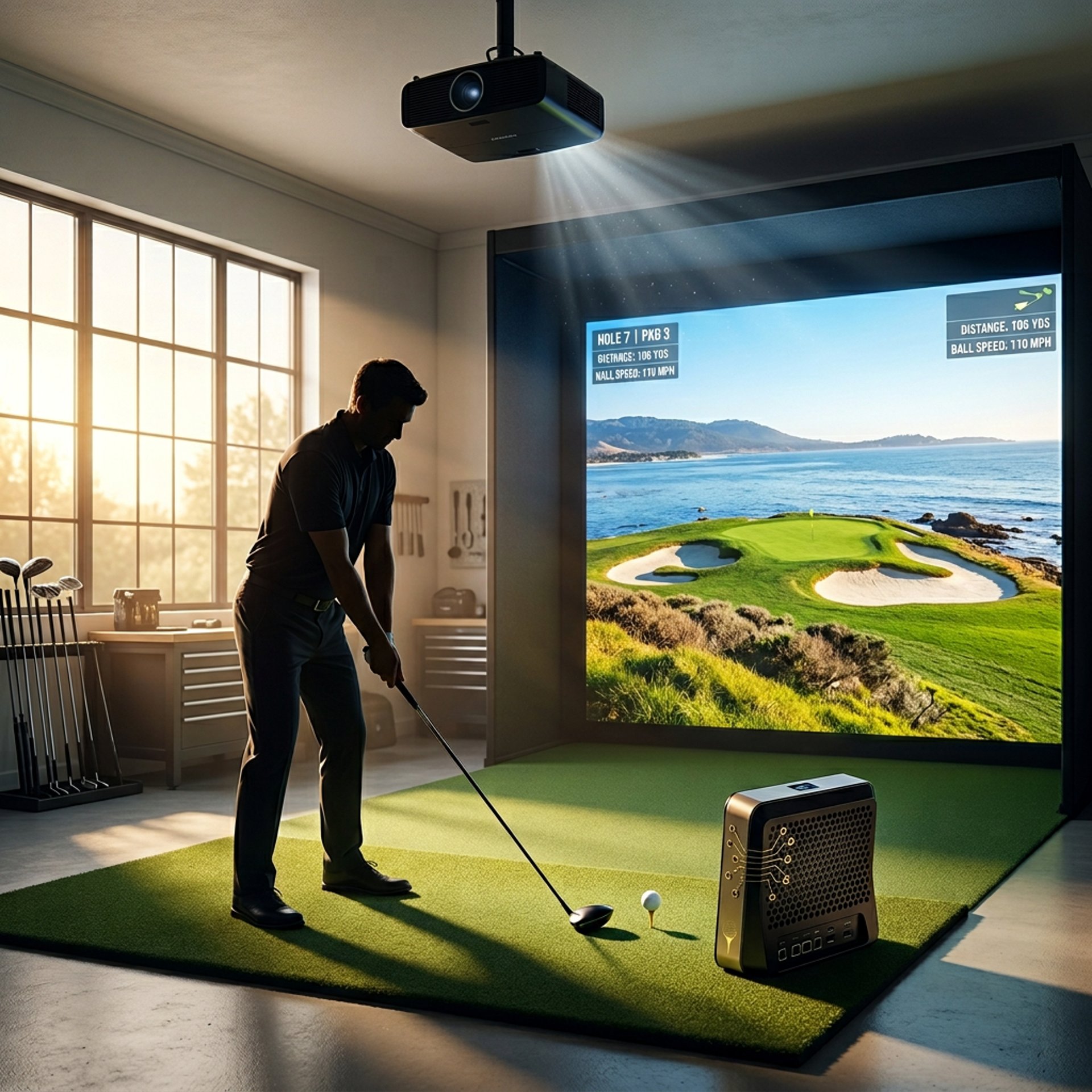
Best Projector Placement for Small Golf Simulator Rooms
Learn the best projector placement techniques for small golf simulator rooms to ensure sharp images, avoid shadows, and maximize your indoor golfing experience.
PROJECTORSSIMULATORS
Golf Tech Buzz Editorial Team - Led by AJ “Buzz” Eichman
4/27/20265 min read
If you’re like me and you’ve tried to shoehorn a golf simulator into a tight space, you know it’s not just about picking a good projector—it’s about placing it right. Getting your projector placement nailed in a small golf simulator room can mean the difference between a crisp, immersive experience and a shadowy, distorted mess where you’re ducking your own swing.
Before dialing in placement, make sure your full setup is structured properly with the Golf Sim Projectors pillar so everything works together correctly.
I’ve run winter leagues indoors, tested the gear myself, and fixed my fair share of wonky setups, so here’s the no-nonsense lowdown on how to make your golf simulator projector setup work flawlessly—even in the tightest rooms.
Quick Verdict
Short throw projectors are your best friend in small spaces because they project big images from just a few feet away.
Ceiling mounting the projector keeps it out of your swing path and reduces those annoying shadows.
Accurately calculating projector distance based on throw ratio is crucial. Too far or too close will mess with image clarity and size.
Brightness matters—stick to projectors rated between 2500 and 3500 lumens for indoor golf simulators with controlled lighting.
Understanding Projector Technology and Throw Ratios
Here’s the deal. Every projector has what’s called a "throw ratio," which is basically how far the projector needs to sit from your screen to fill it with an image of a certain size.
If you want a full breakdown of how throw ratio impacts placement and sizing, What Throw Ratio Do You Need for a Golf Projector? walks through it step-by-step.
For example, a projector with a 1.5:1 throw ratio means it needs 1.5 feet of distance for every foot of image width. So, if you want a 100-inch wide image, you’re looking at roughly 12.5 feet of distance.
In small golf simulator rooms, this can get tricky because you just don’t have the luxury of that much space behind the hitting area to mount or place the projector.
Why Placement Matters in Small Rooms
Projector placement isn’t just a technical nicety—it’s fundamental to your playing experience. You want your image to fully cover your impact screen without any cutoffs. You want it bright enough indoors, but not wash-out blinding. And most importantly, you don’t want the projector blocking your swing or casting harsh shadows on the screen.
If shadows are already causing problems, Why Your Golf Simulator Projector Has Shadows (Fix Guide) will help you clean that up fast.
That’s a rookie mistake I see all the time. If you’re swatting away your own image or ducking around the ceiling mount, you’re not enjoying your sim, plain and simple.
Options for Projector Placement: Ceiling Mount, Rear Mount, Short Throw
Ceiling Mount
This is the most popular choice for small rooms and for good reason. Mounting the projector on the ceiling keeps it out of the way of your swing, sharpens the image alignment, and reduces shadows.
If you’re deciding between projector types for this kind of setup, Short Throw vs Standard Projectors for Golf Sim Setup will help you choose the right approach.
Rear Mount
Mounting the projector behind the hitting area (against the back wall) works if you have at least 10 feet of space, but that’s rare for small rooms.
Short Throw Projectors
The holy grail for small spaces. A real short throw projector can project a large, clear image from 3 to 5 feet away.
If you’re still deciding if this is necessary, Do You Need a Short Throw Projector for Golf Sims? breaks down when it actually makes sense.
Keep in mind: short throw models tend to be pricier, but if you’re serious about your simulator, it’s worth the investment.
Calculating the Ideal Projector Distance
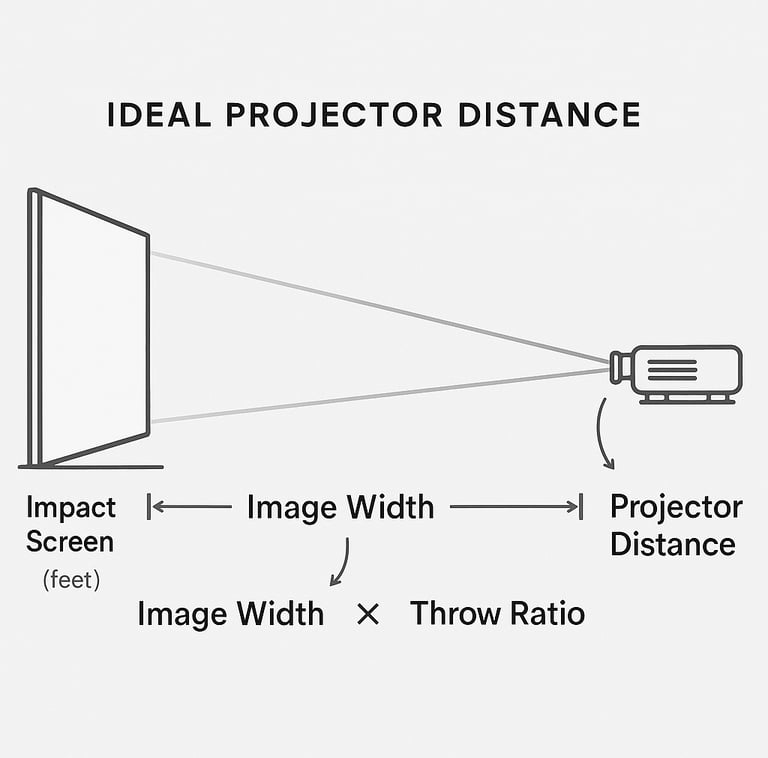
You’ve got to measure before you buy. Here’s the basic formula: Projector Distance = Image Width x Throw Ratio.
Say your screen width is 8 feet and your projector has a 0.5 throw ratio. You’ll need 4 feet between the projector and screen.
If you’re also trying to balance brightness with distance, What Lumens Do You Need for a Golf Simulator? will help you avoid underpowered setups.
Now lay that out inside your room and see if it fits comfortably with swing space.
Dealing with Shadows and Swing Path Interference
Nothing kills your swing mojo faster than your own shadow ruining the screen image. To beat this:
Mount the projector on the ceiling centered above and behind the hitting area.
Use a short throw projector to keep it close and high.
Avoid side mounts or floor placements that put the projector directly in your swing path.
Adjust your stance so your body isn’t between the projector beam and the screen.
If shadows persist, a diffuser or anti-glare screen can help—but usually, good placement solves most issues.
Recommended Projector Brightness and Image Adjustment Tips
For indoor golf simulators, especially in rooms with controlled lighting, a projector with 2500 to 3500 lumens is ideal.
Tip: Focus on higher contrast and colors over max brightness alone. You want crisp ball flight and course imagery, not just blinding light.
Once mounted, use the projector’s zoom and focus features to fine-tune the image size. Keystone correction is handy when your projector isn’t perfectly perpendicular.
Common Mistakes to Avoid
Placing the projector too far back
Ignoring your swing path
Overlooking ceiling height and mounting hardware quality
Not checking the projector’s throw ratio before buying
Choosing a projector with too low brightness
Neglecting proper ventilation
FAQs About Golf Simulator Projector Setup
What is the ideal distance to place a golf simulator projector in a small room?
It depends on your projector’s throw ratio and screen size. Short throw projectors need about 3 to 5 feet, while standard projectors may require 8 to 12 feet.
Can I use a short throw projector for a golf simulator?
Absolutely. Short throw projectors are often the best choice for small rooms because they can produce large images from very close distances.
Should the projector be ceiling mounted or rear mounted?
Ceiling mounting is generally better for small rooms to keep the projector out of the way and minimize shadows.
How do I avoid shadows on the impact screen from my swing?
Position the projector on the ceiling and out of the player’s swing path. Using a short throw projector helps.
What projector brightness is recommended for indoor golf simulators?
Look for projectors around 2500 to 3500 lumens.
How do I adjust the projector image to fit the screen properly?
Use your projector’s zoom and focus controls first, then fine-tune using keystone correction if needed.
Can I install a golf simulator projector in a home garage?
Yes, garages can work well but consider ceiling height and space behind the tee area.
What are the common setup mistakes to avoid with golf simulator projectors?
Including placing the projector too far away, ignoring swing clearance, choosing the wrong throw ratio, insufficient brightness, and poor mounting stability.
Conclusion
If you’re squeezing your golf simulator into a small room, don’t settle for just “good enough” projector placement. It’s the backbone of a serious indoor golfing experience. Short throw projectors paired with a solid ceiling mount setup make life easy—offering big images in small spaces without shadows or swing interference.
© 2026 GolfTechBuzz. All rights reserved.
Golf Tech Buzz
Performance Through Data
Practical guides, real-world setups, and unbiased comparisons for golfers building smarter practice environments.
General Inquiries: