
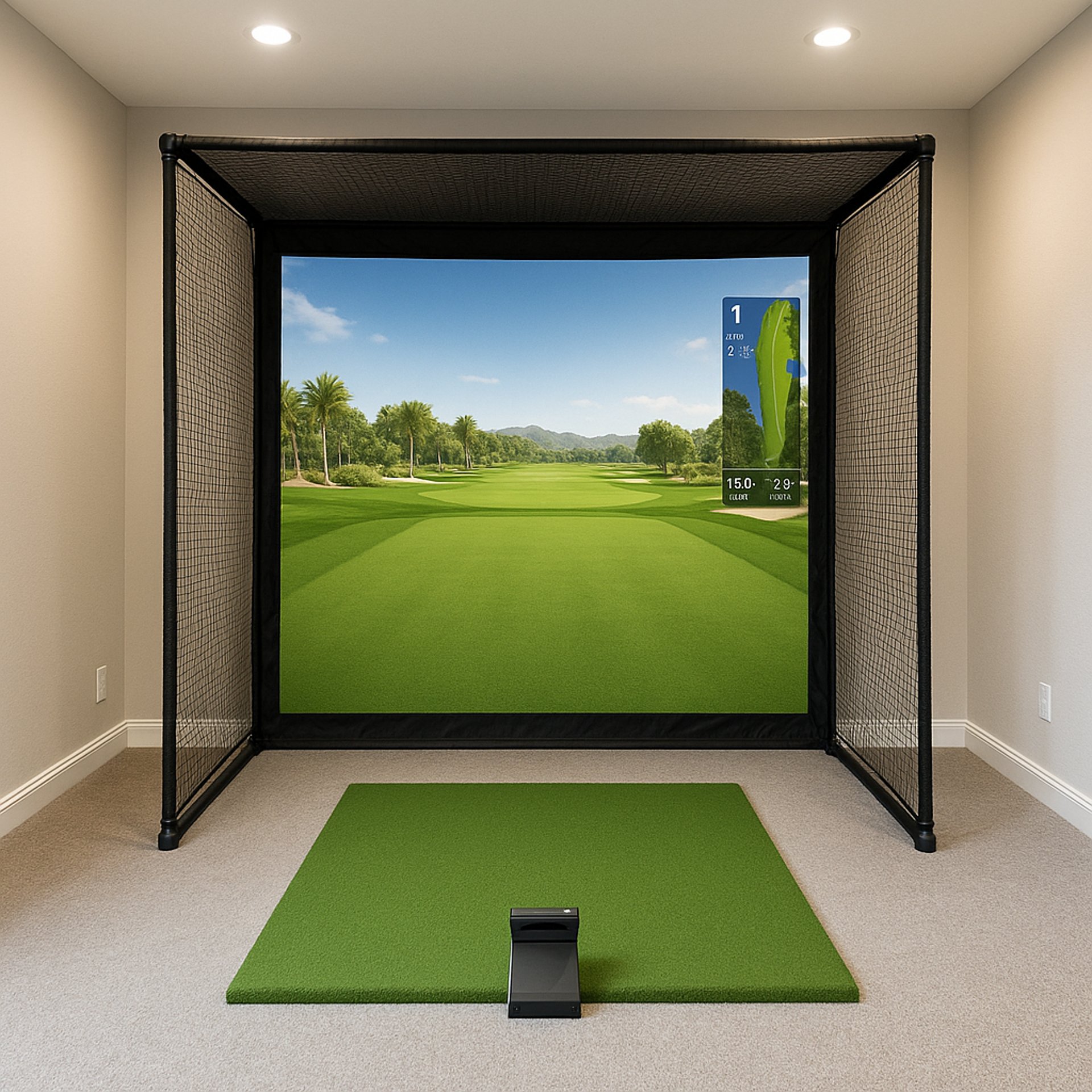
Why Your Golf Simulator Projector Has Shadows (Fix Guide)
Learn why golf simulator projector shadows happen and how to fix them with practical tips on projector placement, screen setup, and lighting control.
PROJECTORSSIMULATORS
Golf Tech Buzz Editorial Team - Led by AJ “Buzz” Eichman
4/27/20264 min read
If you’ve ever set up a golf simulator only to find annoying shadows ruining your virtual rounds, you’re not alone. Shadows are one of the most common hurdles in golf simulator projector setups, and they can seriously impact both the immersion and accuracy of your practice sessions.
Before troubleshooting anything, make sure your overall setup is structured correctly using the Golf Sim Projectors pillar so everything works together properly.
I’ve installed hundreds of simulators over the past two decades, and I can tell you this: shadows aren’t just a nuisance—they’re a sign that your projector, room layout, or screen setup isn’t dialed in right. The good news is, shadows can be fixed with practical tweaks and the right equipment choices, not just fancy specs on paper.
Quick Verdict
Shadows occur when something blocks the projector’s light path—usually the golfer or an object near the simulator.
Ultra-short throw projectors dramatically reduce shadows by minimizing the distance light travels.
Positioning your projector high and off to the side helps keep your silhouette out of the light beam.
A well-tensioned, flat screen and controlled room lighting are key to preventing shadow-like distortions.
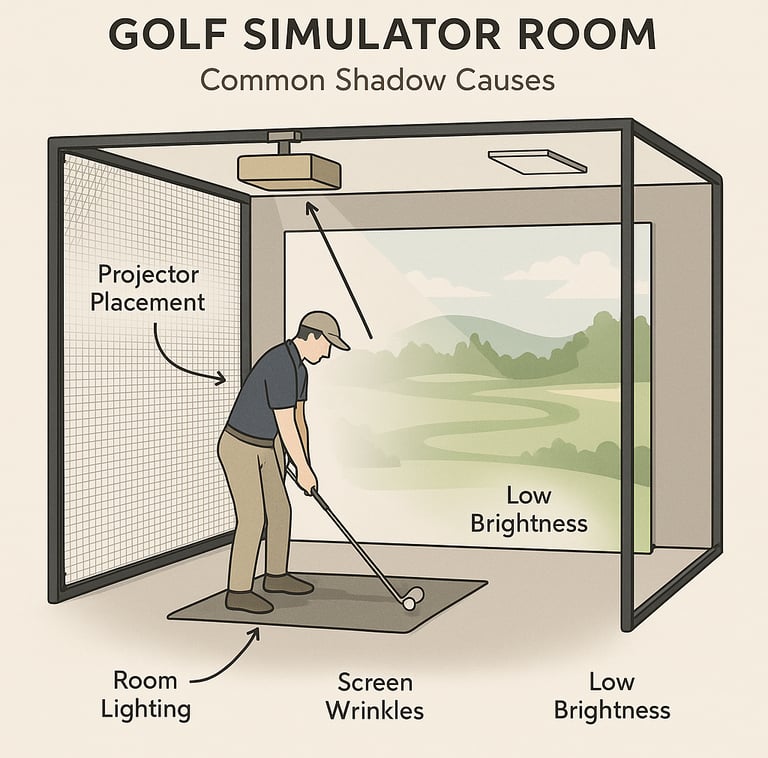
How Golf Simulator Projectors Work and Why Shadows Appear
At its core, your golf simulator projector is throwing an image onto a screen or impact surface, creating that immersive environment you expect from modern golf simulation.
If you want to understand how projector specs and setup choices all connect, the Golf Simulator Projector Guide breaks everything down step-by-step.
Shadows happen when the projected light hits an object—most often the player—or gets blocked before reaching the screen. This interruption creates dark spots or silhouettes right where you don’t want them.
What actually matters here is the path the light takes from the projector lens to the screen. If the golfer or any gear stands between that path, you’ll get shadows.
Types of Projectors and Their Impact on Shadows
When it comes to shadows in golf simulators, the type of projector you use makes a world of difference.
If you’re comparing projector types directly, Short Throw vs Standard Projectors for Golf Sim Setup will help you understand how each setup behaves.
Standard Throw Projectors
These projectors need a longer distance from the screen, sometimes 8 to 12 feet or more. Because of that distance, your body or clubs can easily get between the projector’s light source and the screen, causing noticeable shadows.
Ultra-Short Throw Projectors
Ultra-short throw (UST) projectors sit incredibly close to the screen and drastically cut down on shadows because the light path avoids where the golfer stands.
If you’re trying to decide if upgrading is worth it, Do You Need a Short Throw Projector for Golf Sims? breaks that down clearly.
Common Causes of Shadows in Golf Simulator Setups
Beyond projector type, a few recurring causes contribute to shadows:
Projector Placement
Mounting the projector directly behind or in front of the golfer almost guarantees shadows.
Room Lighting
Ambient light can create competing shadows or worsen ones from the projector.
Screen Issues
Screens that aren’t perfectly flat or tensioned can warp or ripple images.
Projector Brightness
Low lumen output makes shadows stand out more prominently.
If brightness might be part of your issue, What Lumens Do You Need for a Golf Simulator? will help you dial that in properly.
Practical Tips to Fix and Prevent Shadows
From real-world installs, here are the best ways to beat shadows:
Position Your Projector Carefully
Switch to an Ultra-Short Throw Projector
Optimize Screen Setup
Control Ambient Lighting
Use Projector Mounts with Adjustable Angles
If your setup is tight, Best Projector Placement for Small Golf Simulator Rooms will help you avoid positioning mistakes.
Choosing the Right Projector for Your Golf Simulator
Picking the right projector isn’t just about lumen ratings and resolution—it’s about your space and how you use it.
If you’re comparing actual models, Best Projectors for Golf Simulators and Best Projectors Under $1,000 will help you match specs with real options.
If you have a dedicated room with high ceilings, a bright standard throw projector can work well. For garages or smaller rooms, ultra-short throw is usually the better choice.
Screen and Room Setup Considerations
Your projector can only do so much if the screen or room setup is off. The screen should be tensioned enough to avoid wrinkles and distortions.
Reflective or uneven surfaces behind or around the screen can bounce light oddly, causing distracting visual artifacts.
Also, think about lighting carefully. Use indirect lighting that doesn’t shine toward the simulator screen directly.
Troubleshooting Shadow Problems
If you’re stuck with shadows, try these troubleshooting steps:
Watch where your silhouette falls
Dim or turn off lights near the screen
Inspect your screen for ripples
Test brightness settings
Adjust projector height and angle
Common Mistakes to Avoid
Placing a standard throw projector too close to the golfer
Ignoring ambient lighting conditions
Using a low-lumen projector in a bright room
Skimping on screen quality
Not testing alternative mounting positions
Frequently Asked Questions About Golf Simulator Projector Shadows
Why does my golf simulator projector create shadows during play?
Shadows happen when your body or other objects block the projector’s light path to the screen. Because you stand close to the screen in most setups, your silhouette naturally falls into the projector beam if the projector isn’t positioned properly.
How can I fix shadows in my golf simulator setup?
Start by repositioning your projector off to the side or higher up, ideally using an adjustable mount. Adding ambient light control, using a tensioned flat screen, or switching to an ultra-short throw projector will also help eliminate shadows.
Are ultra-short throw projectors better for golf simulators?
Yes. Ultra-short throw projectors reduce shadow problems because they sit closer to the screen and project almost vertically, keeping the golfer’s silhouette out of the light path.
What is the ideal projector placement to avoid shadows?
Mount your projector high, off-center, and angled so the light beam doesn’t intersect with where you stand or swing.
Can room lighting affect projector shadows in my golf simulator?
Absolutely. Bright overhead lights, sunlight from windows, and other ambient light sources can cause competing shadows or make projector shadows more noticeable.
How does screen quality impact shadow appearance?
A high-quality, properly tensioned screen ensures the projected image stays sharp and uniform.
Is projector brightness important to minimize shadows?
Yes, brighter projectors provide higher image contrast, which diminishes the visible impact of shadows.
What are common installation mistakes causing shadows?
Mounting the projector too close to where you’ll stand, ignoring room lighting effects, using low-brightness projectors, and failing to properly tension the screen are common issues.
Conclusion
Shadows might seem like an unavoidable part of owning a golf simulator, but they don’t have to be. What actually works to kill shadows is a thoughtful setup—starting with choosing the right projector type for your space, mounting it out of your swing path, and paying attention to your screen and lighting.
© 2026 GolfTechBuzz. All rights reserved.
Golf Tech Buzz
Performance Through Data
Practical guides, real-world setups, and unbiased comparisons for golfers building smarter practice environments.
General Inquiries: