

Impact Screen Durability Explained
Discover key factors affecting impact screen durability for golf simulators and how proper setup and maintenance extend their lifespan.
SIMULATORS
Golf Tech Buzz Editorial Team - Led by AJ “Buzz” Eichman
4/15/20267 min read
If you’ve ever set up a golf simulator, you know the impact screen is the unsung hero of the operation. It’s where your ball hits, the visuals play out, and—if you’re smart about it—where you protect your investment for the long haul. If you're still building out your setup, understanding how everything works together inside Golf Simulators will help you avoid costly mistakes early. But let me tell you straight: not all impact screens are created equal, and durability? That’s the deal breaker. Nail that, and your simulator stays crisp and solid for years. Screw it up, and you’ll be replacing a scratched, sagging mess far sooner than you thought.
Quick Verdict
Most impact screens are made from woven polyester or high-strength synthetics optimized for both durability and image clarity.
Screen longevity depends heavily on your usage frequency—light weekend rounds vs. daily commercial leagues make a big difference.
Proper installation with secure framing and consistent tensioning is critical to avoid sagging and premature wear.
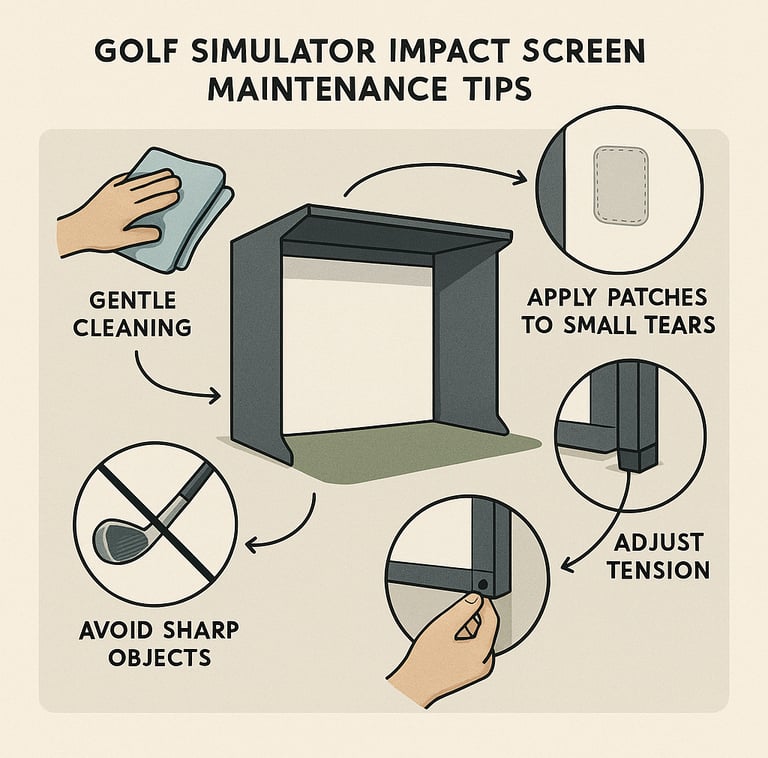
Regular maintenance—gentle cleaning, avoiding sharp contact, and timely repairs—extends your screen’s life and performance.
What Is an Impact Screen and Why Durability Matters?
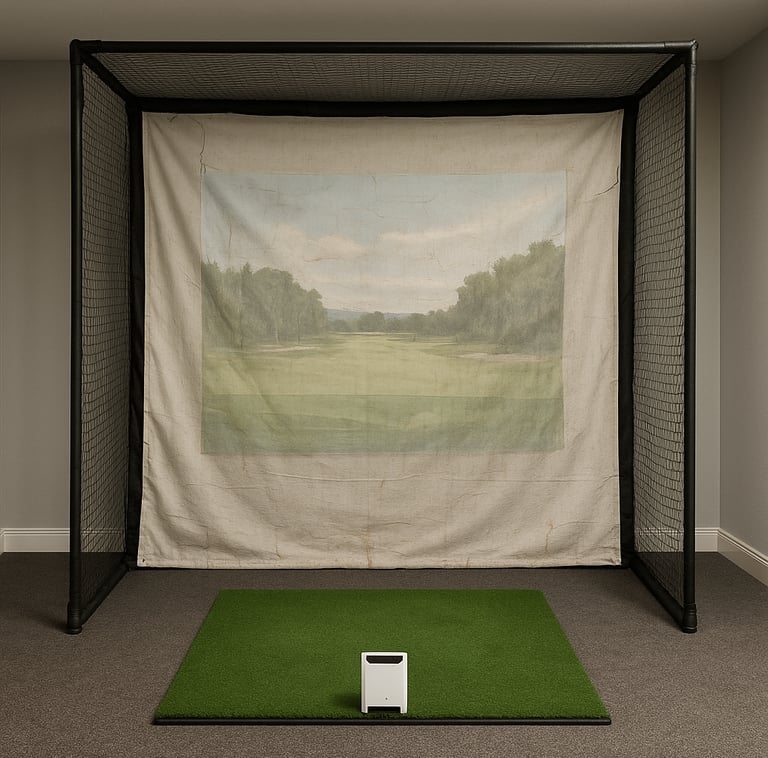
Here’s the deal: an impact screen in your golf simulator acts like the green on the range but with a tech twist. It takes the brunt of the ball’s force, absorbs impact energy, and presents the video feed from your simulator in stunning detail. If you want a deeper breakdown of how these actually function in a full setup, the Golf Impact Screens Guide ties everything together from performance to installation. Without a durable screen, you risk compromised visuals, inaccurate ball tracking, and expensive early replacements.
If you’re spending the bucks on launch monitors and the rest of the setup, the screen better keep up. A flimsy screen wrinkles, tears, distorts images, and kills immersion faster than a duffed chip shot.
Common Materials Used in Golf Simulator Impact Screens
When you’re shopping, you’ll mostly see two types of materials in impact screens: woven polyester and high-strength synthetic composite fabrics. Most folks run with woven polyester—it’s affordable, offers good ball reaction, and balances clarity with durability. If you're comparing real-world options, looking through the Best Golf Impact Screens can give you a better feel for which materials actually hold up over time. The weave density matters here; tighter weaves give crisper images but can be less forgiving on impact. Looser weaves hold up better over time but sacrifice some sharpness.
Composite materials often include polyester blends with ballistic nylon or similar fibers for commercial setups or heavy hitters who need ultra-durable screens. If you're going all-in on a full build, setups like the Best Golf Enclosure with Impact Screens tend to use reinforced materials that handle repeated high-speed impacts better than standalone screens. These are pricier, but they deliver higher screen impact resistance and longer screen longevity.
Factors Influencing Impact Screen Longevity
I’ve seen it a dozen times: screens that looked rugged on paper but bowed under heavy use because of factors people overlook. Here’s the scoop on what wears them out:
Usage Intensity: More ball strikes mean faster wear. Daily commercial use demands higher-grade materials than casual weekend play.
Weave Density and Thread Thickness: Thicker threads and denser weaves resist tears and wear but can affect image quality and cost.
Installation and Tensioning: If your screen is sagging or loose, it bears uneven impact stress and develops localized holes faster.
Environmental Conditions: Humidity, heat, and UV exposure degrade synthetic fibers over time. Indoor simulators that aren’t climate-controlled will see reduced screen lifespan.
Maintenance Habits: Cleaning screens with abrasive materials or chemicals can prematurely degrade fibers. Neglecting small rips lets damage snowball.
Proper Installation and Setup for Extended Screen Life
If you’re thinking the easiest installation will do, slow your roll. The way you set up that screen frames the whole durability story. Following a proper How to Install a Golf Impact Screen approach makes a massive difference in long-term performance. Here’s what you can’t skip:
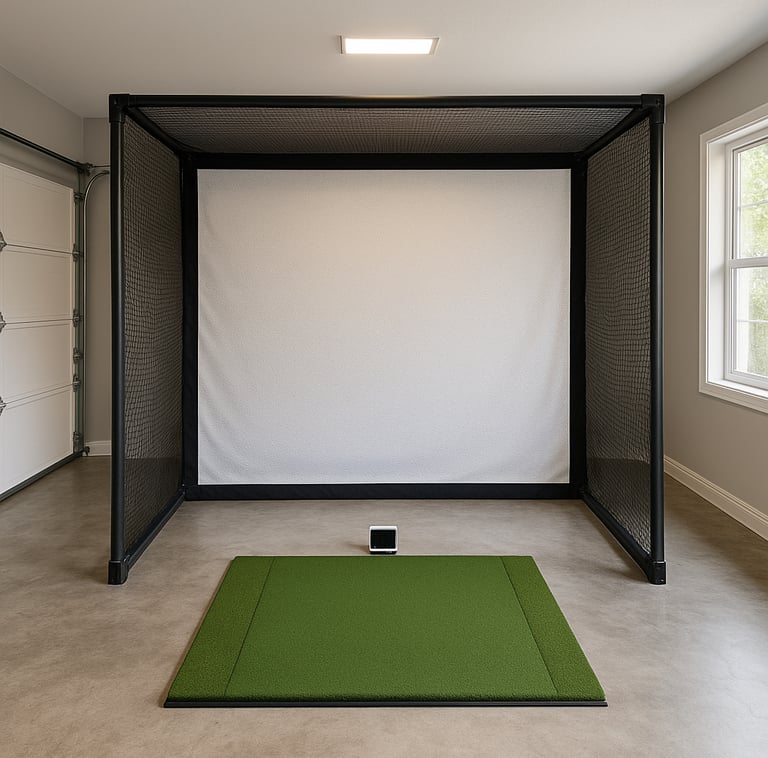
Solid Frame: Use sturdy framing that prevents bending and flexing—aluminum or steel are favorites.
Tension System: Bungee cords, springs, or high-tension cables keep the screen taut. Loose screens sag, and sagging leads to puckering and weak spots.
Correct Distance: Keep the screen a healthy distance from your hitting area to avoid edge impacts or balls bouncing back prematurely.
Environmental Control: Avoid placing your simulator where sunlight or moisture could batter the screen fibers.
Maintenance Tips to Maximize Screen Durability
Listen, this isn’t just about wiping down the guy’s gear once in a while. A little routine care goes a long way. If you want to go deeper on long-term wear patterns and prevention, What Material Is Best for Impact Screens breaks down how different materials age over time:
Clean Regularly But Gently: Use a soft, damp cloth and mild soap if needed. Avoid harsh chemicals or abrasive tools.
Inspect Frequently: Spot tear or wear early before it grows into a glitch ruining your round.
Patch Small Tears: Some players patch their screens with special repair kits or fabric glue designed for synthetics.
Avoid Sharp Objects: No golf spikes, tees, or accessories near the screen when it’s not in use. One errant nail or hook can ruin the integrity.
Adjust Tension if Sagging Appears: Sagging is a ticking time bomb, so tighten the setup as needed.
Signs Your Impact Screen Needs Replacement
When do you know it’s time to cut your losses and get a new screen? Here’re the red flags:
Noticeable Holes or Tears: Even small holes cause image distortion and affect ball tracking.
Persistent Sagging: Stretching beyond the frame capacity means you’re not getting proper ball reaction or visuals.
Discoloration or Material Breakdown: If your screen looks faded or frayed, it’s weakening beneath the surface.
Image Distortion: Warping or shadows during play usually signal screen issues.
Reduced Launch Monitor Accuracy: Problems in ball tracking can arise if the screen material doesn’t react properly anymore.
Buying Guide: Choosing the Right Durable Impact Screen
Now, buying the right screen needs some homework, and here’s what I tell my buddies:
Match Screen Material to Your Use: Casual setups? Woven polyester will do just fine. Heavy, commercial? Look at high-strength synthetic composites.
Check Impact Resistance Ratings: Some manufacturers provide specs on screen toughness—go for higher ratings if you expect hard shots or high-speed monitors.
Size & Weight: Bigger screens demand more robust framing and tensioning. Portable setups favor lighter materials but keep durability in mind.
Launch Monitor Compatibility: Different screens interact differently with ball spin tracking and image clarity; double-check your launch monitor specs.
Budget vs. Longevity: You can pay less upfront, but a cheap screen that’ll need replacing often will cost more over time. Invest smartly.
Common Mistakes Golfers Make with Impact Screens
I’ve seen guys try this and burn right through their screen budget:
Using Screens Not Designed for Golf Simulators: Those cheap projector screens or fabric covers won’t cut it for impact resistance. Buy purpose-built golf simulator screens.
Skipping Proper Frame Tensioning: Loose or sagging installs lead to early material failure and worse play experience.
Ignoring Small Tears or Holes: Don’t wait for the damage to spread; patch them promptly.
Overlooking Environmental Factors: Putting your simulator near windows or in a damp garage without climate control chops the screen’s lifespan.
Cleaning with Harsh Chemicals or Abrasives: Using bleach or rough scrubbing wears out fibers fast.
Frequently Asked Questions About Golf Simulator Screens
What materials are impact screens usually made of?
Most are woven polyester or high-strength synthetic composites designed specifically for golf simulators. The choice comes down to balance between clarity, durability, and price.
How long does a typical golf simulator impact screen last?
Depending on use, expect 3-7 years for typical woven polyester screens under moderate use. Commercial and heavy-use screens may last less or more depending on material quality and maintenance.
Can I repair small tears in my impact screen?
Yes, many players patch small tears with fabric glue or repair kits made for polyester or synthetic screens to extend life and preserve image quality.
How should I clean and maintain my golf simulator screen?
Use a soft, damp cloth with mild soap when necessary. Avoid harsh cleaners or abrasives. Inspect regularly for rips or sagging and address issues quickly.
Does screen durability affect the accuracy of ball tracking?
Absolutely. A screen that’s sagging or torn can distort ball impact and spin data, leading to inaccurate or inconsistent readings from your launch monitor.
What setup considerations affect screen wear in indoor golf simulators?
Proper framing and tensioning, avoiding direct sunlight or humidity, and placing the screen at an ideal distance from the hitting area are key to reducing wear.
Are all golf simulator screens compatible with every launch monitor?
Not necessarily. Some launch monitors work better with certain screen types or densities. Always check compatibility or ask your vendor for recommendations.
How do I know if my screen needs to be replaced?
Look for holes, sagging, discoloration, image distortion, or degradation in shot accuracy. These are clear signs it’s time to invest in a new screen.
Wrapping It Up
If you want your golf simulator to feel like a pro-level setup, you can’t skimp on the impact screen durability. It’s the frontline defense against damage, the canvas for your virtual rounds, and a long-term investment in performance. Choosing the right materials, getting your installation dialed in, and giving the screen the TLC it deserves keeps you hitting crisp shots and enjoying flawless visuals for years to come.
Remember: A good impact screen is like a good cigar—takes a little care, high quality, and room to breathe. But man, when it’s right, it elevates the whole experience. So pick smart, install tight, and maintain like a champ. Your inner golf tech geek and your weekend game will thank you.
© 2026 GolfTechBuzz. All rights reserved.
Golf Tech Buzz
Performance Through Data
Practical guides, real-world setups, and unbiased comparisons for golfers building smarter practice environments.
General Inquiries: